All templates

Deploy ArangoDB on your own server.

ArangoDB logo

ArangoDB is a multi-model NoSQL database system that supports graph, document, and key-value data models. It is designed for scalability, high availability, and flexibility, making it suitable for a wide range of applications, from simple document storage to complex graph processing. ArangoDB offers a native query language (AQL),…

Your infrastructureAutomatic HTTPSNo lock-in

Screenshots

A closer look at ArangoDB.
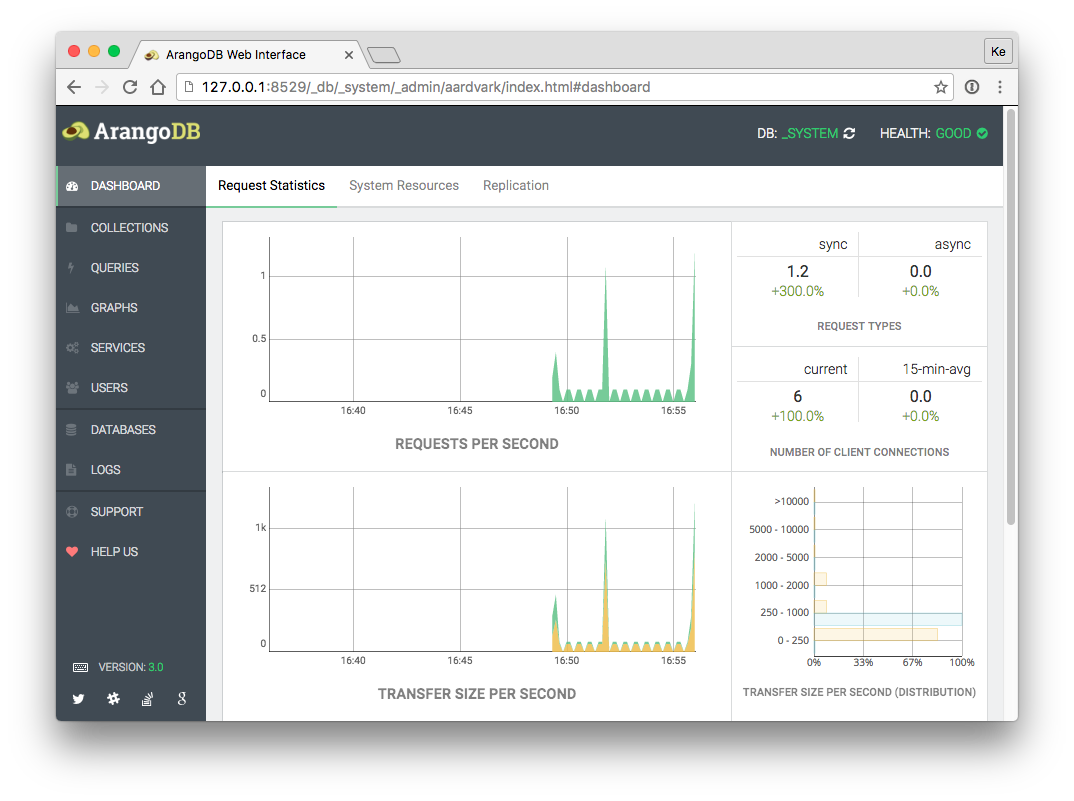
ArangoDB screenshot 1

Setup time

A few minutes

Deployment

Your own server

Services

1 connected service

Why ArangoDB

Everything you need, running where you choose.

Get the full ArangoDB experience with Easypanel handling the repetitive infrastructure work around it.

Native Graph Support
ArangoDB offers a robust graph database engine with native graph traversal and pattern matching, making it ideal for social networks, recommendation engines, and fraud detection.
ACID Transactions
ArangoDB ensures data integrity with full support for ACID transactions, making it a reliable choice for critical applications.
Integrated Search Engine
With ArangoSearch, ArangoDB provides full-text search, ranking, and filtering capabilities, enhancing search-driven applications.
HTTP API and Web UI
ArangoDB includes a built-in HTTP API and a web-based UI for easy database management and administration.
Flexible Deployment Options
ArangoDB can be deployed as a single instance, in a cluster, or in Kubernetes environments for optimal scalability and reliability.
Multi-Model Database
ArangoDB supports multiple data models, including document, graph, and key-value, allowing developers to use a single database for diverse application needs.
How it works

From template to live app in three steps.

Easypanel turns the template into real services, storage, and domains on the server you already control.

Already have Easypanel? Open your dashboard at the URL or IP of your own installation.

Installation guide
1
Open your dashboard
Visit the URL or IP of your Easypanel installation and choose the target project.
2
Choose ArangoDB
Open Templates, select ArangoDB, then review its service names and configuration.
3
Deploy and open your app
Easypanel starts every service and provisions an HTTPS domain for you.
Installation options
The template asks for these values before creating your services.
OptionDefaultRequired

App Service Name

arangodbRequired

App Service Image

arangodb:3.12.9.1Required
Resources
Project documentation and source code.
Latest template update
Apr 29, 2026

Version bumped to 3.12.9.1

Questions

Deploy with confidence.

The template handles the application setup while Easypanel keeps the infrastructure understandable and under your control.

ArangoDB logo
Ready to deploy ArangoDB?
Open your own Easypanel dashboard, choose ArangoDB from Templates, and review the deployment options.