All templates

Deploy ArcadeDB on your own server.

ArcadeDB logo

ArcadeDB is a multi-model database that supports multiple data models including Document, Graph, Key-Value, and Vector databases in a single engine. It's designed for high-performance applications with ACID transactions and real-time analytics capabilities.

Your infrastructureAutomatic HTTPSNo lock-in

Screenshots

A closer look at ArcadeDB.
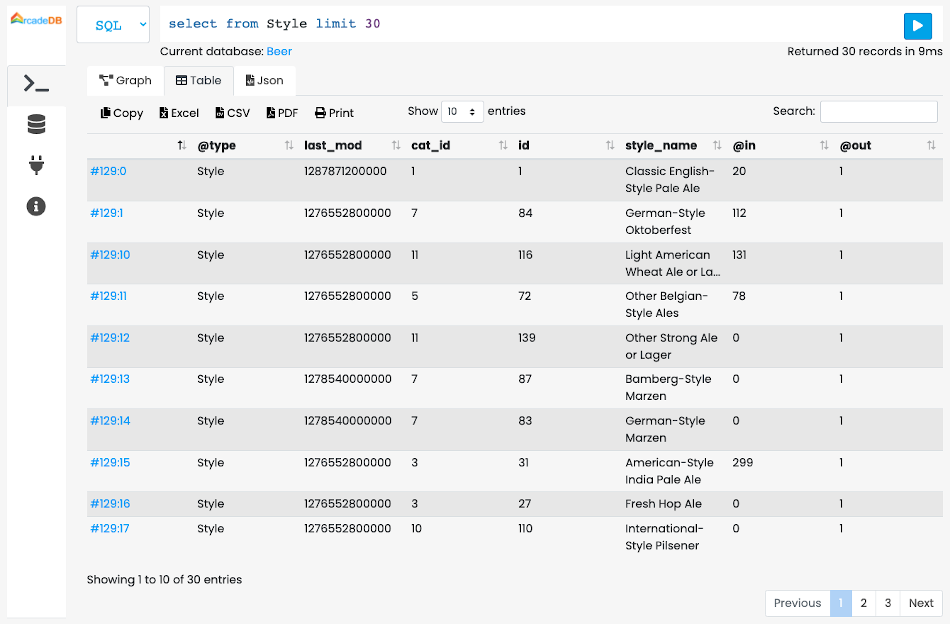
ArcadeDB screenshot 1

Setup time

A few minutes

Deployment

Your own server

Services

1 connected service

Why ArcadeDB

Everything you need, running where you choose.

Get the full ArcadeDB experience with Easypanel handling the repetitive infrastructure work around it.

Document Database
Store and query JSON-like documents with flexible schema and powerful indexing options.
Graph Database
Native graph database capabilities for complex relationship queries and graph analytics.
Key-Value Store
High-performance key-value storage for caching and simple data retrieval scenarios.
Vector Database
Support for vector operations and similarity search for AI and machine learning applications.
SQL Support
Full SQL support with extensions for graph and document operations, making it familiar for developers.
REST API
Comprehensive REST API for easy integration with web applications and microservices.
How it works

From template to live app in three steps.

Easypanel turns the template into real services, storage, and domains on the server you already control.

Already have Easypanel? Open your dashboard at the URL or IP of your own installation.

Installation guide
1
Open your dashboard
Visit the URL or IP of your Easypanel installation and choose the target project.
2
Choose ArcadeDB
Open Templates, select ArcadeDB, then review its service names and configuration.
3
Deploy and open your app
Easypanel starts every service and provisions an HTTPS domain for you.
Installation options
The template asks for these values before creating your services.
OptionDefaultRequired

App Service Name

arcadedbRequired

App Service Image

arcadedata/arcadedb:26.4.2Required

Binary Port

2480Optional
Resources
Project documentation and source code.
Latest template update
Apr 29, 2026

Updated to ArcadeDB version 26.4.2

Questions

Deploy with confidence.

The template handles the application setup while Easypanel keeps the infrastructure understandable and under your control.

Keep exploring

Related templates

Browse all
ArangoDB logo
ArangoDB
ArangoDB is a multi-model NoSQL database system that supports graph, document, and key-value data models. It is designed for scalability, high availability, and flexibility, making it suitable for a wide range of applications, from simple document storage to complex graph processing. ArangoDB offers a native query language (AQL), full-text search capabilities, a built-in HTTP API, and a web-based UI for management. It also provides features like replication, sharding, and ACID transactions to ensure data integrity and performance. With its integrated search engine and support for multi-tenancy, ArangoDB is an ideal choice for both small projects and enterprise-level applications.
View template
Neo4j logo
Neo4j
Neo4j is a native graph database that brings data relationships to the foreground. It's designed to store, manage, and analyze connected data efficiently. Neo4j is particularly well-suited for applications that need to model complex relationships between entities, such as social networks, recommendation engines, fraud detection, and knowledge graphs.
View template
PgHero
PgHero is a powerful performance dashboard for PostgreSQL databases that provides real-time insights into query performance, slow queries, index usage, and database health metrics. It helps database administrators and developers optimize their PostgreSQL databases by identifying performance bottlenecks, unused indexes, and query patterns. The dashboard features an intuitive web interface with detailed analytics and recommendations for database optimization.
View template
ArcadeDB logo
Ready to deploy ArcadeDB?
Open your own Easypanel dashboard, choose ArcadeDB from Templates, and review the deployment options.