All templates

Deploy Bookstack on your own server.

Bookstack logo

BookStack is a free and open-source platform designed to help you organize and store information in a simple and efficient way. It is a self-hosted solution that allows you to create, edit, and manage content through an easy-to-use interface. The content is divided into three real-world groups: Books, Chapters, and Pages, making it easy…

Your infrastructureAutomatic HTTPSNo lock-in

Screenshots

A closer look at Bookstack.
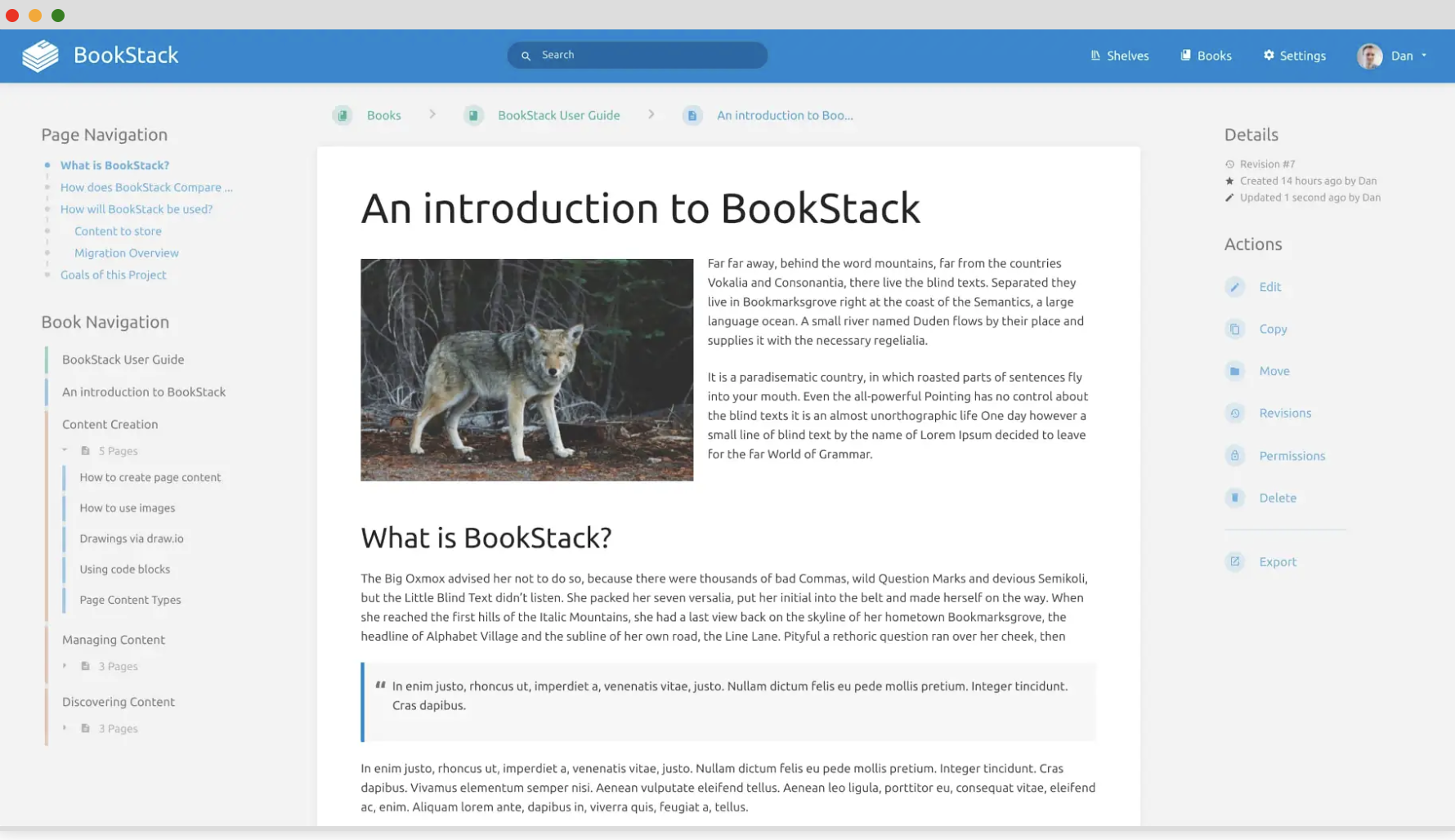
Bookstack screenshot 1

Setup time

A few minutes

Deployment

Your own server

Services

2 connected services

Why Bookstack

Everything you need, running where you choose.

Get the full Bookstack experience with Easypanel handling the repetitive infrastructure work around it.

Easy, Simple Interface
BookStack has been designed with simplicity in mind. The page editor features a straightforward WYSIWYG interface, making it easy for anyone to use.
Built-In diagrams.net
The page editor within BookStack has a built-in diagrams.net drawing capability, allowing for the quick and easy creation of diagrams within your documentation.
Optional Markdown Editor
If you prefer to write in Markdown, BookStack supports you. A markdown editor is provided, complete with a live-preview as you write your documentation.
Integrated Authentication
BookStack supports various login methods, including default email/password and social providers such as GitHub, Google, Slack, AzureAD and more. Enterprise environments can utilise Okta, SAML2 and LDAP options.
Powerful Features
BookStack comes packed with powerful features like cross-book sorting, page revisions, image management, and a full role and permission system to lock down content and actions as required.
Multi-Factor Authentication
For enhanced security, BookStack has built-in Multi-Factor Authentication (MFA) which can be enforced at a per-role level. MFA options include TOTP (Google/Microsoft Authenticator, Authy, etc.) and static backup codes.
How it works

From template to live app in three steps.

Easypanel turns the template into real services, storage, and domains on the server you already control.

Already have Easypanel? Open your dashboard at the URL or IP of your own installation.

Installation guide
1
Open your dashboard
Visit the URL or IP of your Easypanel installation and choose the target project.
2
Choose Bookstack
Open Templates, select Bookstack, then review its service names and configuration.
3
Deploy and open your app
Easypanel starts every service and provisions an HTTPS domain for you.
Installation options
The template asks for these values before creating your services.
OptionDefaultRequired

App Service Name

bookstackRequired

App Service Image

lscr.io/linuxserver/bookstack:26.03.3Required

Database Service Name

bookstack-dbRequired
Resources
Project documentation and source code.
Latest template update
Apr 29, 2026

Version bumped to 26.03.3

Questions

Deploy with confidence.

The template handles the application setup while Easypanel keeps the infrastructure understandable and under your control.

Keep exploring

Related templates

Browse all
OtterWiki logo
OtterWiki
OtterWiki is a simple, easy-to-use wiki software for personal use and small teams. It's designed to be minimalist, focusing on the essentials without unnecessary complexity. OtterWiki stores all content as Markdown files in a Git repository, providing automatic version control and the ability to edit pages using your favorite text editor. It features a clean, modern interface with syntax highlighting, file attachments, full-text search, and dark mode support. The wiki requires no database setup - everything is stored in plain text files, making backups and migrations simple. OtterWiki supports user authentication, page permissions, and comes with a built-in editor with live preview. Perfect for documentation, note-taking, knowledge management, and collaborative writing in small teams.
View template
Xwiki logo
Xwiki
XWiki is a powerful, open source enterprise wiki platform designed for collaboration and content management. It offers extensive features to create, manage, and share knowledge effectively.
View template
Wiki.js logo
Wiki.js
Wiki.js is a powerful and extensible open source Wiki software designed to make documentation a joy to write. It features a beautiful and intuitive interface that can be fully customized to your liking, including a light and dark mode. The software is compatible with various platforms and databases, including PostgreSQL, MySQL, MariaDB, MS SQL Server, and SQLite. With Wiki.js, you can manage all aspects of your wiki using the extensive and intuitive admin area. The software is built with performance in mind, running on the blazing fast Node.js engine. It is designed to intelligently make use of available resources, making it scalable whether it's on a tiny Raspberry Pi or on a high performance VM in the cloud. Wiki.js also allows you to control the privacy of your wiki, making it public, completely private, or a mix of both. It offers a wide range of modules that can be turned on/off on demand, catering to the unique needs of different teams. These modules include authentication, editors, history, localization, media assets, rendering, search, storage, user management, and themes. Wiki.js is proudly licensed under AGPLv3 and has been downloaded over 50 million times.
View template
Bookstack logo
Ready to deploy Bookstack?
Open your own Easypanel dashboard, choose Bookstack from Templates, and review the deployment options.