All templates

Deploy Budibase on your own server.

Budibase logo

Budibase is an open-source platform designed to simplify the creation of internal tools, saving teams hundreds of hours in the process. With Budibase, you can generate powerful internal tools and forms in just a few seconds, without any coding experience required. The platform allows you to connect to an external database, pull data from…

Your infrastructureAutomatic HTTPSNo lock-in

Screenshots

A closer look at Budibase.
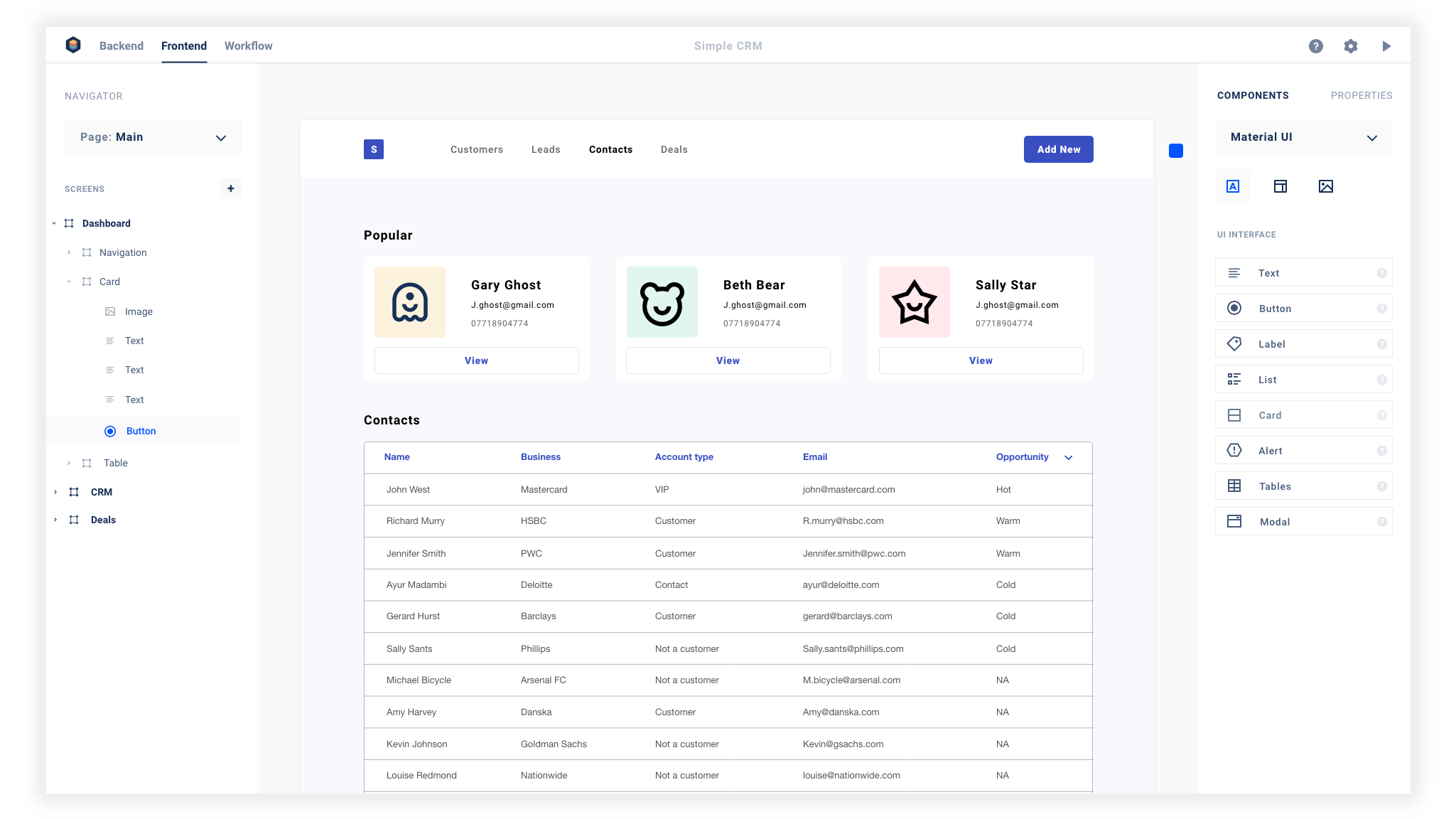
Budibase screenshot 1

Setup time

A few minutes

Deployment

Your own server

Services

6 connected services

Why Budibase

Everything you need, running where you choose.

Get the full Budibase experience with Easypanel handling the repetitive infrastructure work around it.

Data Collection
Budibase allows you to collect data securely on top of any database. It provides a platform for adding visitor contacts and managing company visits.
Notification System
Budibase comes with a built-in notification system that sends alerts for new visitors or actions taken within the app.
Design Flexibility
Budibase provides pre-made blocks and a drag-and-drop interface for designing internal tools. It allows you to deliver internal tools that look beautiful and work perfectly across mobile, tablet, and desktop.
Hosting Options
Budibase offers flexible hosting options. You can self-host using Docker, Kubernetes, or Digital Ocean, or choose Budibase Cloud and let Budibase manage everything for you.
Efficiency and Speed
Budibase saves teams hundreds of hours by simplifying the process of building internal tools. It allows you to create solutions that speed up your business operations.
No Coding Experience Required
With Budibase, you don't need any coding experience to create powerful internal tools and forms. Its user-friendly interface allows you to design your tools with drag-and-drop components.
How it works

From template to live app in three steps.

Easypanel turns the template into real services, storage, and domains on the server you already control.

Already have Easypanel? Open your dashboard at the URL or IP of your own installation.

Installation guide
1
Open your dashboard
Visit the URL or IP of your Easypanel installation and choose the target project.
2
Choose Budibase
Open Templates, select Budibase, then review its service names and configuration.
3
Deploy and open your app
Easypanel starts every service and provisions an HTTPS domain for you.
Installation options
The template asks for these values before creating your services.
OptionDefaultRequired

App Service Name

budibaseRequired

App Service Image

budibase/apps:3.37.1Required

Worker Service Image

budibase/worker:3.37.1Required

Admin Email

Email for the admin user

Required

Admin Password

Password for the admin user

Set during installRequired
Resources
Project documentation and source code.
Latest template update
Apr 29, 2026

Version bumped to 3.37.1

Questions

Deploy with confidence.

The template handles the application setup while Easypanel keeps the infrastructure understandable and under your control.

Keep exploring

Related templates

Browse all
Tooljet logo
Tooljet
Tooljet is an open-source low-code platform for building internal tools and business applications. It provides a visual interface builder, database connectors, API integrations, and workflow automation capabilities. With Tooljet, teams can quickly build custom dashboards, admin panels, CRUD applications, and complex business tools without extensive coding. The platform supports multiple data sources, real-time collaboration, and enterprise-grade security features.
View template
Grist logo
Grist
Grist is an open-source, customizable data management platform that combines the power of a spreadsheet with the structure of a database. Designed for teams and individuals who need to organize, analyze, and share information, Grist offers a flexible and collaborative environment for data management. It supports relational data linking, allowing users to create complex, connected data tables, and provides tools for custom views, formulas, and dashboards. Grist’s user-friendly interface empowers users to build powerful applications without requiring extensive coding knowledge.
View template
YAO logo
YAO
YAO is a powerful open-source app engine designed to create web services and applications in a matter of minutes. It is versatile and suitable for a variety of use-cases including AI, IoT, Industrial Internet, Connected Vehicles, DevOps, Energy, and Finance. With YAO, you can create a database model, write an interface, and describe the interface using JSON, making it a truly codeless programming experience. It supports running on ARM devices and can be used in IoT, edge computing, and industrial internet. YAO also offers easy-to-use Business Intelligence components and functions, empowering businesses with more possibilities. It has many built-in processes and supports data processing in any form through data flow. The app also features a plug-in mechanism based on GRPC for function expansion using Nodejs, Python, and other languages. YAO also provides a built-in query engine and offers enterprise-level security with permission classification, separation of administrator and employee accounts, and API level permission control.
View template
Budibase logo
Ready to deploy Budibase?
Open your own Easypanel dashboard, choose Budibase from Templates, and review the deployment options.