Deploy BunkerM on your own server.

BunkerM logo

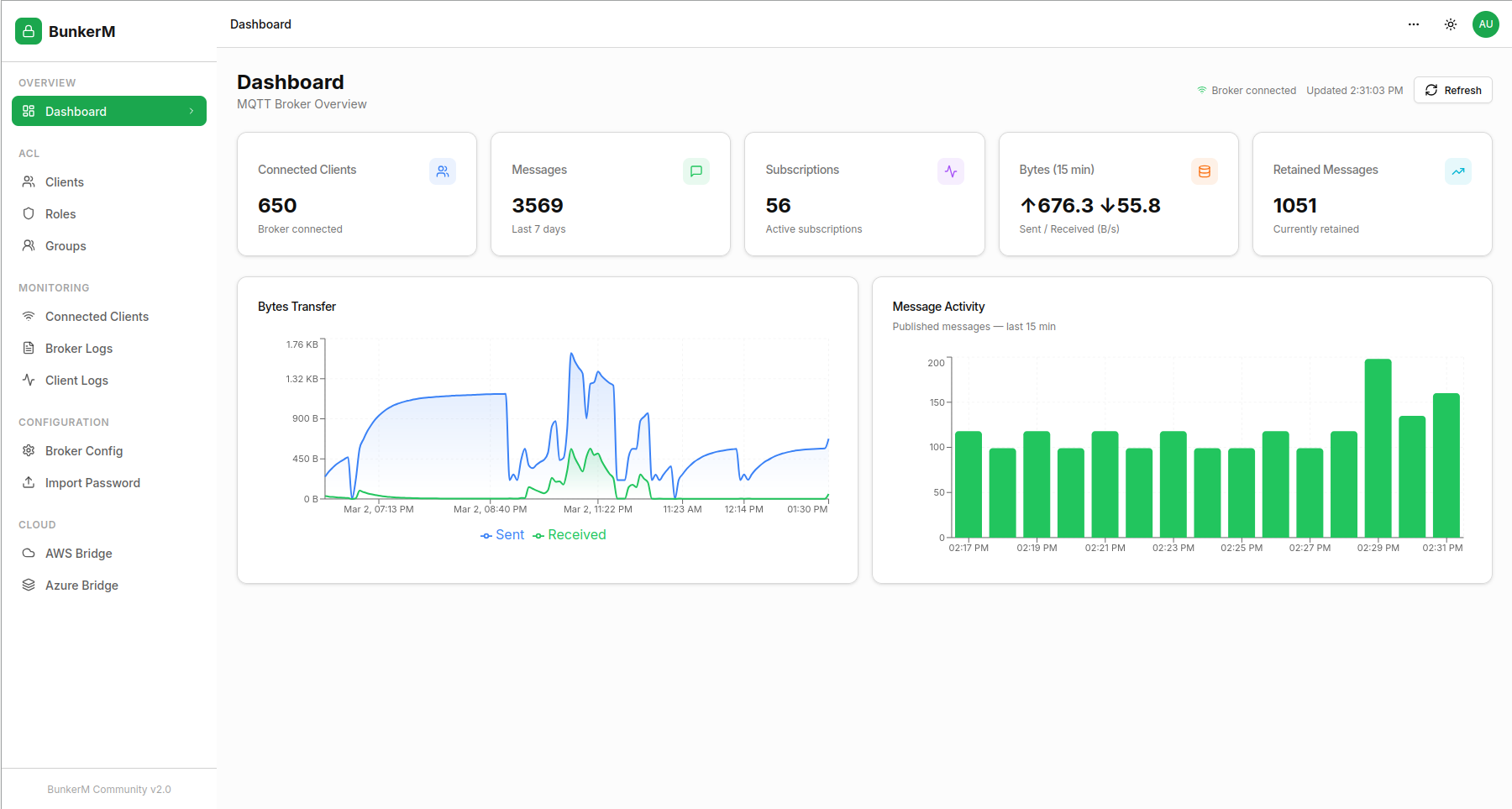
BunkerM is a free, open-source, containerized MQTT management platform that bundles Eclipse Mosquitto with a full-featured web dashboard in a single Docker image. It provides dynamic security management for clients, roles, groups, and ACLs, real-time monitoring of connections and broker logs, a built-in MQTT browser for exploring topics…

Your infrastructureAutomatic HTTPSNo lock-in

Screenshots

A closer look at BunkerM.

BunkerM screenshot 1

Setup time

A few minutes

Deployment

Your own server

Services

1 connected service

Why BunkerM

Everything you need, running where you choose.

Get the full BunkerM experience with Easypanel handling the repetitive infrastructure work around it.

Eclipse Mosquitto Broker
Runs a full production-grade Mosquitto MQTT broker on port 1900 with dynamic security plugin enabled out of the box.
MQTT Browser
Explore topics, inspect payloads, and replay historical messages directly from the web UI without a separate MQTT client.
Local Automations
Define schedulers and watchers to trigger MQTT publishes or alerts based on time, topic patterns, or payload conditions.
Anomaly Detection
Built-in anomaly detection flags unusual message patterns or unauthorized connection attempts in the broker log view.
BunkerAI Integration
Optionally connect to the BunkerAI cloud service to query broker state and automate responses via web chat, Slack, or Telegram.
All-in-One MQTT Platform
A complete MQTT broker and management dashboard in a single container — no separate Mosquitto install, no external databases, no complex setup.
How it works

From template to live app in three steps.

Easypanel turns the template into real services, storage, and domains on the server you already control.

Already have Easypanel? Open your dashboard at the URL or IP of your own installation.

Installation guide
1
Open your dashboard
Visit the URL or IP of your Easypanel installation and choose the target project.
2
Choose BunkerM
Open Templates, select BunkerM, then review its service names and configuration.
3
Deploy and open your app
Easypanel starts every service and provisions an HTTPS domain for you.
Installation options
The template asks for these values before creating your services.
OptionDefaultRequired

App Service Name

bunkermRequired

App Service Image

bunkeriot/bunkerm:v2.1.0Required
Resources
Project documentation and source code.
Latest template update
Jul 1, 2026

first release

Questions

Deploy with confidence.

The template handles the application setup while Easypanel keeps the infrastructure understandable and under your control.

Keep exploring

Related templates

Browse all
DCM
DCM is a lightweight self-hosted web interface for managing and monitoring Docker containers. It provides a simple dashboard to view container status, start/stop operations, and inspect basic container details. Designed to be minimal and easy to deploy, DCM helps you keep an eye on your containers without exposing the full Docker API or using heavier management stacks. Ideal for small home labs or users who want a quick overview of their running services via a browser.
View template
Dockge logo
Dockge
Dockge is a modern, self-hosted Docker Compose management tool that provides a beautiful and intuitive web interface for managing your Docker Compose stacks. It allows you to create, edit, start, stop, and monitor your Docker Compose applications through a user-friendly dashboard. Dockge simplifies Docker Compose management with features like real-time logs, stack monitoring, and easy configuration editing.
View template
Dockhand logo
Dockhand
Dockhand is a modern Docker container management and monitoring tool that provides an intuitive web interface for managing your Docker containers, images, volumes, and networks. With real-time container statistics, log viewing, and container lifecycle management, Dockhand simplifies Docker operations for both developers and system administrators. The application offers comprehensive container management capabilities including start, stop, restart, and removal operations, along with detailed container information and resource usage monitoring. Perfect for developers who need a visual interface for Docker management, system administrators monitoring container infrastructure, or teams looking for an alternative to command-line Docker tools.
View template
BunkerM logo
Ready to deploy BunkerM?
Open your own Easypanel dashboard, choose BunkerM from Templates, and review the deployment options.