All templates

Deploy Dockhand on your own server.
Dockhand logo

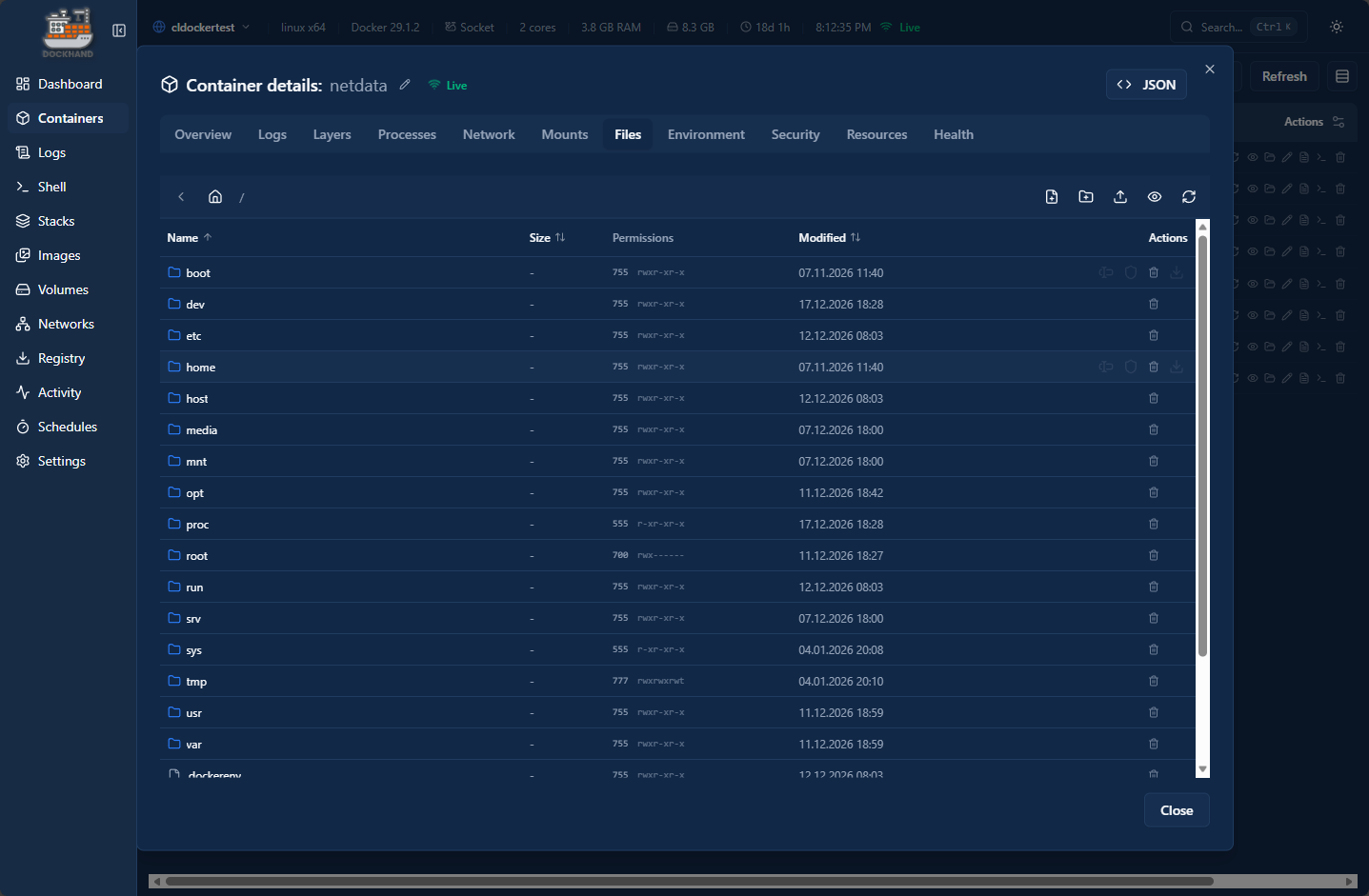
Dockhand is a modern Docker container management and monitoring tool that provides an intuitive web interface for managing your Docker containers, images, volumes, and networks. With real-time container statistics, log viewing, and container lifecycle management, Dockhand simplifies Docker operations for both developers and system…

Your infrastructureAutomatic HTTPSNo lock-in

Screenshots

A closer look at Dockhand.
Dockhand screenshot 1

Setup time

A few minutes

Deployment

Your own server

Services

1 connected service

Why Dockhand

Everything you need, running where you choose.

Get the full Dockhand experience with Easypanel handling the repetitive infrastructure work around it.

Container Management
Full lifecycle management of Docker containers including creation, modification, and deletion operations.
Image Management
View and manage Docker images, including pulling new images and removing unused ones.
Volume Management
Manage Docker volumes, view volume details, and clean up unused volumes.
Network Management
View and manage Docker networks, including network configuration and container connections.
Log Viewing
Real-time log viewing for containers with search and filtering capabilities.
Resource Monitoring
Monitor container resource usage including CPU, memory, and network statistics.
How it works

From template to live app in three steps.

Easypanel turns the template into real services, storage, and domains on the server you already control.

Already have Easypanel? Open your dashboard at the URL or IP of your own installation.

Installation guide
1
Open your dashboard
Visit the URL or IP of your Easypanel installation and choose the target project.
2
Choose Dockhand
Open Templates, select Dockhand, then review its service names and configuration.
3
Deploy and open your app
Easypanel starts every service and provisions an HTTPS domain for you.
Installation options
The template asks for these values before creating your services.
OptionDefaultRequired

App Service Name

dockhandRequired

App Service Image

fnsys/dockhand:48a80675Required
Resources
Project documentation and source code.
Latest template update
Apr 29, 2026

Version bumped to 48a80675

Questions

Deploy with confidence.

The template handles the application setup while Easypanel keeps the infrastructure understandable and under your control.

Keep exploring

Related templates

Browse all
Tugtainer logo
Tugtainer
Tugtainer is a self-hosted Docker container management application that provides a web-based interface for managing Docker containers and images. Built with modern architecture, Tugtainer offers comprehensive container management capabilities including container lifecycle management, image management, and network configuration. The system uses a secure socket proxy service to safely access the Docker socket, providing an additional layer of security. Perfect for developers and system administrators looking for a self-hosted alternative to manage Docker containers with a user-friendly interface.
View template
Dockge logo
Dockge
Dockge is a modern, self-hosted Docker Compose management tool that provides a beautiful and intuitive web interface for managing your Docker Compose stacks. It allows you to create, edit, start, stop, and monitor your Docker Compose applications through a user-friendly dashboard. Dockge simplifies Docker Compose management with features like real-time logs, stack monitoring, and easy configuration editing.
View template
Cupdate logo
Cupdate
Cupdate is a self-hosted web application for monitoring and managing Docker container updates. It provides a centralized dashboard to track available updates for your running containers, view container versions, and manage update notifications. By connecting to the Docker daemon via the Docker socket, Cupdate scans all running containers and checks for newer image versions available in container registries. The web interface displays an overview of your container infrastructure with update status, image tags, registry information, and visual indicators for outdated containers. Cupdate features automatic update checking on a configurable schedule, support for multiple container registries, detailed container information with links to documentation and registries, and the ability to manage container logos and metadata. With its lightweight architecture and persistent storage using BoltDB and SQLite, Cupdate offers an efficient solution for staying informed about container updates without requiring complex automation or CI/CD pipelines. Perfect for home lab administrators managing multiple Docker containers, DevOps teams maintaining staging environments, system administrators tracking container versions across servers, or anyone who wants visibility into their Docker infrastructure's update status without manually checking each container.
View template
Dockhand logo
Ready to deploy Dockhand?
Open your own Easypanel dashboard, choose Dockhand from Templates, and review the deployment options.