All templates

Deploy Calibre Web on your own server.

Calibre Web logo

Calibre Web is a web app providing a clean interface for browsing, reading and downloading eBooks using an existing Calibre database. It is a Python web application that provides a web interface for the Calibre eBook library. It supports multiple users, user management, and provides a modern, responsive interface for accessing your eBook…

Your infrastructureAutomatic HTTPSNo lock-in

Screenshots

A closer look at Calibre Web.
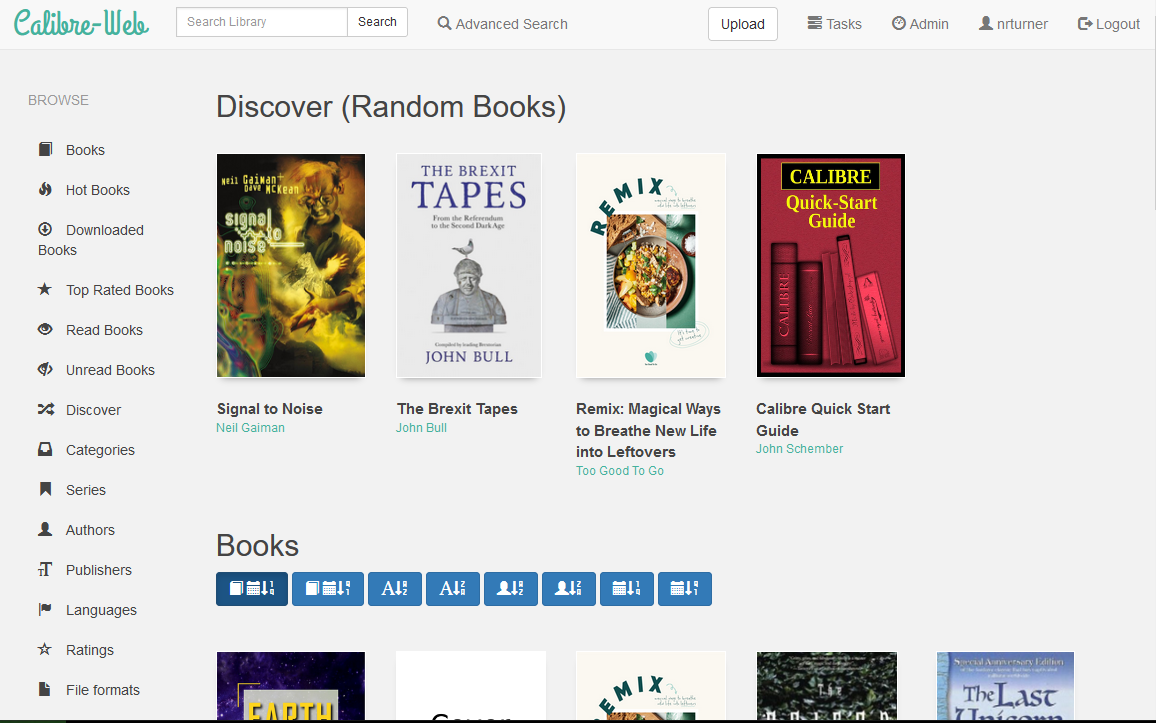
Calibre Web screenshot 1

Setup time

A few minutes

Deployment

Your own server

Services

1 connected service

Why Calibre Web

Everything you need, running where you choose.

Get the full Calibre Web experience with Easypanel handling the repetitive infrastructure work around it.

eBook Library Browser
Browse your entire eBook collection with advanced filtering, searching, and categorization options to quickly find the books you want to read.
Online Reading
Read eBooks directly in your web browser with a built-in reader that supports various formats including EPUB, PDF, and more.
Download & Sync
Download eBooks to your devices or sync them across multiple platforms for offline reading convenience.
User Management
Create multiple user accounts with different permission levels, allowing family members or team members to access the library with appropriate restrictions.
Metadata Management
Edit book metadata, covers, and descriptions directly through the web interface to keep your library organized and up-to-date.
Reading Statistics
Track your reading progress, statistics, and reading history to monitor your reading habits and discover new books.
How it works

From template to live app in three steps.

Easypanel turns the template into real services, storage, and domains on the server you already control.

Already have Easypanel? Open your dashboard at the URL or IP of your own installation.

Installation guide
1
Open your dashboard
Visit the URL or IP of your Easypanel installation and choose the target project.
2
Choose Calibre Web
Open Templates, select Calibre Web, then review its service names and configuration.
3
Deploy and open your app
Easypanel starts every service and provisions an HTTPS domain for you.
Installation options
The template asks for these values before creating your services.
OptionDefaultRequired

App Service Name

calibre-webRequired

App Service Image

lscr.io/linuxserver/calibre-web:0.6.26Required

Timezone

Timezone for the application

Etc/UTCOptional

Enable Docker Mods

Enable universal calibre docker mods for additional functionality

trueOptional

Enable OAuth Relax Token Scope

Relax OAuth token scope for better compatibility

trueOptional
Resources
Project documentation and source code.
Latest template update
Feb 18, 2026

Version bumped to 0.6.26

Questions

Deploy with confidence.

The template handles the application setup while Easypanel keeps the infrastructure understandable and under your control.

Keep exploring

Related templates

Browse all
Calibre Web logo
Ready to deploy Calibre Web?
Open your own Easypanel dashboard, choose Calibre Web from Templates, and review the deployment options.