All templates

Deploy Chatpad on your own server.

Chatpad logo

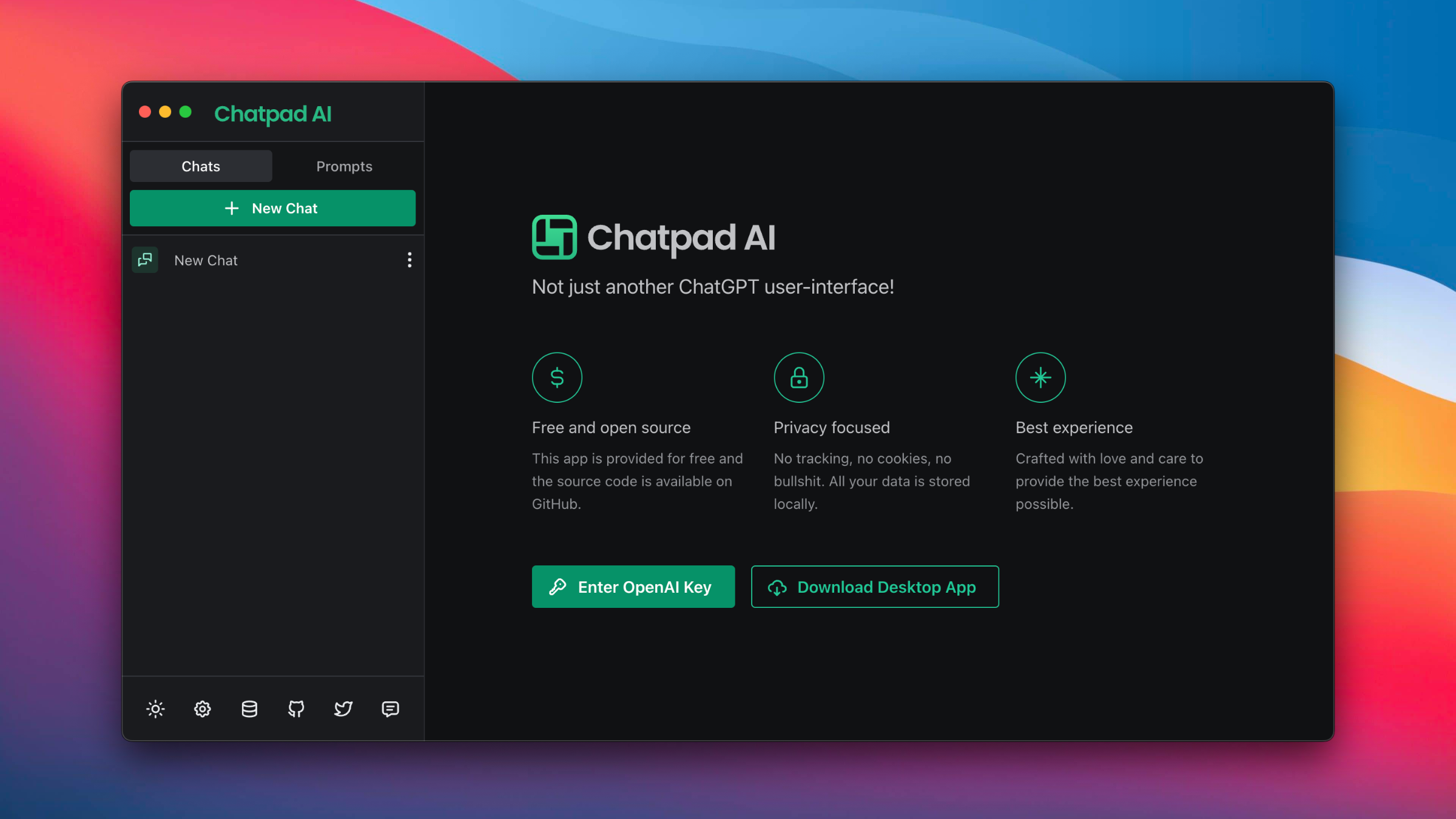
Chatpad AI is a premium quality user interface for ChatGPT, designed to provide the ultimate chatting experience. It's not just another ChatGPT interface, but a broader vision to revolutionize the way users interact with ChatGPT. The app is free and open-source, with its source code readily available on GitHub for anyone interested.…

Your infrastructureAutomatic HTTPSNo lock-in

Screenshots

A closer look at Chatpad.

Chatpad screenshot 1

Setup time

A few minutes

Deployment

Your own server

Services

1 connected service

Why Chatpad

Everything you need, running where you choose.

Get the full Chatpad experience with Easypanel handling the repetitive infrastructure work around it.

ChatGPT Interface
Chatpad AI provides a user-friendly interface for interacting with ChatGPT. It makes using ChatGPT a seamless and enjoyable experience.
Local Data Storage
Chatpad AI stores all your data locally on your device. This ensures that your data remains private and secure.
Self-hosting Capabilities
Chatpad AI can be self-hosted using Docker. This gives you full control over the application and its data.
Free and Open Source
Chatpad AI is a free and open-source application. This means you can use it without any cost, and if you're interested in how it works, you can check out the source code on GitHub.
Privacy Focused
Chatpad AI is designed with a strong focus on privacy. It does not track your activities, use cookies, or store your data on remote servers. All your data is stored locally on your device.
Premium Quality User Interface
Chatpad AI offers a premium quality user interface for ChatGPT. It is designed with attention to detail to provide the best possible user experience.
How it works

From template to live app in three steps.

Easypanel turns the template into real services, storage, and domains on the server you already control.

Already have Easypanel? Open your dashboard at the URL or IP of your own installation.

Installation guide
1
Open your dashboard
Visit the URL or IP of your Easypanel installation and choose the target project.
2
Choose Chatpad
Open Templates, select Chatpad, then review its service names and configuration.
3
Deploy and open your app
Easypanel starts every service and provisions an HTTPS domain for you.
Installation options
The template asks for these values before creating your services.
OptionDefaultRequired

App Service Name

chatpadRequired

App Service Image

ghcr.io/deiucanta/chatpadRequired
Resources
Project documentation and source code.
Latest template update
Mar 26, 2023

first release

Questions

Deploy with confidence.

The template handles the application setup while Easypanel keeps the infrastructure understandable and under your control.

Keep exploring

Related templates

Browse all
Collabora Office logo
Collabora Office
Collabora Online is a powerful, flexible, and secure online office suite designed to break free from vendor lock-in and put you in full control of your documents. It offers a private office suite in the cloud, compatible with trillions of existing documents, and can be integrated into your own infrastructure or accessed via one of our trusted hosting partners. It is excellent for enterprises that need a powerful office suite in the cloud, or on-premise, that protects their privacy and allows them to keep full control of their sensitive corporate data. Collabora Online offers a range of business benefits that support collaboration and productivity whilst maintaining your digital sovereignty and keeping your corporate documents secure. It includes a text document editor, a spreadsheet tool, a presentation creator, and a drawing tool, all designed to provide a true WYSIWYG editing experience and make visualising your document layout incredibly easy. You can open any document, add comments, track changes, format and style your pages, create spreadsheets with advanced formulas, design attractive presentations, and draw shapes and diagrams with ease. Collabora Online is fully open source, offering native integration in Android and iOS, and prioritizing privacy by default.
View template
Webcord logo
Webcord
WebCord is an application designed to enhance your Discord experience. It is a pack of security and privacy hardenings, Discord features reimplementations, Electron / Chromium / Discord bugs workarounds, stylesheets, internal pages and wrapped https://discord.com page. It is designed to conform with ToS as much as it is possible. The application can be accessed at: http://yourhost:3000/ or https://yourhost:3001/. This container is based on Docker Baseimage KasmVNC which means there are additional environment variables and run configurations to enable or disable specific functionality.
View template
StandardNotes logo
StandardNotes
StandardNotes is a private, end-to-end encrypted notes app that provides a secure platform for writing and organizing your thoughts. It offers a clean, distraction-free interface with strong encryption to protect your privacy. The self-hosted version gives you complete control over your data while maintaining all the security features of the cloud version.
View template
Chatpad logo
Ready to deploy Chatpad?
Open your own Easypanel dashboard, choose Chatpad from Templates, and review the deployment options.