All templates

Deploy CodeX Docs on your own server.
CodeX Docs logo

CodeX is a comprehensive platform that brings together passionate engineers, designers, students, graduates, and young specialists from around the globe. The app is dedicated to creating high-quality open-source projects and providing a valuable experience of developing full-fledged products for the global market. CodeX offers a range of…

Your infrastructureAutomatic HTTPSNo lock-in

Screenshots

A closer look at CodeX Docs.
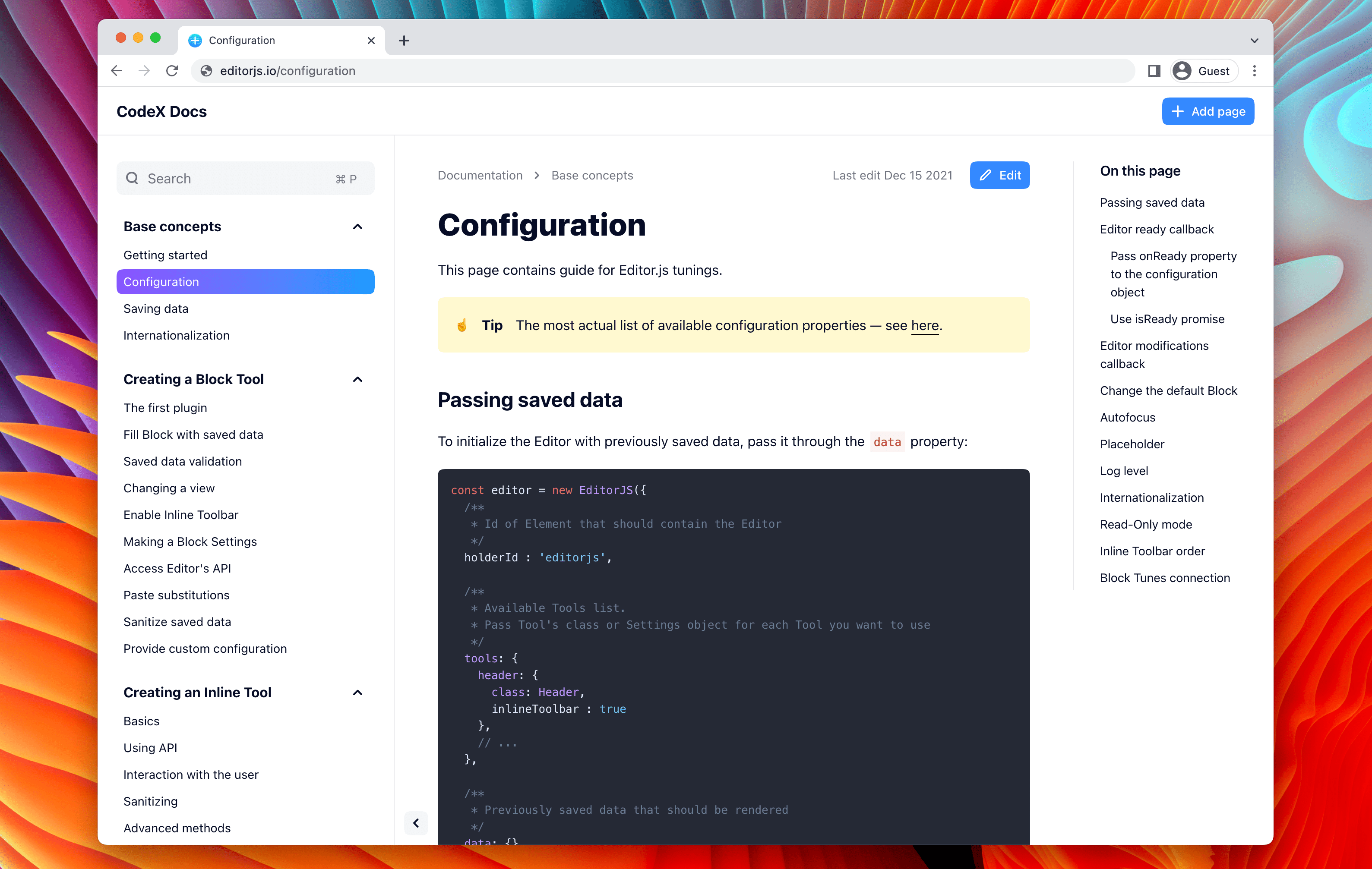
CodeX Docs screenshot 1

Setup time

A few minutes

Deployment

Your own server

Services

2 connected services

Why CodeX Docs

Everything you need, running where you choose.

Get the full CodeX Docs experience with Easypanel handling the repetitive infrastructure work around it.

Editor.js
Editor.js is an API-oriented, block-styled editor for Media. It generates useful JSON-output with clear data, making it a loved tool for many.
Hawk.so
Hawk.so is a fast and lightweight errors tracking service. It has catchers for various programming languages including JavaScript, Python, PHP, Node.js, Swift, Java Android, Kotlin, and Scala.
CodeX Notes
CodeX Notes is a simple, fast, and useful cross-platform notes application based on Editor.js and Electron.
Capella
Capella is a cloud service for image storage and delivery. It allows users to upload files and accept image-filters on the fly with a simple API.
High-Quality Open-Source Projects
CodeX is dedicated to creating high-quality open-source projects. This provides a unique opportunity for users to access and utilize top-notch resources and tools.
Valuable Experience
CodeX offers a priceless experience of making full-valued products on a global market. This can be a great learning opportunity for students, graduates, and young specialists.
How it works

From template to live app in three steps.

Easypanel turns the template into real services, storage, and domains on the server you already control.

Already have Easypanel? Open your dashboard at the URL or IP of your own installation.

Installation guide
1
Open your dashboard
Visit the URL or IP of your Easypanel installation and choose the target project.
2
Choose CodeX Docs
Open Templates, select CodeX Docs, then review its service names and configuration.
3
Deploy and open your app
Easypanel starts every service and provisions an HTTPS domain for you.
Installation options
The template asks for these values before creating your services.
OptionDefaultRequired

CodeX Auth Password

Set during installRequired

App Service Name

codexRequired

App Service Image

ghcr.io/codex-team/codex.docs:v2.2.5Required

Database Service Name

codex-dbRequired
Resources
Project documentation and source code.
Latest template update
Apr 29, 2026

Version bumped to v2.2.5

Questions

Deploy with confidence.

The template handles the application setup while Easypanel keeps the infrastructure understandable and under your control.

Keep exploring

Related templates

Browse all
Imagor Studio
Imagor Studio is a self-hosted image gallery and live editing web application designed for photographers, content creators, and digital artists. It provides a modern web interface for browsing, organizing, and editing your image collections with real-time image transformation capabilities. Built on top of the Imagor image processing server, the studio interface offers intuitive tools for image manipulation including resizing, cropping, filtering, and format conversion without modifying original files. All edits are performed on-demand using URL-based parameters, ensuring your source images remain untouched while generating optimized versions for different use cases. The application features a responsive gallery view for browsing images, a built-in editor with live preview, support for various image formats, and SQLite database for managing metadata and user preferences. With its lightweight architecture and flexible storage options, Imagor Studio enables you to maintain a private image library with professional editing capabilities accessible from any web browser. Perfect for photographers managing personal portfolios, content creators organizing media assets, web developers optimizing images for websites, or anyone needing a self-hosted alternative to cloud-based image management services with built-in editing tools.
View template
Atheos logo
Atheos
Atheos is a self-hosted browser-based cloud IDE, updated from Codiad IDE with a modern approach to web development. This lightweight development environment provides fast, interactive coding without the massive overhead of desktop editors. Atheos features built-in Git integration, a comprehensive plugin system, multi-user support with permissions, and supports multiple programming languages. Perfect for developers who want a complete IDE that runs entirely in the browser with minimal server requirements and maximum functionality.
View template
SonarQube Community logo
SonarQube Community
SonarQube Community is an open-source platform for continuous inspection of code quality, designed to detect bugs, vulnerabilities, and code smells across multiple programming languages. It integrates with various CI/CD pipelines, providing valuable insights into code health and maintainability. SonarQube helps teams ensure that their code meets quality standards and aligns with security requirements, promoting efficient software development practices. The Community version is feature-rich and free to use, making it an ideal choice for developers and organizations focused on improving code quality without incurring costs.
View template
CodeX Docs logo
Ready to deploy CodeX Docs?
Open your own Easypanel dashboard, choose CodeX Docs from Templates, and review the deployment options.