All templates

Deploy Imagor Studio on your own server.

Imagor Studio is a self-hosted image gallery and live editing web application designed for photographers, content creators, and digital artists. It provides a modern web interface for browsing, organizing, and editing your image collections with real-time image transformation capabilities. Built on top of the Imagor image processing…

Your infrastructureAutomatic HTTPSNo lock-in

Screenshots

A closer look at Imagor Studio.
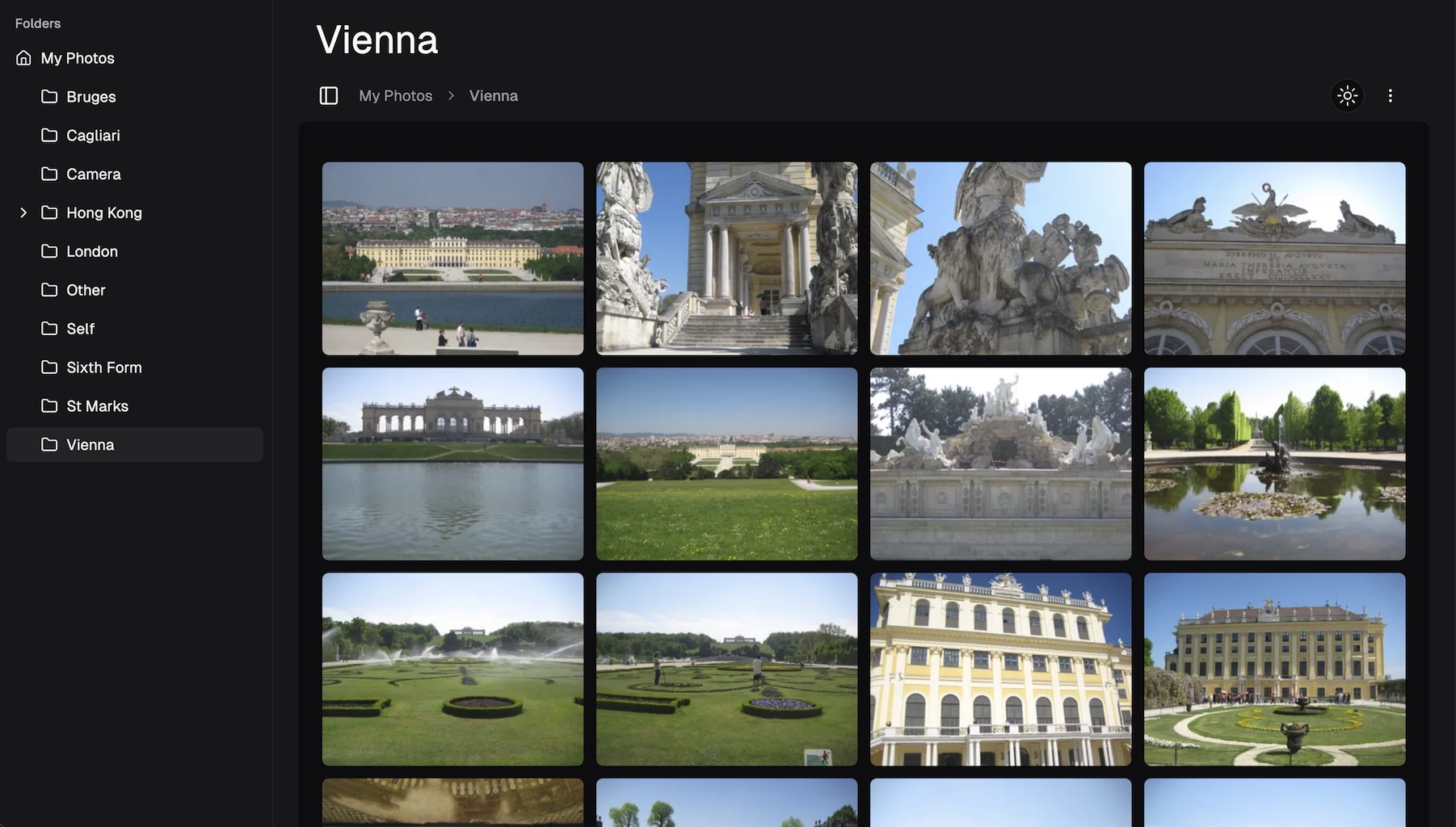
Imagor Studio screenshot 1

Setup time

A few minutes

Deployment

Your own server

Services

1 connected service

Why Imagor Studio

Everything you need, running where you choose.

Get the full Imagor Studio experience with Easypanel handling the repetitive infrastructure work around it.

Image Gallery
Browse and organize your image collections through a responsive, modern web interface with thumbnail previews.
Live Image Editor
Edit images in real-time with immediate visual feedback using built-in tools for resizing, cropping, filtering, and format conversion.
URL-Based Transformations
Apply image transformations via URL parameters, enabling programmatic image processing and integration with other applications.
Format Support
Work with various image formats including JPEG, PNG, WebP, and more, with automatic format conversion capabilities.
SQLite Database
Lightweight SQLite database stores metadata, preferences, and organizational information without requiring external database servers.
Read-Only Gallery Mount
Mount your existing image directories as read-only to safely browse and edit without risk of accidental modifications to originals.
How it works

From template to live app in three steps.

Easypanel turns the template into real services, storage, and domains on the server you already control.

Already have Easypanel? Open your dashboard at the URL or IP of your own installation.

Installation guide
1
Open your dashboard
Visit the URL or IP of your Easypanel installation and choose the target project.
2
Choose Imagor Studio
Open Templates, select Imagor Studio, then review its service names and configuration.
3
Deploy and open your app
Easypanel starts every service and provisions an HTTPS domain for you.
Installation options
The template asks for these values before creating your services.
OptionDefaultRequired

App Service Name

imagor-studioRequired

App Service Image

shumc/imagor-studio:1.2.2Required
Resources
Project documentation and source code.
Latest template update
May 1, 2026

Version bumped to 1.2.2

Questions

Deploy with confidence.

The template handles the application setup while Easypanel keeps the infrastructure understandable and under your control.

Keep exploring

Related templates

Browse all
MediaManager logo
MediaManager
MediaManager is a self-hosted media management application designed to help you organize, catalog, and manage your media collection. The application provides a clean web interface for browsing and managing your media files including movies, TV shows, music, and other digital content. With support for custom metadata, tagging, and categorization, MediaManager makes it easy to keep your media library organized and accessible. The application features automatic media scanning, metadata extraction, thumbnail generation, and search capabilities to quickly find content in large collections. Built with a PostgreSQL backend for reliable data storage, MediaManager can handle extensive media libraries with thousands of items. The flexible configuration system allows you to customize media directories, scanning behavior, and display preferences to match your needs. Perfect for home media enthusiasts who want to organize their digital collections, content creators managing large media archives, small organizations needing a simple media asset management solution, or anyone looking for a lightweight self-hosted alternative to complex media management systems.
View template
Moocup logo
Moocup
Moocup is a visual editor designed to create stunning screenshots in seconds. It provides a simple and functional interface where you can drop your screenshot, apply beautiful base styles, customize it however you wish, and export professional-looking visuals instantly. Built for developers, designers, and content creators who need to showcase their work with polished screenshots for portfolios, documentation, presentations, or social media. The tool offers an intuitive drag-and-drop workflow with real-time visual editing, eliminating the need for complex design software or manual styling. With Moocup's self-hosted solution, your screenshots remain private and never leave your infrastructure, making it ideal for sensitive projects or proprietary applications. The browser-based editor requires zero installation and works seamlessly across devices with responsive design. Perfect for anyone who values simplicity and functionality but still wants to create eye-catching visuals that make their projects stand out without the overhead of heavyweight design tools or paid screenshot services.
View template
SnapOtter logo
SnapOtter
SnapOtter is a self-hosted, privacy-first image manipulation platform packed into a single Docker container. It offers 50+ image tools including resizing, compression, format conversion, AI background removal, upscaling, OCR, and more — all processing happens locally on your server with nothing leaving your network.
View template
Ready to deploy Imagor Studio?
Open your own Easypanel dashboard, choose Imagor Studio from Templates, and review the deployment options.