All templates

Deploy Moocup on your own server.

Moocup logo

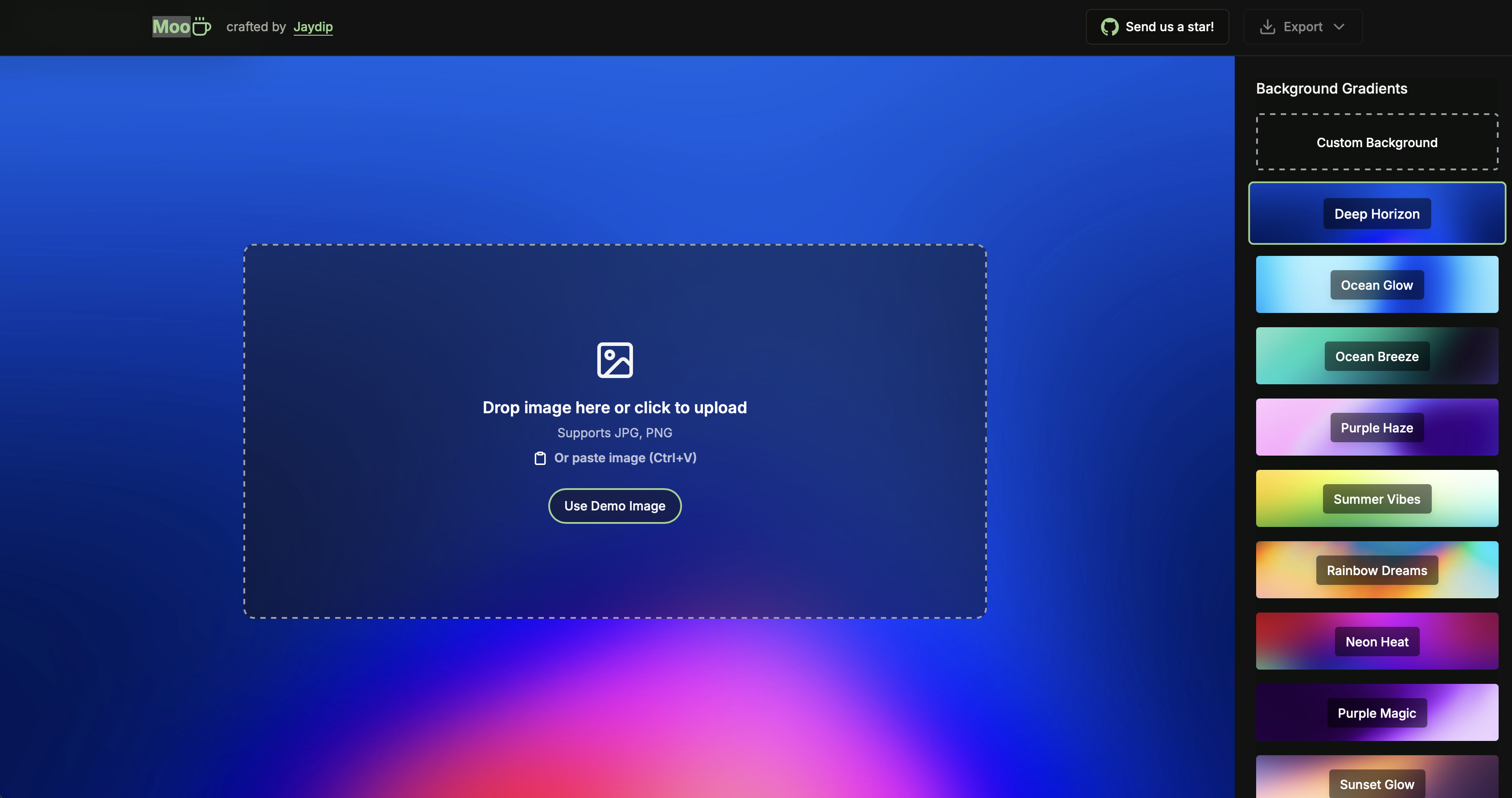
Moocup is a visual editor designed to create stunning screenshots in seconds. It provides a simple and functional interface where you can drop your screenshot, apply beautiful base styles, customize it however you wish, and export professional-looking visuals instantly. Built for developers, designers, and content creators who need to…

Your infrastructureAutomatic HTTPSNo lock-in

Screenshots

A closer look at Moocup.

Moocup screenshot 1

Setup time

A few minutes

Deployment

Your own server

Services

1 connected service

Why Moocup

Everything you need, running where you choose.

Get the full Moocup experience with Easypanel handling the repetitive infrastructure work around it.

Drag and Drop Editor
Simply drop your screenshot into the editor and watch as a beautiful base style is automatically applied, ready for further customization.
Visual Style Customization
Customize backgrounds, borders, shadows, padding, gradients, and more with real-time preview to create exactly the look you want.
Export Ready Visuals
Export your styled screenshots in high quality formats ready for portfolios, documentation, presentations, social media, or marketing materials.
Portfolio-Ready Designs
Pre-configured styles specifically designed to make your project screenshots stand out in portfolios, case studies, and presentations.
Instant Styling
Real-time visual editing with instant feedback allows you to iterate quickly and create professional results in seconds, not minutes.
No Design Skills Required
Intuitive interface and smart defaults mean anyone can create professional-looking screenshot visuals without graphic design experience.
How it works

From template to live app in three steps.

Easypanel turns the template into real services, storage, and domains on the server you already control.

Already have Easypanel? Open your dashboard at the URL or IP of your own installation.

Installation guide
1
Open your dashboard
Visit the URL or IP of your Easypanel installation and choose the target project.
2
Choose Moocup
Open Templates, select Moocup, then review its service names and configuration.
3
Deploy and open your app
Easypanel starts every service and provisions an HTTPS domain for you.
Installation options
The template asks for these values before creating your services.
OptionDefaultRequired

App Service Name

moocupRequired

App Service Image

jellydeck/moocup:1.0.48Required
Resources
Project documentation and source code.
Latest template update
May 4, 2026

Version bumped to 1.0.48

Questions

Deploy with confidence.

The template handles the application setup while Easypanel keeps the infrastructure understandable and under your control.

Keep exploring

Related templates

Browse all
Imagor Studio
Imagor Studio is a self-hosted image gallery and live editing web application designed for photographers, content creators, and digital artists. It provides a modern web interface for browsing, organizing, and editing your image collections with real-time image transformation capabilities. Built on top of the Imagor image processing server, the studio interface offers intuitive tools for image manipulation including resizing, cropping, filtering, and format conversion without modifying original files. All edits are performed on-demand using URL-based parameters, ensuring your source images remain untouched while generating optimized versions for different use cases. The application features a responsive gallery view for browsing images, a built-in editor with live preview, support for various image formats, and SQLite database for managing metadata and user preferences. With its lightweight architecture and flexible storage options, Imagor Studio enables you to maintain a private image library with professional editing capabilities accessible from any web browser. Perfect for photographers managing personal portfolios, content creators organizing media assets, web developers optimizing images for websites, or anyone needing a self-hosted alternative to cloud-based image management services with built-in editing tools.
View template
ChartDB logo
ChartDB
ChartDB is an open-source, web-based database diagramming editor that enables you to visualize and manage database schemas through interactive diagrams. Create entity-relationship diagrams (ERDs) instantly by connecting to your databases and automatically generating visual representations of your schema. The application supports instant schema visualization using a single query and offers AI-powered features through OpenAI integration for intelligent SQL export and schema management. ChartDB provides an intuitive interface for understanding complex database structures, making it perfect for developers, database administrators, and teams who need to document and communicate database designs. With its modern web-based approach, you can access your database diagrams from anywhere and collaborate effectively on database architecture without installing desktop software.
View template
DrawDB logo
DrawDB
DrawDB is a free, simple, and intuitive online database schema editor and SQL generator. It provides a robust and user-friendly database entity relationship (ER) editor that runs directly in your browser. With DrawDB, you can build database diagrams with a few clicks, export SQL scripts, customize your editor, and manage database schemas without creating an account. The tool supports multiple database types including MySQL, PostgreSQL, SQLite, SQL Server, and more.

View template
Moocup logo
Ready to deploy Moocup?
Open your own Easypanel dashboard, choose Moocup from Templates, and review the deployment options.