All templates

Deploy SnapOtter on your own server.

SnapOtter logo

SnapOtter is a self-hosted, privacy-first image manipulation platform packed into a single Docker container. It offers 50+ image tools including resizing, compression, format conversion, AI background removal, upscaling, OCR, and more — all processing happens locally on your server with nothing leaving your network.

Your infrastructureAutomatic HTTPSNo lock-in

Screenshots

A closer look at SnapOtter.
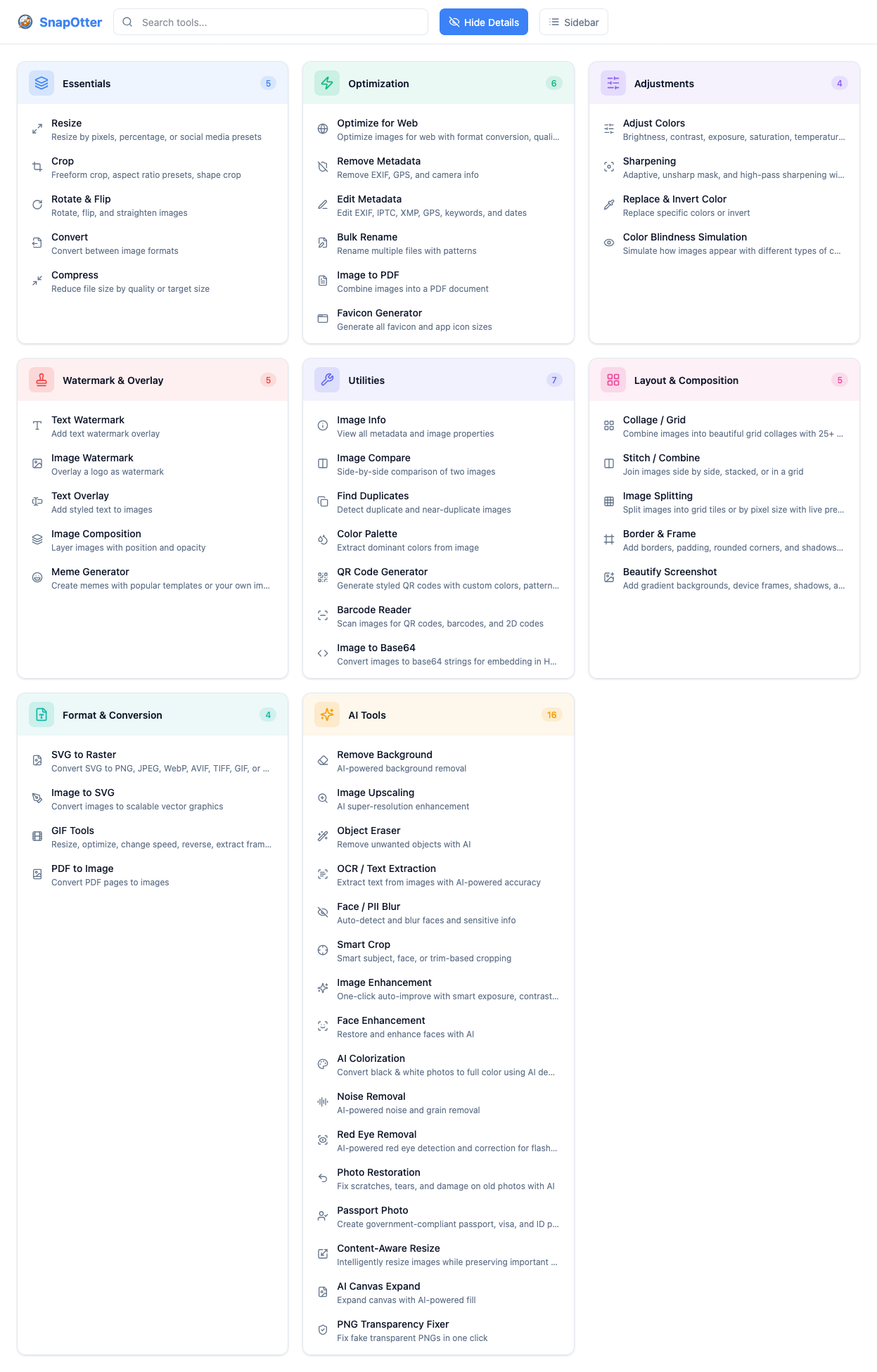
SnapOtter screenshot 1

Setup time

A few minutes

Deployment

Your own server

Services

1 connected service

Why SnapOtter

Everything you need, running where you choose.

Get the full SnapOtter experience with Easypanel handling the repetitive infrastructure work around it.

Format Conversion
Convert between 55+ input formats including 23 camera RAW formats and 14 output formats in a single click.
AI Background Removal
Remove image backgrounds using locally running AI without sending data to any external service.
Batch Processing
Process unlimited images simultaneously using bulk operations for efficient workflows.
Layer-Based Editor
Built-in layer-based image editor for advanced composition and editing tasks directly in the browser.
Screenshot Beautification
Transform plain screenshots into polished, professional visuals with backgrounds, shadows, and padding.
GPU Acceleration
Optional NVIDIA GPU support for significantly faster AI processing tasks when hardware is available.
How it works

From template to live app in three steps.

Easypanel turns the template into real services, storage, and domains on the server you already control.

Already have Easypanel? Open your dashboard at the URL or IP of your own installation.

Installation guide
1
Open your dashboard
Visit the URL or IP of your Easypanel installation and choose the target project.
2
Choose SnapOtter
Open Templates, select SnapOtter, then review its service names and configuration.
3
Deploy and open your app
Easypanel starts every service and provisions an HTTPS domain for you.
Installation options
The template asks for these values before creating your services.
OptionDefaultRequired

App Service Name

snapotterRequired

App Service Image

snapotter/snapotter:1.17.2Required
Resources
Project documentation and source code.
Latest template update
Jun 15, 2026

First Release

Questions

Deploy with confidence.

The template handles the application setup while Easypanel keeps the infrastructure understandable and under your control.

Keep exploring

Related templates

Browse all
Mazanoke logo
Mazanoke
Mazanoke is a self-hosted local image optimizer that runs in your browser. It works offline and keeps your images private without ever leaving your device. Created for everyday people and designed to be shared with family and friends, it serves as an alternative to questionable "free" online tools.
View template
Gladys Assistant logo
Gladys Assistant
Gladys Assistant is a privacy-first, open-source home automation platform that allows you to control and automate your smart home devices. Built with Node.js, Gladys provides a comprehensive solution for managing IoT devices, creating automation scenarios, and monitoring your home environment. The system supports a wide range of devices including Zigbee, Z-Wave, Bluetooth, WiFi, and more. Gladys stores all data locally in SQLite, ensuring your home automation data remains private. Perfect for home automation enthusiasts looking for a self-hosted alternative to commercial smart home platforms.
View template
8MB Local
8MB Local is a self-hosted file processing and conversion application that provides tools for handling files and generating outputs. Built with modern architecture, 8MB Local offers a web-based interface accessible on port 8001 for processing files and managing uploads and outputs. The system stores uploaded files and generated outputs in separate persistent volumes, ensuring your data is preserved across container restarts. Perfect for individuals and organizations looking for a self-hosted solution for file processing and management.
View template
SnapOtter logo
Ready to deploy SnapOtter?
Open your own Easypanel dashboard, choose SnapOtter from Templates, and review the deployment options.