All templates

Deploy Mazanoke on your own server.

Mazanoke logo

Mazanoke is a self-hosted local image optimizer that runs in your browser. It works offline and keeps your images private without ever leaving your device. Created for everyday people and designed to be shared with family and friends, it serves as an alternative to questionable "free" online tools.

Your infrastructureAutomatic HTTPSNo lock-in

Screenshots

A closer look at Mazanoke.
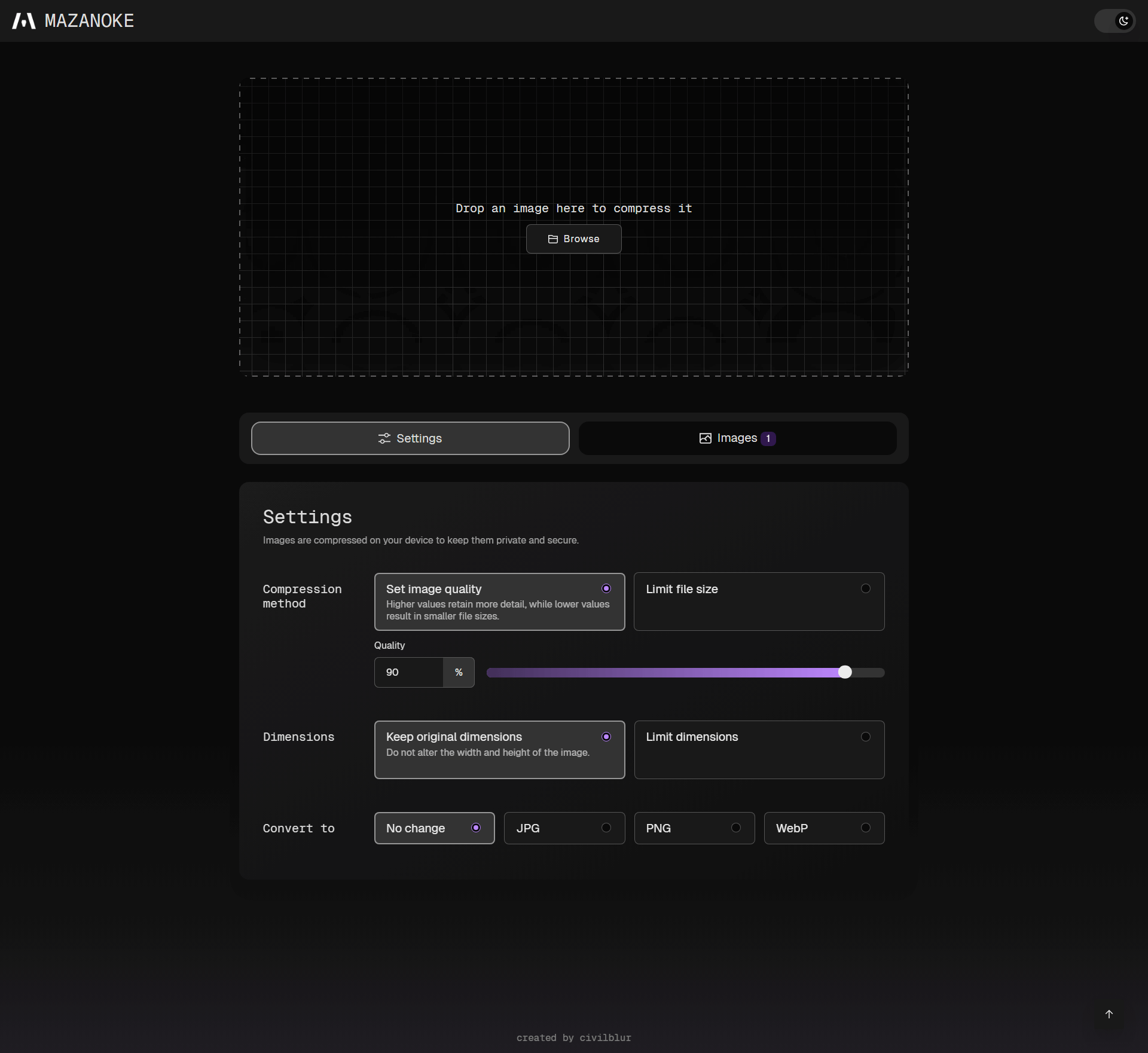
Mazanoke screenshot 1

Setup time

A few minutes

Deployment

Your own server

Services

1 connected service

Why Mazanoke

Everything you need, running where you choose.

Get the full Mazanoke experience with Easypanel handling the repetitive infrastructure work around it.

Image Quality Optimization
Adjust image quality, set target file size, and configure max width/height to optimize your images for web use or storage efficiency.
Multiple Format Support
Convert between and to JPG, PNG, WebP, ICO formats, and convert from HEIC, AVIF, TIFF, GIF, SVG formats for maximum compatibility.
Clipboard Integration
Paste images directly from your clipboard for instant optimization without needing to upload files from your device.
EXIF Data Removal
Automatically removes EXIF data including location, date, and other metadata to protect your privacy and reduce file sizes.
Progressive Web App
Installable web app that can be used offline, with shortcuts added to your device for convenient access anytime.
No Tracking
Completely free of tracking, analytics, or data collection, ensuring your privacy is fully protected during image processing.
How it works

From template to live app in three steps.

Easypanel turns the template into real services, storage, and domains on the server you already control.

Already have Easypanel? Open your dashboard at the URL or IP of your own installation.

Installation guide
1
Open your dashboard
Visit the URL or IP of your Easypanel installation and choose the target project.
2
Choose Mazanoke
Open Templates, select Mazanoke, then review its service names and configuration.
3
Deploy and open your app
Easypanel starts every service and provisions an HTTPS domain for you.
Installation options
The template asks for these values before creating your services.
OptionDefaultRequired

App Service Name

mazanokeRequired

App Service Image

ghcr.io/civilblur/mazanoke:v1.1.5Required

Admin Username

adminRequired

Admin Password

Set during installRequired
Resources
Project documentation and source code.
Latest template update
Sep 12, 2025

Template Release (v1.1.5)

Questions

Deploy with confidence.

The template handles the application setup while Easypanel keeps the infrastructure understandable and under your control.

Mazanoke logo
Ready to deploy Mazanoke?
Open your own Easypanel dashboard, choose Mazanoke from Templates, and review the deployment options.