All templates

Deploy Dashy on your own server.

Dashy logo

Dashy is the ultimate homepage for your homelab, designed to be your personal, privacy-respecting dashboard. It is highly customizable and easy to use, offering a unique user experience with its built-in themes and UI color palette editor. Dashy can auto-fetch icons from the favicon of each of your apps or services, and it provides an…

Your infrastructureAutomatic HTTPSNo lock-in

Screenshots

A closer look at Dashy.

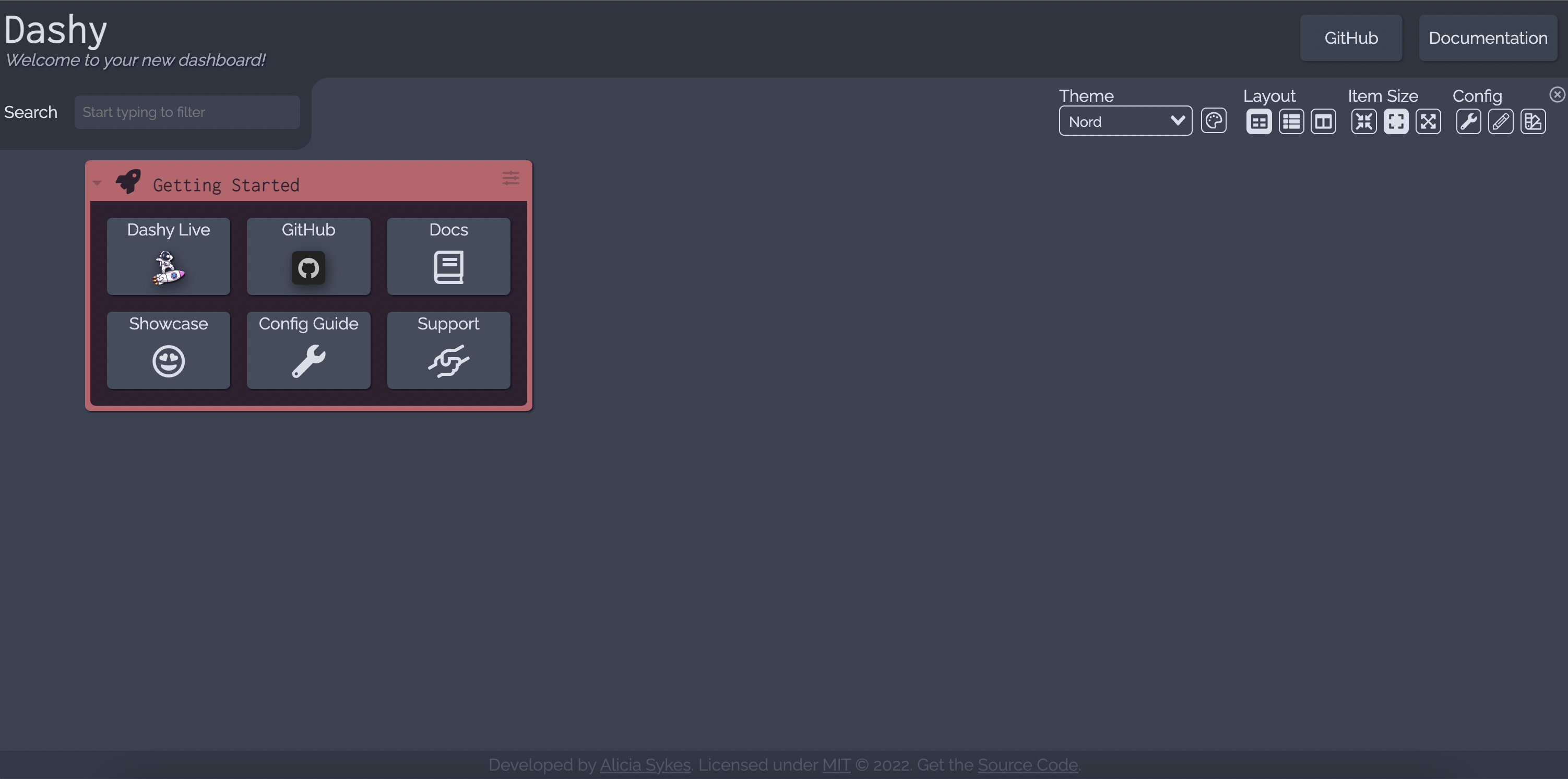
Dashy screenshot 1

Setup time

A few minutes

Deployment

Your own server

Services

1 connected service

Why Dashy

Everything you need, running where you choose.

Get the full Dashy experience with Easypanel handling the repetitive infrastructure work around it.

Theming
With tons of built-in themes to choose from, plus a UI color palette editor, you can have a unique looking dashboard in no time. There is also support for custom CSS.
Icons
Dashy can auto-fetch icons from the favicon of each of your apps/ services. There is also native support for Font Awesome, Material Design Icons, emoji icons and normal images.
Status Indicators
Get an instant overview of the health of each of your apps with status indicators. Once enabled, a small dot next to each app will show whether it is up and online, with more info like response time visible on hover.
Widgets
Display dynamic content from any API-enabled service. Dashy comes bundled with 50+ pre-built widgets for self-hosted services, productivity, and monitoring.
Alternate Views
As well as the default home, there is also a minimal view, which makes a great fast-loading browser start page. Plus a workspace view useful for working on multiple apps at once, all without having to leave your dashboard.
Launching Methods
Choose how to launch each of your apps by default, or right click for all options. Apps can be opened in a new tab, the same tab, a quick pop-up modal or in the workspace view.
How it works

From template to live app in three steps.

Easypanel turns the template into real services, storage, and domains on the server you already control.

Already have Easypanel? Open your dashboard at the URL or IP of your own installation.

Installation guide
1
Open your dashboard
Visit the URL or IP of your Easypanel installation and choose the target project.
2
Choose Dashy
Open Templates, select Dashy, then review its service names and configuration.
3
Deploy and open your app
Easypanel starts every service and provisions an HTTPS domain for you.
Installation options
The template asks for these values before creating your services.
OptionDefaultRequired

App Service Name

dashyRequired

App Service Image

lissy93/dashy:3.3.1Required
Resources
Project documentation and source code.
Latest template update
Apr 29, 2026

Version bumped to 3.3.1

Questions

Deploy with confidence.

The template handles the application setup while Easypanel keeps the infrastructure understandable and under your control.

Keep exploring

Related templates

Browse all
Homarr logo
Homarr
Homarr is a powerful dashboard designed to simplify the management of your server. It provides a sleek, modern interface that brings all your apps and services together in one place, allowing you to access and control everything with ease. Homarr seamlessly integrates with the apps you've added, offering valuable insights and complete control. You can add your self-hosted applications or favorite websites to your dashboard and organize them as you like. Homarr supports integration with many popular applications to enhance your user experience. It is customizable, accessible, and supports 23 languages. With Homarr, you can control and monitor your network directly, use integrations to display data and control apps, and even create your own dashboard using a comprehensible and easy-to-use visual editor. Homarr is open-source and allows commercial usage. It features a quick search function to easily navigate through your apps and supported integrations.
View template
Glance logo
Glance
Glance is a fast and lightweight self-hosted dashboard that allows you to monitor various real-time data sources through customizable widgets. With support for RSS feeds, market prices, YouTube uploads, Twitch streams, weather forecasts, server stats, Docker container status, and more, Glance provides a centralized hub for tracking essential information. The dashboard is fully themeable, optimized for mobile devices, and highly configurable through YAML-based settings.
View template
Flame logo
Flame
Flame is a self-hosted startpage for your server, designed to be your very own application hub. Inspired by SUI, its sleek design is not only visually appealing but also incredibly easy to use. With Flame, you can create, update, and delete your applications and bookmarks directly from the app using built-in GUI editors. It also allows you to pin your favorite items to the homescreen for quick and easy access. The app features an integrated search bar with local filtering and 11 web search providers, and even gives you the ability to add your own. Flame also includes an authentication system to protect your settings, apps, and bookmarks. The interface is highly customizable, with dozens of options including support for custom CSS, 15 built-in color themes, and a custom theme builder. Additionally, Flame features a weather widget with current temperature, cloud coverage, and animated weather status. It also integrates with Docker to automatically pick and add apps based on their labels.
View template
Dashy logo
Ready to deploy Dashy?
Open your own Easypanel dashboard, choose Dashy from Templates, and review the deployment options.