All templates

Deploy DevLake on your own server.

DevLake logo

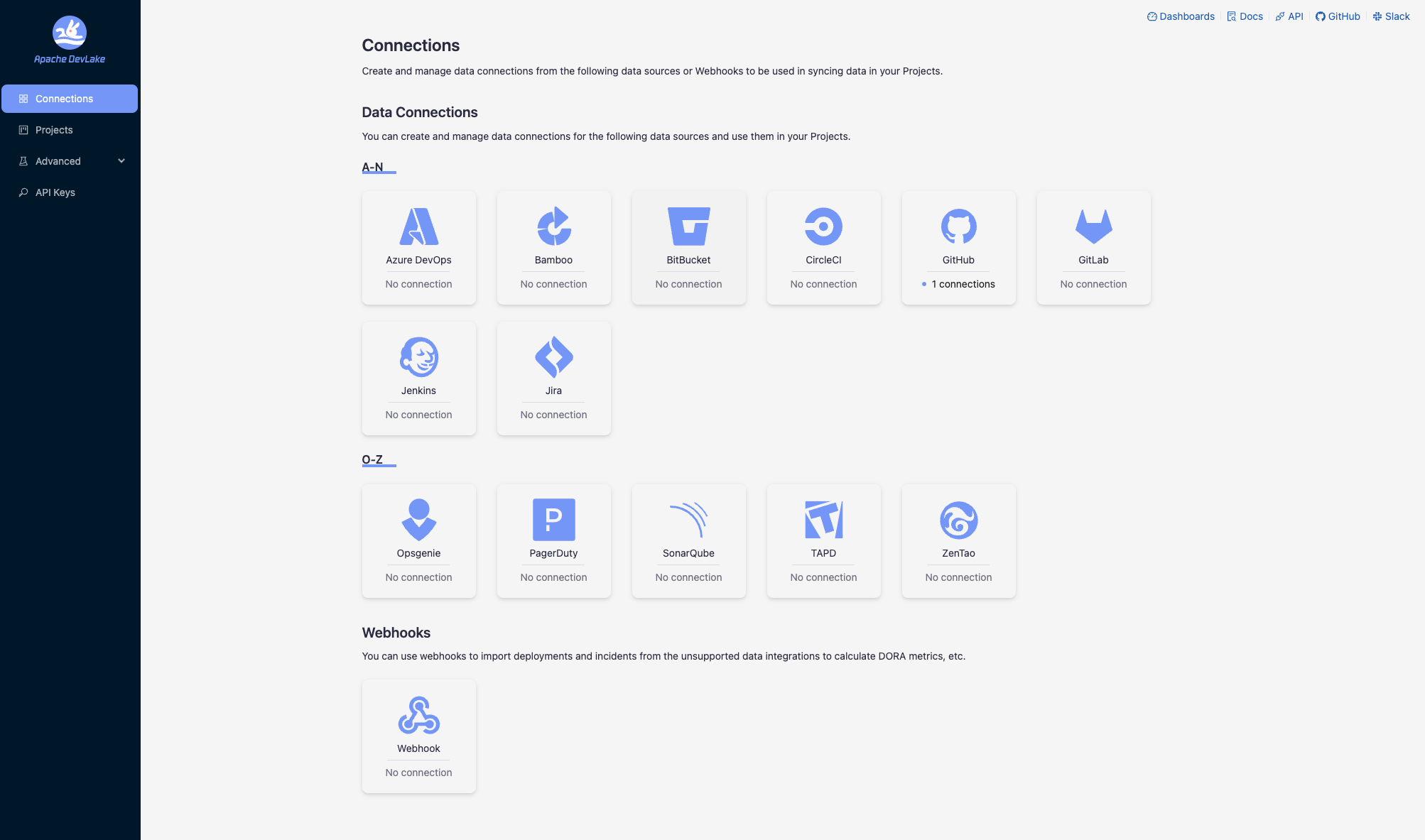
DevLake is a highly customizable and self-hosted tool for engineering metrics and data integration. It enables teams to collect, transform, and visualize data from various development tools like GitHub, GitLab, and Jira. DevLake provides insightful dashboards and reports for continuous improvement, streamlining your software delivery…

Your infrastructureAutomatic HTTPSNo lock-in

Screenshots

A closer look at DevLake.
2 images
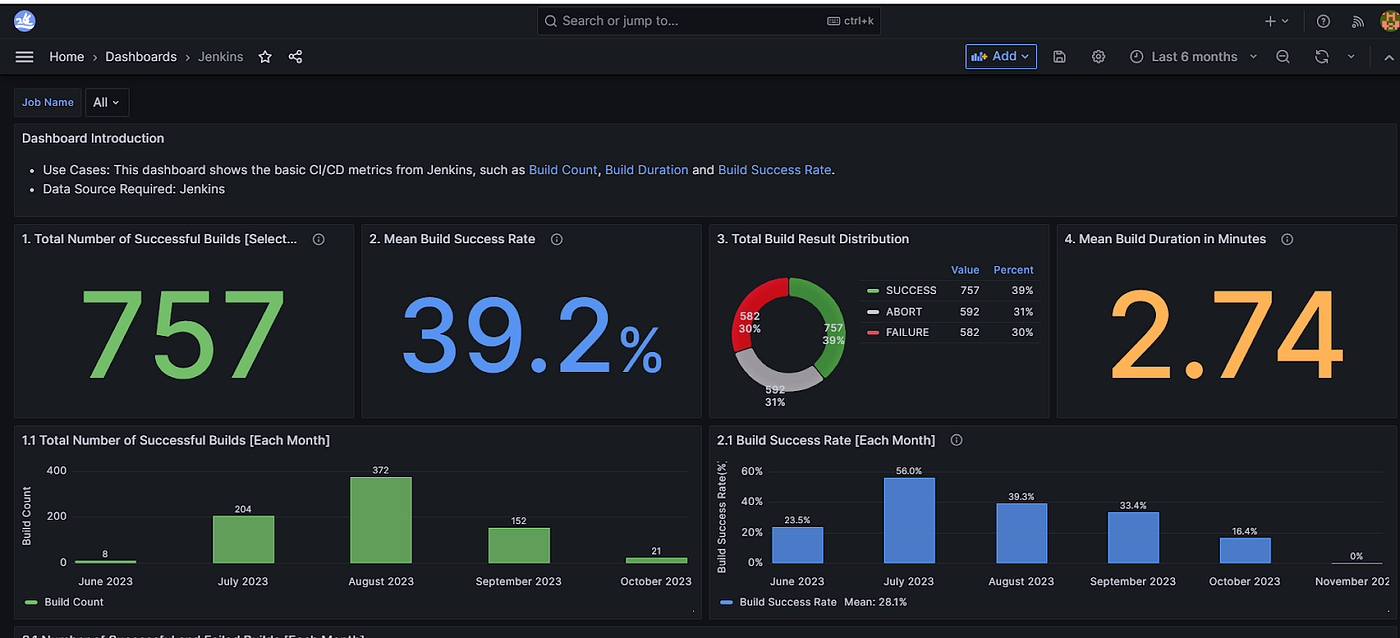
DevLake screenshot 1DevLake screenshot 2

Setup time

A few minutes

Deployment

Your own server

Services

4 connected services

Why DevLake

Everything you need, running where you choose.

Get the full DevLake experience with Easypanel handling the repetitive infrastructure work around it.

Data Synchronization
Seamlessly integrate data from popular development tools like GitHub, GitLab, Jira, and more.
Customizable Dashboards
Visualize key metrics with prebuilt or custom dashboards tailored to your team’s goals.
Powerful API
Use DevLake’s API to programmatically interact with and extend its capabilities.
Community and Enterprise Plugins
Enhance functionality with a rich set of plugins for various tools and workflows.
Centralized Data Integration
DevLake consolidates data from various tools into a single platform for better visibility and analysis.
Enhanced Team Productivity
Gain actionable insights to optimize engineering workflows and improve team performance.
How it works

From template to live app in three steps.

Easypanel turns the template into real services, storage, and domains on the server you already control.

Already have Easypanel? Open your dashboard at the URL or IP of your own installation.

Installation guide
1
Open your dashboard
Visit the URL or IP of your Easypanel installation and choose the target project.
2
Choose DevLake
Open Templates, select DevLake, then review its service names and configuration.
3
Deploy and open your app
Easypanel starts every service and provisions an HTTPS domain for you.
Installation options
The template asks for these values before creating your services.
OptionDefaultRequired

App Service Name

devlakeRequired

UI Service Image

devlake.docker.scarf.sh/apache/devlake-config-ui:main_260429_1235_e26c61bRequired

Backend Service Image

devlake.docker.scarf.sh/apache/devlake:main_260429_1235_e26c61bRequired

Grafana Service Image

devlake.docker.scarf.sh/apache/devlake-dashboard:main_260429_1235_e26c61bRequired
Resources
Project documentation and source code.
Latest template update
Apr 29, 2026

Version bumped to main_260429_1235_e26c61b

Questions

Deploy with confidence.

The template handles the application setup while Easypanel keeps the infrastructure understandable and under your control.

Keep exploring

Related templates

Browse all
Peppermint logo
Peppermint
Peppermint is a cutting-edge, open-source issue management and helpdesk platform designed to rival Jira and Zendesk while remaining cost-effective and highly customizable. Built with the user in mind, Peppermint empowers teams to manage support tickets, customer requests, and projects with efficiency and ease.
View template
GHStats logo
GHStats
GHStats is a self-hosted GitHub statistics and analytics tool that helps you track and visualize your GitHub repository metrics. Monitor stars, traffic, clones, views, and other important repository statistics over time with an intuitive web interface. The application collects and stores historical data from your GitHub repositories, allowing you to analyze trends and growth patterns that would otherwise be lost after GitHub's 14-day statistics retention period. Perfect for developers, project maintainers, and organizations who want to maintain long-term analytics of their GitHub presence. GHStats requires a GitHub personal access token to fetch repository statistics and stores all collected data persistently for historical analysis and visualization.
View template
Countly logo
Countly
Countly is an innovative, open-source analytics and engagement platform designed to help you understand and optimize customer journeys in web, mobile, and desktop applications. Built with a flexible architecture, Countly supports multiple integrations and can be deployed on-premises or in the cloud. This platform enables developers and product managers to gain real-time insights into user behavior, track important metrics, and enhance product experiences through push notifications, A/B testing, and other engagement features. Countly is cloud-native, deploys via Docker containers, and provides data control, security, and a streamlined experience for building and monitoring user engagement. Countly is 100% free and open-source, ensuring it is accessible to everyone.
View template
DevLake logo
Ready to deploy DevLake?
Open your own Easypanel dashboard, choose DevLake from Templates, and review the deployment options.