All templates

Deploy Peppermint on your own server.

Peppermint logo

Peppermint is a cutting-edge, open-source issue management and helpdesk platform designed to rival Jira and Zendesk while remaining cost-effective and highly customizable. Built with the user in mind, Peppermint empowers teams to manage support tickets, customer requests, and projects with efficiency and ease.

Your infrastructureAutomatic HTTPSNo lock-in

Screenshots

A closer look at Peppermint.
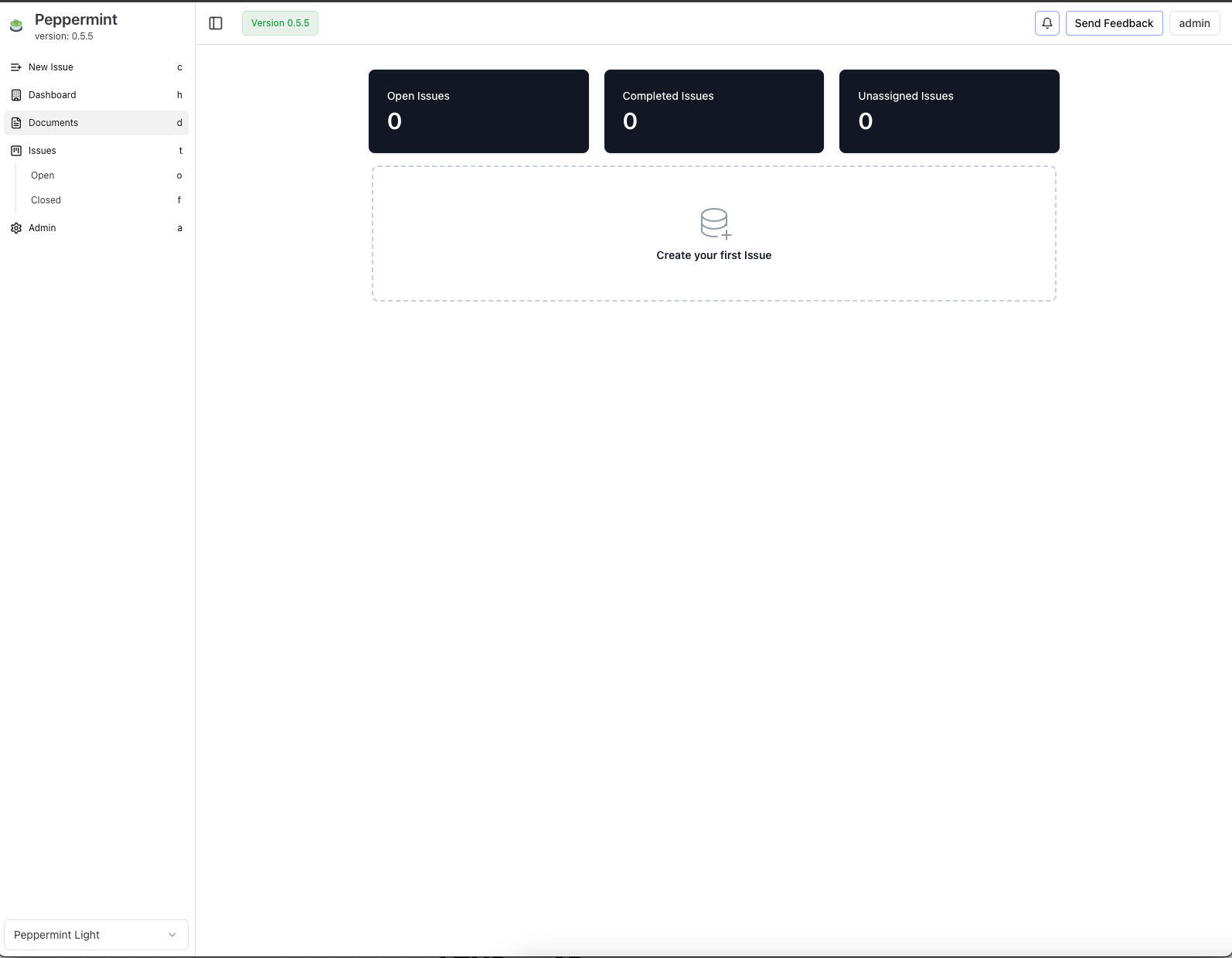
Peppermint screenshot 1

Setup time

A few minutes

Deployment

Your own server

Services

2 connected services

Why Peppermint

Everything you need, running where you choose.

Get the full Peppermint experience with Easypanel handling the repetitive infrastructure work around it.

Mailbox Integration
Automatically convert emails into support tickets using SMTP/IMAP for streamlined ticket management.
Third-Party Integrations
Connect Peppermint to external tools and services through webhooks and integrations with providers like email.
Analytics and Reporting
Gain insights into ticket performance, customer trends, and team productivity with built-in analytics and reporting tools.
OIDC Authentication
Securely authenticate users by connecting to your existing identity provider through OIDC.
Lightweight and Scalable
Designed to run efficiently on low-end hardware while being scalable for larger deployments using Docker and Kubernetes.
One-click deployment
Skip manual Docker setup. Easypanel creates and connects the services this app needs.
How it works

From template to live app in three steps.

Easypanel turns the template into real services, storage, and domains on the server you already control.

Already have Easypanel? Open your dashboard at the URL or IP of your own installation.

Installation guide
1
Open your dashboard
Visit the URL or IP of your Easypanel installation and choose the target project.
2
Choose Peppermint
Open Templates, select Peppermint, then review its service names and configuration.
3
Deploy and open your app
Easypanel starts every service and provisions an HTTPS domain for you.
Installation options
The template asks for these values before creating your services.
OptionDefaultRequired

App Service Name

peppermintRequired

App Service Image

pepperlabs/peppermint:latestRequired
Resources
Project documentation and source code.
Latest template update
Dec 25, 2024

Template Release

Questions

Deploy with confidence.

The template handles the application setup while Easypanel keeps the infrastructure understandable and under your control.

Keep exploring

Related templates

Browse all
Frappe Helpdesk logo
Frappe Helpdesk
Frappe Helpdesk is a comprehensive customer support and ticketing system built on the Frappe framework. It provides a complete solution for managing customer inquiries, support tickets, and service requests. The platform offers multi-channel support, automated workflows, knowledge base integration, and detailed analytics to help teams deliver exceptional customer service. Frappe Helpdesk features a modern, responsive interface that works seamlessly across desktop and mobile devices, making it easy for support agents to manage tickets and for customers to submit and track their requests. The system supports team collaboration, SLA management, and integration with various communication channels including email, chat, and social media platforms.
View template
Libredesk logo
Libredesk
Libredesk is a modern, self-hosted helpdesk and customer support platform built with Rust. It provides a comprehensive solution for managing customer inquiries, tickets, and support workflows. Libredesk features a clean web interface, multi-user support, ticket management, and integration capabilities for businesses of all sizes.
View template
Astuto logo
Astuto
Astuto is a self-hosted customer feedback management platform that helps teams collect, organize, and respond to customer feedback in one centralized location. Built with modern web technologies, Astuto provides a clean and intuitive interface for managing feature requests, bug reports, and customer suggestions. The application enables teams to create public or private feedback boards where customers can submit ideas, vote on features, and track the status of their requests. With built-in categorization, tagging, and status tracking, Astuto helps product teams prioritize development work based on customer demand. The platform supports multiple boards, user authentication, and integration capabilities to streamline the feedback collection process. Perfect for product teams managing customer feedback, startups building customer-driven products, SaaS companies wanting to engage with their user base, or any organization that wants to centralize and manage customer input effectively.
View template
Peppermint logo
Ready to deploy Peppermint?
Open your own Easypanel dashboard, choose Peppermint from Templates, and review the deployment options.