Deploy DocPHT on your own server.
DocPHT is a document management system that helps you organize and manage your documents. It provides a simple and intuitive interface for storing, organizing, and sharing documents.
Your infrastructureAutomatic HTTPSNo lock-in
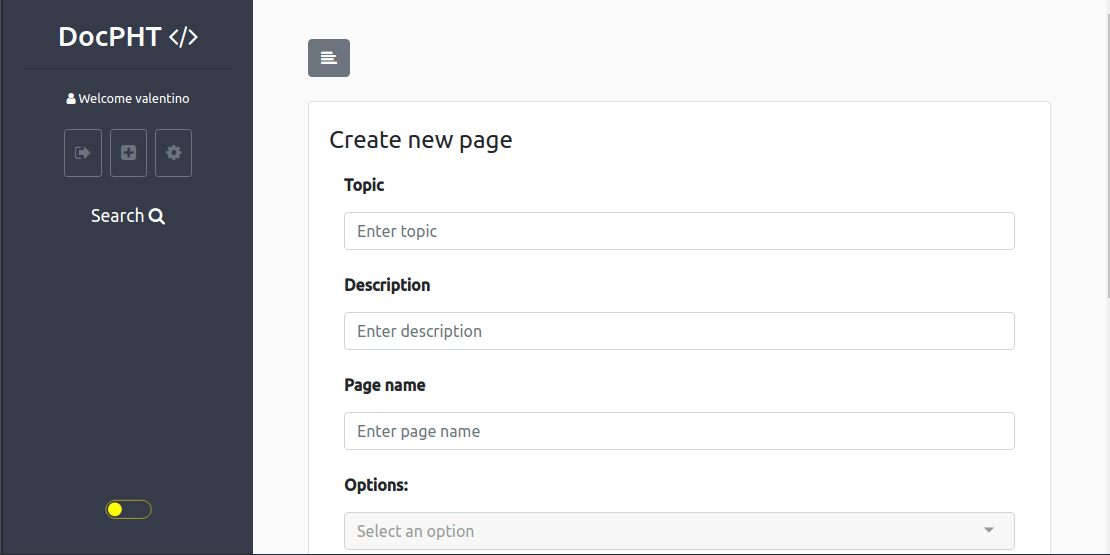
Screenshots
A closer look at DocPHT.
Setup time
A few minutes
Deployment
Your own server
Services
1 connected service
Why DocPHT
Everything you need, running where you choose.
Get the full DocPHT experience with Easypanel handling the repetitive infrastructure work around it.
Document Storage
Store and manage your documents
Categories
Organize documents into categories
Tags
Add tags to documents for better organization
Search
Search through your documents
Export
Export documents in various formats
Document Management
Organize and manage your documents efficiently
How it works
From template to live app in three steps.
Easypanel turns the template into real services, storage, and domains on the server you already control.
Already have Easypanel? Open your dashboard at the URL or IP of your own installation.
Installation guide1
Open your dashboard
Visit the URL or IP of your Easypanel installation and choose the target project.
2
Choose DocPHT
Open Templates, select DocPHT, then review its service names and configuration.
3
Deploy and open your app
Easypanel starts every service and provisions an HTTPS domain for you.
Installation options
The template asks for these values before creating your services.
| Option | Default | Required |
|---|---|---|
App Service Name | docpht | Required |
App Service Image | docpht/docpht:v1.3.2 | Required |
Resources
Project documentation and source code.
Latest template update
Apr 11, 2025
First Release
Questions
Deploy with confidence.
The template handles the application setup while Easypanel keeps the infrastructure understandable and under your control.
Keep exploring
Browse allRelated templates

Dnote
Dnote is a simple command-line notebook application that helps you capture and organize your thoughts. It provides a clean interface for taking notes and organizing them into books.
View template
SideQuests
SideQuests is a task management application that helps you organize and track your tasks and projects. It provides a simple and intuitive interface for managing your daily activities and side projects.
View template
Linksnatch
Linksnatch is a link management application that helps you organize and track your bookmarks and URLs. It provides a simple interface for managing and categorizing your links.
View template
Ready to deploy DocPHT?
Open your own Easypanel dashboard, choose DocPHT from Templates, and review the deployment options.