All templates

Deploy Documize on your own server.

Documize logo

Documize Zerabase is a powerful business tool designed to manage product delivery and insight discovery. It serves as a Product Engineering Hub, unifying product plans, assets, documents, app analytics, and customer conversations. This remarkable offline-first desktop software becomes your product headquarters, centralizing content and…

Your infrastructureAutomatic HTTPSNo lock-in

Screenshots

A closer look at Documize.
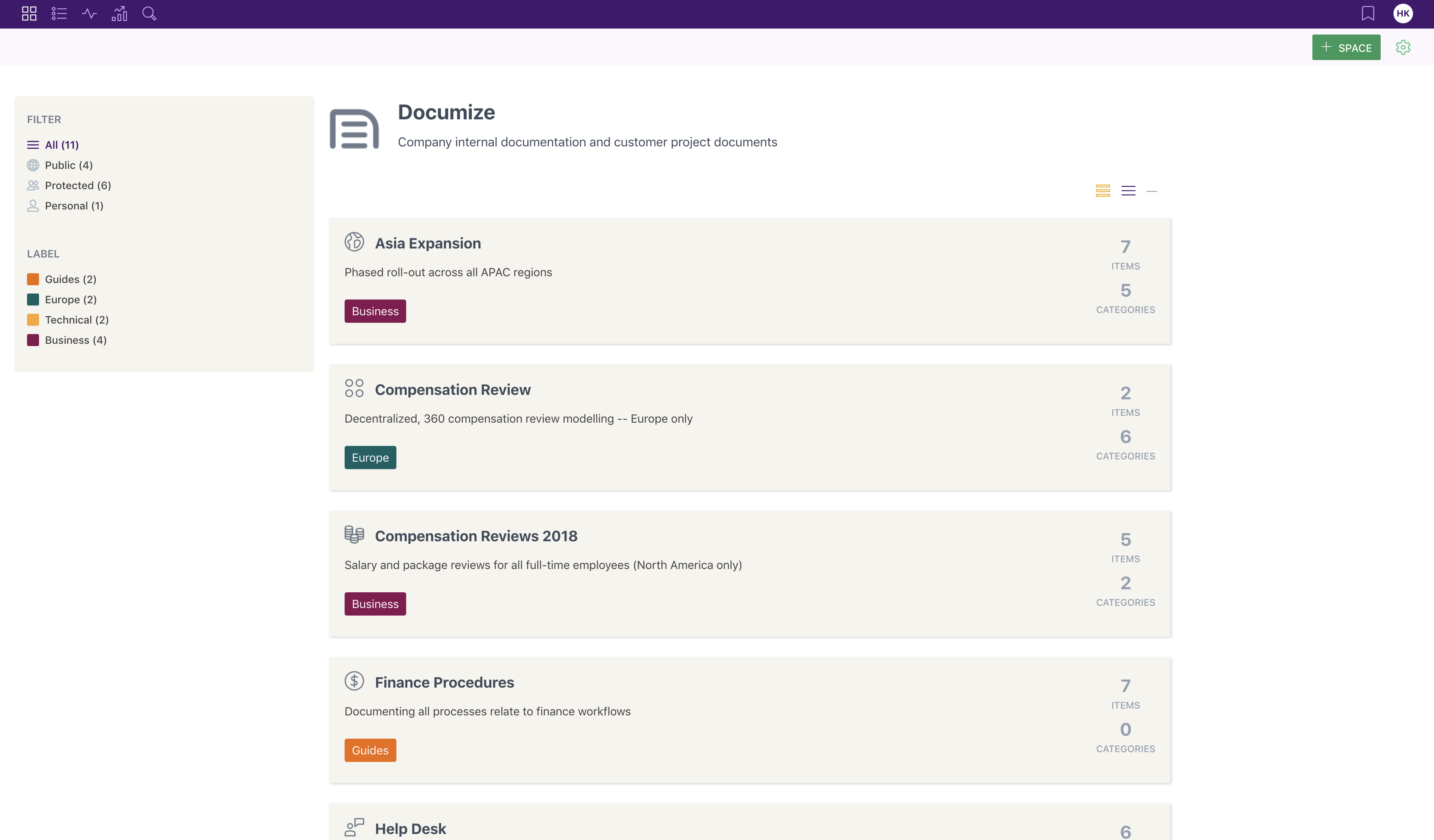
Documize screenshot 1

Setup time

A few minutes

Deployment

Your own server

Services

2 connected services

Why Documize

Everything you need, running where you choose.

Get the full Documize experience with Easypanel handling the repetitive infrastructure work around it.

Product Engineering Hub
Zerabase serves as your Product Engineering Hub, bringing together product plans, assets, documents, app analytics, and customer conversations. It helps manage product delivery and insight discovery.
Knowledge Management
The Community feature is designed for capturing and sharing knowledge management. It handles everything from processes and guidelines to manuals, making it easier to document your business.
Offline-First Capability
Documize Zerabase is an offline-first desktop software, ensuring that you can continue managing your product and sharing knowledge, even without an internet connection.
Unified Product Management
Documize Zerabase is a game-changer for product teams, unifying product plans, assets, documents, app analytics, and customer conversations in one place. It serves as your product HQ, centralizing content and information for everyone to see and act upon.
Efficient Knowledge Management
The Community feature of Documize offers a simple, delightful way to capture and share knowledge management. It helps document your business with ease, handling processes, guidelines, manuals, and everything in-between.
Offline-First Desktop Software
Documize Zerabase is an offline-first desktop software, ensuring that your product management and knowledge sharing can continue uninterrupted, even without an internet connection.
How it works

From template to live app in three steps.

Easypanel turns the template into real services, storage, and domains on the server you already control.

Already have Easypanel? Open your dashboard at the URL or IP of your own installation.

Installation guide
1
Open your dashboard
Visit the URL or IP of your Easypanel installation and choose the target project.
2
Choose Documize
Open Templates, select Documize, then review its service names and configuration.
3
Deploy and open your app
Easypanel starts every service and provisions an HTTPS domain for you.
Installation options
The template asks for these values before creating your services.
OptionDefaultRequired

App Service Name

documizeRequired

App Service Image

ghcr.io/easypanel-community/docker-documize:5.13Required

Database Service Name

documize-dbRequired
Resources
Project documentation and source code.
Latest template update
May 27, 2025

Update to 5.13.0

Questions

Deploy with confidence.

The template handles the application setup while Easypanel keeps the infrastructure understandable and under your control.

Keep exploring

Related templates

Browse all
Astuto logo
Astuto
Astuto is a self-hosted customer feedback management platform that helps teams collect, organize, and respond to customer feedback in one centralized location. Built with modern web technologies, Astuto provides a clean and intuitive interface for managing feature requests, bug reports, and customer suggestions. The application enables teams to create public or private feedback boards where customers can submit ideas, vote on features, and track the status of their requests. With built-in categorization, tagging, and status tracking, Astuto helps product teams prioritize development work based on customer demand. The platform supports multiple boards, user authentication, and integration capabilities to streamline the feedback collection process. Perfect for product teams managing customer feedback, startups building customer-driven products, SaaS companies wanting to engage with their user base, or any organization that wants to centralize and manage customer input effectively.
View template
Answer logo
Answer
Answer is an open-source knowledge-based software designed to facilitate a Q&A environment for your products, customers, teams, and more. It allows users to ask questions and get answers, fostering a dynamic exchange of information. The app features a modern and responsive UI, and it's extensible with plugins. It also offers content organization capabilities, allowing you to categorize and tag your content for easy navigation. Additionally, Answer integrates with your existing tools and services to streamline your workflow. The app also incorporates gamification elements, rewarding users for their contributions, making the process of knowledge sharing more engaging. It's a powerful tool for product technical support, customer support, and user communication.
View template
OtterWiki logo
OtterWiki
OtterWiki is a simple, easy-to-use wiki software for personal use and small teams. It's designed to be minimalist, focusing on the essentials without unnecessary complexity. OtterWiki stores all content as Markdown files in a Git repository, providing automatic version control and the ability to edit pages using your favorite text editor. It features a clean, modern interface with syntax highlighting, file attachments, full-text search, and dark mode support. The wiki requires no database setup - everything is stored in plain text files, making backups and migrations simple. OtterWiki supports user authentication, page permissions, and comes with a built-in editor with live preview. Perfect for documentation, note-taking, knowledge management, and collaborative writing in small teams.
View template
Documize logo
Ready to deploy Documize?
Open your own Easypanel dashboard, choose Documize from Templates, and review the deployment options.