All templates

Deploy Dolphin on your own server.

Dolphin logo

Dolphin is a powerful GameCube and Wii emulator that allows you to play your favorite Nintendo games on modern hardware. With support for high-definition graphics, save states, and enhanced controls, Dolphin brings classic gaming to life with improved performance and visual quality. This browser-accessible version provides the full…

Your infrastructureAutomatic HTTPSNo lock-in

Screenshots

A closer look at Dolphin.

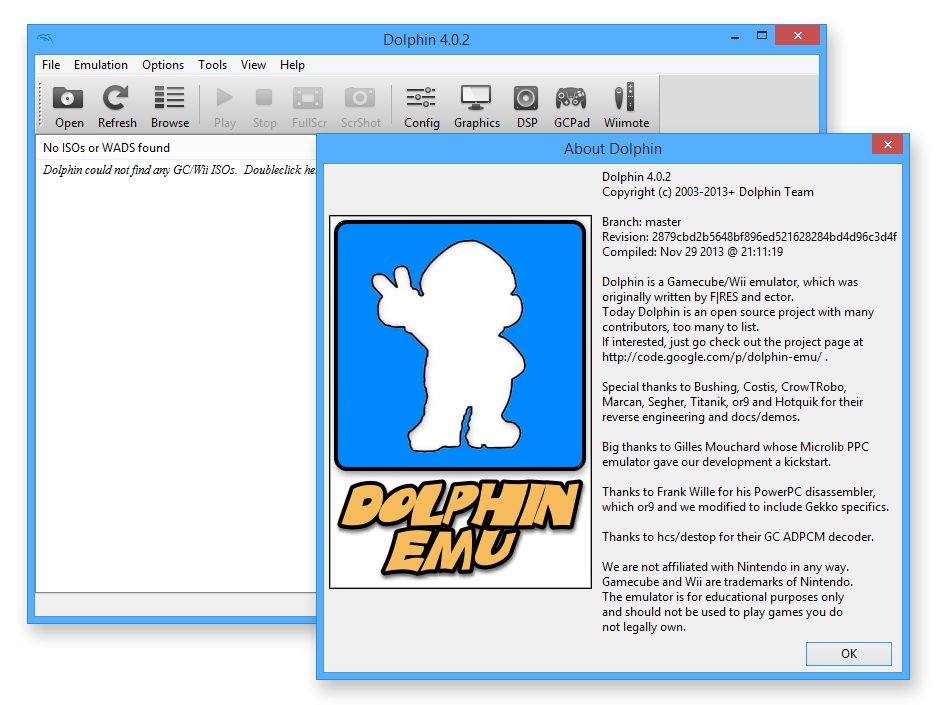
Dolphin screenshot 1

Setup time

A few minutes

Deployment

Your own server

Services

1 connected service

Why Dolphin

Everything you need, running where you choose.

Get the full Dolphin experience with Easypanel handling the repetitive infrastructure work around it.

High Compatibility
Supports a vast library of GameCube and Wii games with excellent compatibility and accuracy.
Performance Enhancements
Take advantage of modern hardware with multi-core CPU support, speed throttling, and frame skipping options.
Control Options
Configure keyboard, mouse, or gamepad controls with full customization for optimal gaming experience.
Graphics Settings
Customize resolution, aspect ratio, shaders, and post-processing effects to enhance visual quality.
GameCube & Wii Emulation
Play your favorite Nintendo GameCube and Wii games with high compatibility and accuracy on modern hardware.
Enhanced Graphics
Enjoy games in high-definition with upscaling, anti-aliasing, and other visual enhancements not available on original hardware.
How it works

From template to live app in three steps.

Easypanel turns the template into real services, storage, and domains on the server you already control.

Already have Easypanel? Open your dashboard at the URL or IP of your own installation.

Installation guide
1
Open your dashboard
Visit the URL or IP of your Easypanel installation and choose the target project.
2
Choose Dolphin
Open Templates, select Dolphin, then review its service names and configuration.
3
Deploy and open your app
Easypanel starts every service and provisions an HTTPS domain for you.
Installation options
The template asks for these values before creating your services.
OptionDefaultRequired

App Service Name

dolphinRequired

App Service Image

lscr.io/linuxserver/dolphin:40d9d3af-ls61Required

Timezone

Etc/UTCOptional
Resources
Project documentation and source code.
Latest template update
Apr 29, 2026

Version bumped to 40d9d3af-ls61

Questions

Deploy with confidence.

The template handles the application setup while Easypanel keeps the infrastructure understandable and under your control.

Keep exploring

Related templates

Browse all
Darktable logo
Darktable
Darktable is an open-source photography workflow application and raw developer. It manages your digital negatives in a database, lets you view them through a zoomable lighttable, and enables you to develop raw images and enhance them with powerful editing tools. This browser-accessible version provides the full Darktable desktop application through a web interface, allowing you to edit photos from anywhere without local installation.
View template
Word Mastermind
Word Mastermind is a word-guessing game inspired by the classic Mastermind puzzle and games like Wordle. Players attempt to guess a hidden word within a limited number of attempts, receiving feedback after each guess to help narrow down the solution. This containerized version provides a clean web interface that allows you to host your own instance of the game for personal use, educational purposes, or family entertainment.
View template
Blender logo
Blender
Blender is a comprehensive, free and open-source 3D computer graphics software toolset. It is used for creating animated films, visual effects, art, 3D printed models, motion graphics, interactive 3D applications, virtual reality, and computer games. The app is designed to be accessed at your host, providing a desktop GUI for easy interaction. It supports hardware acceleration for an enhanced desktop experience, although GPU rendering is not supported out of the box. The app is compatible with multiple architectures, ensuring it can be used on a variety of systems. Please note that while this app can run on Arm devices, it is recommended not to mount in /dev/dri due to the OpenGL ES version not being high enough to run Blender.
View template
Dolphin logo
Ready to deploy Dolphin?
Open your own Easypanel dashboard, choose Dolphin from Templates, and review the deployment options.