All templates

Deploy Faved on your own server.

Faved logo

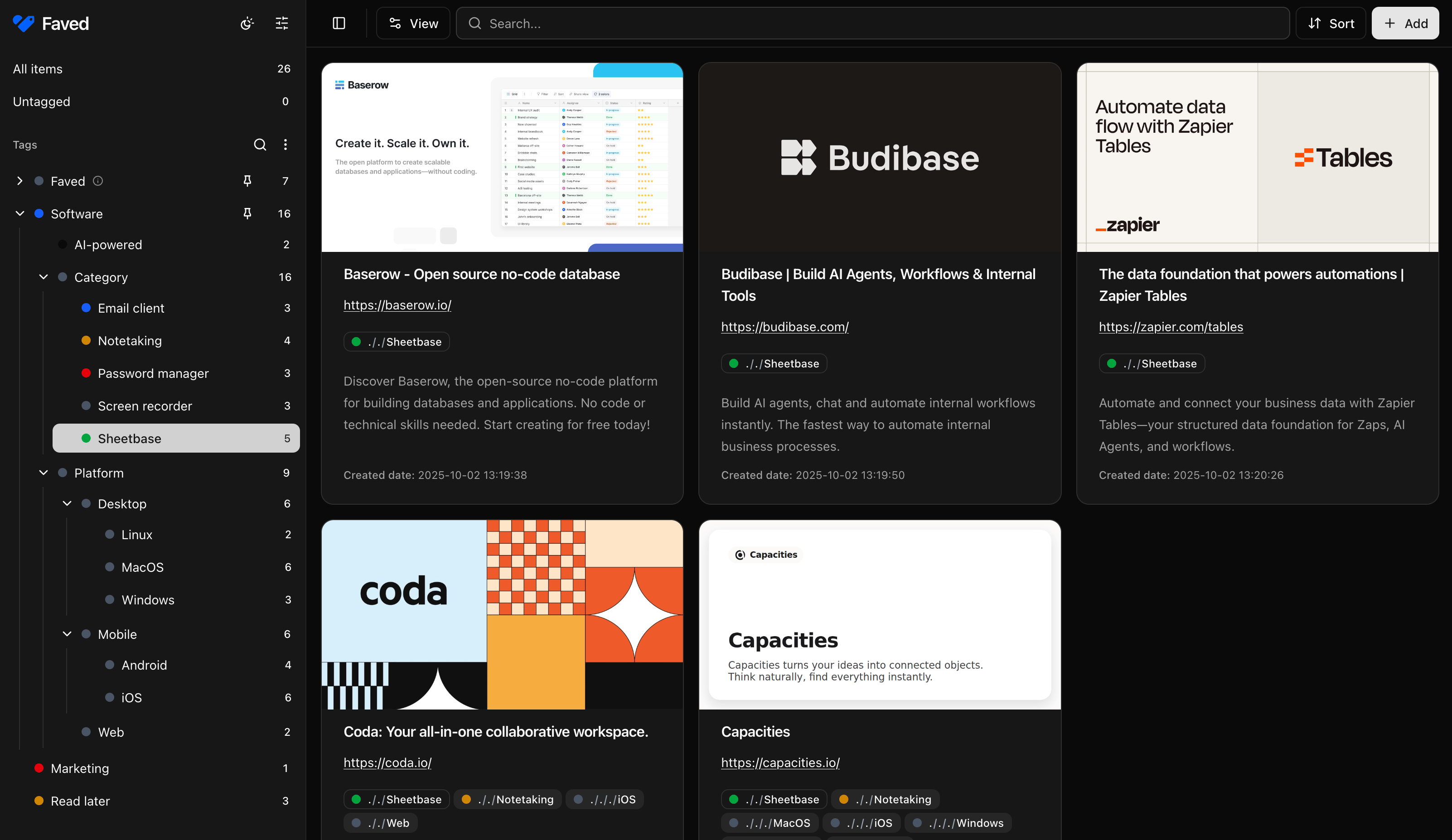
Faved is a privately-hosted, open-source bookmark manager with customizable nested tags, designed for handling large collections efficiently. It offers automatic title and description fetching, duplicate detection, powerful search and filtering, bulk actions, and a responsive design across all devices.

Your infrastructureAutomatic HTTPSNo lock-in

Screenshots

A closer look at Faved.

Faved screenshot 1

Setup time

A few minutes

Deployment

Your own server

Services

1 connected service

Why Faved

Everything you need, running where you choose.

Get the full Faved experience with Easypanel handling the repetitive infrastructure work around it.

Bookmark Management
Add, organize, search, and filter large bookmark collections efficiently with a clean interface.
Nested Tags
Create hierarchical tag structures with color customization to categorize bookmarks exactly how you think.
Bulk Actions
Perform operations on multiple bookmarks simultaneously to manage large collections quickly.
Responsive Design
Clean, modern interface built with Tailwind CSS that works across desktop and mobile devices.
PWA Support
Progressive Web App support for installation on iOS and Android devices for a native app feel.
Apple Shortcuts Integration
Native integration with Apple Shortcuts for automated bookmark saving from iOS and macOS.
How it works

From template to live app in three steps.

Easypanel turns the template into real services, storage, and domains on the server you already control.

Already have Easypanel? Open your dashboard at the URL or IP of your own installation.

Installation guide
1
Open your dashboard
Visit the URL or IP of your Easypanel installation and choose the target project.
2
Choose Faved
Open Templates, select Faved, then review its service names and configuration.
3
Deploy and open your app
Easypanel starts every service and provisions an HTTPS domain for you.
Installation options
The template asks for these values before creating your services.
OptionDefaultRequired

App Service Name

favedRequired

App Service Image

denho/faved:2.9.0Required
Resources
Project documentation and source code.
Latest template update
Jun 15, 2026

First Release

Questions

Deploy with confidence.

The template handles the application setup while Easypanel keeps the infrastructure understandable and under your control.

Faved logo
Ready to deploy Faved?
Open your own Easypanel dashboard, choose Faved from Templates, and review the deployment options.