All templates

Deploy Fenrus on your own server.

Fenrus logo

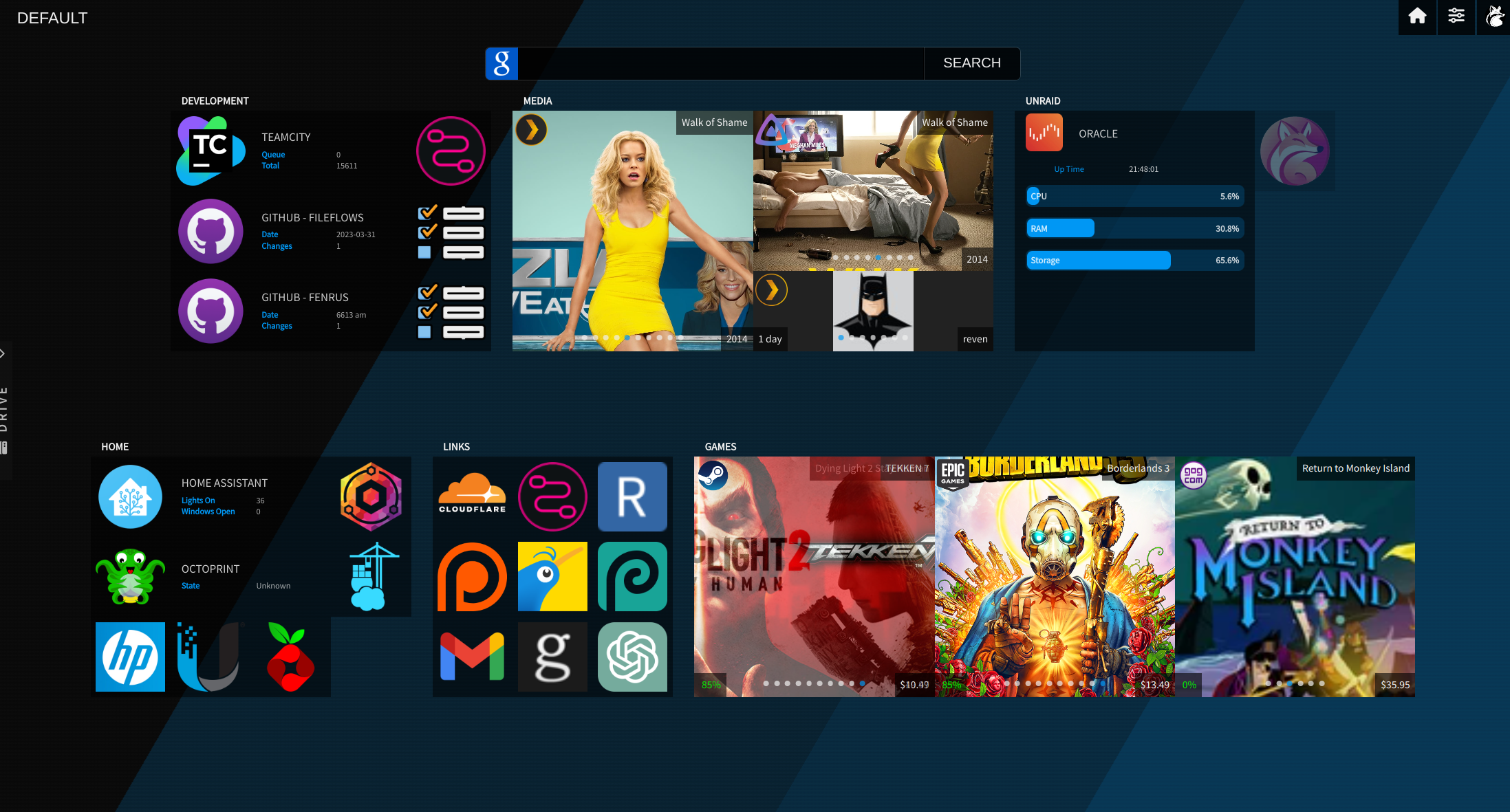
Fenrus is a sleek and modern dashboard application designed to provide a centralized hub for accessing your self-hosted services and applications. It offers a clean, customizable interface that allows you to organize your various web applications and resources in a single, easy-to-navigate dashboard. Fenrus supports both dark and light…

Your infrastructureAutomatic HTTPSNo lock-in

Screenshots

A closer look at Fenrus.

Fenrus screenshot 1

Setup time

A few minutes

Deployment

Your own server

Services

1 connected service

Why Fenrus

Everything you need, running where you choose.

Get the full Fenrus experience with Easypanel handling the repetitive infrastructure work around it.

Multiple Themes
Choose between light and dark themes or customize the appearance to suit your visual preferences.
Application Categories
Organize your applications into logical categories for easier navigation and improved workflow efficiency.
Custom Backgrounds
Set custom background images or colors to personalize your dashboard experience.
Responsive Design
Access your dashboard from any device with a fully responsive design that adapts to different screen sizes.
Quick Access
Quickly access your most frequently used services with a clean, intuitive interface designed for efficiency.
Centralized Dashboard
Fenrus provides a single, unified interface for accessing all your self-hosted applications and services, eliminating the need to remember multiple URLs.
How it works

From template to live app in three steps.

Easypanel turns the template into real services, storage, and domains on the server you already control.

Already have Easypanel? Open your dashboard at the URL or IP of your own installation.

Installation guide
1
Open your dashboard
Visit the URL or IP of your Easypanel installation and choose the target project.
2
Choose Fenrus
Open Templates, select Fenrus, then review its service names and configuration.
3
Deploy and open your app
Easypanel starts every service and provisions an HTTPS domain for you.
Installation options
The template asks for these values before creating your services.
OptionDefaultRequired

App Service Name

fenrusRequired

App Service Image

revenz/fenrus:23.08Required

Timezone

Pacific/AucklandOptional
Resources
Project documentation and source code.
Latest template update
Apr 17, 2025

first release

Questions

Deploy with confidence.

The template handles the application setup while Easypanel keeps the infrastructure understandable and under your control.

Keep exploring

Related templates

Browse all
Homepage logo
Homepage
Homepage is a self-hosted dashboard designed to provide a centralized hub for accessing and managing your server and web services. With an intuitive and customizable interface, Homepage makes it easy to organize links, monitor system health, and view important metrics in one place. It supports a wide range of integrations, including Docker, Kubernetes, and popular web services, making it an ideal tool for individuals and teams looking to streamline access and management of their infrastructure. Being open-source, Homepage offers transparency, flexibility, and control to users.
View template
Homarr logo
Homarr
Homarr is a powerful dashboard designed to simplify the management of your server. It provides a sleek, modern interface that brings all your apps and services together in one place, allowing you to access and control everything with ease. Homarr seamlessly integrates with the apps you've added, offering valuable insights and complete control. You can add your self-hosted applications or favorite websites to your dashboard and organize them as you like. Homarr supports integration with many popular applications to enhance your user experience. It is customizable, accessible, and supports 23 languages. With Homarr, you can control and monitor your network directly, use integrations to display data and control apps, and even create your own dashboard using a comprehensible and easy-to-use visual editor. Homarr is open-source and allows commercial usage. It features a quick search function to easily navigate through your apps and supported integrations.
View template
Web Portal logo
Web Portal
Web Portal is a lightweight and customizable dashboard application developed by enchant97. It provides a central hub for accessing your self-hosted applications and services. With a clean and intuitive interface, Web Portal helps you organize and access your web applications efficiently. It features a SQLite database for configuration storage and supports custom plugins for extended functionality. This containerized solution is perfect for home server enthusiasts and self-hosters looking for a clean, efficient way to manage their web applications.
View template
Fenrus logo
Ready to deploy Fenrus?
Open your own Easypanel dashboard, choose Fenrus from Templates, and review the deployment options.