All templates

Deploy Filerun on your own server.

Filerun logo

FileRun is a private, fully controlled file management and sharing solution. It's like having your own personal Google Drive, but with complete control and privacy. FileRun allows you to instantly access your files on any server without the need for importing or scanning. It supports access via FTP, SMB, and WebDAV, reflecting any…

Your infrastructureAutomatic HTTPSNo lock-in

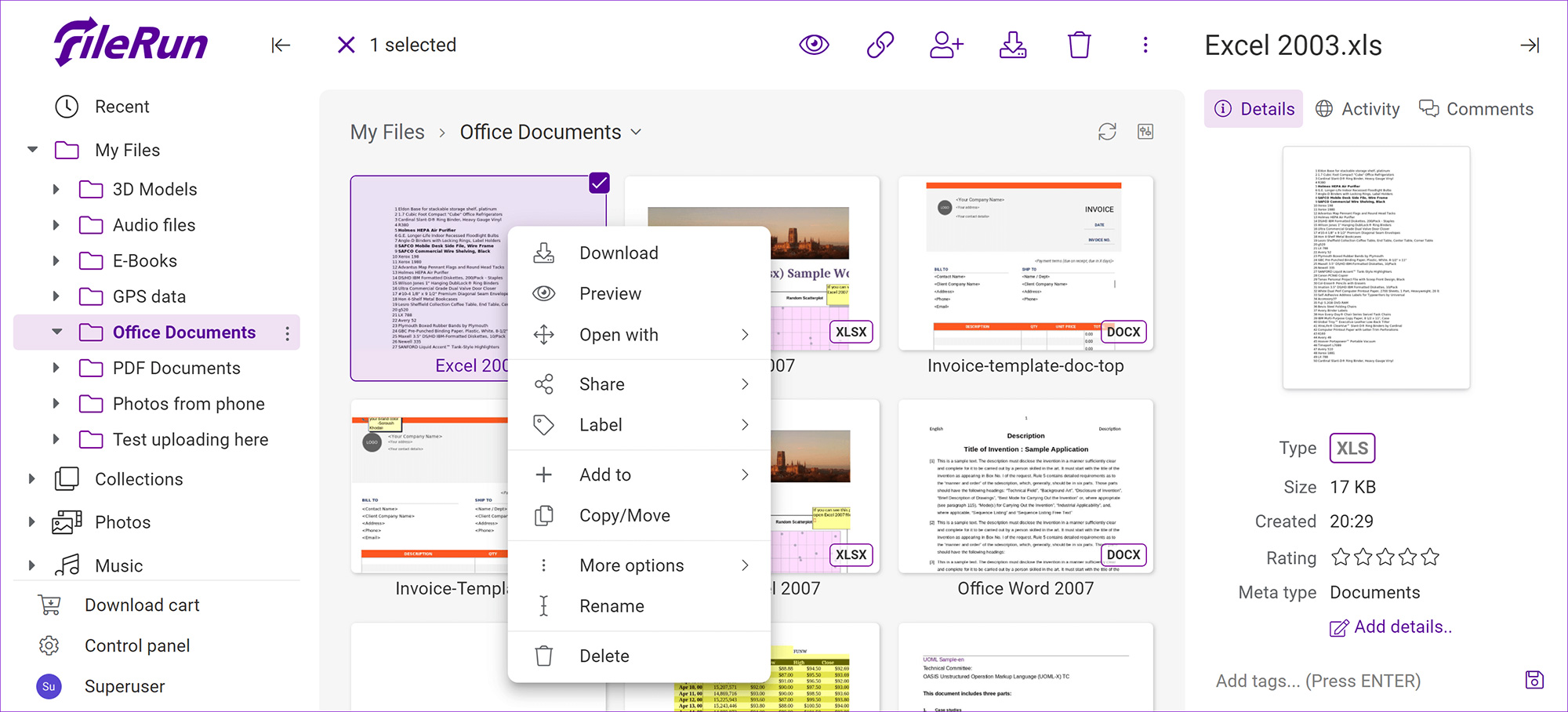
Screenshots

A closer look at Filerun.

Filerun screenshot 1

Setup time

A few minutes

Deployment

Your own server

Services

2 connected services

Why Filerun

Everything you need, running where you choose.

Get the full Filerun experience with Easypanel handling the repetitive infrastructure work around it.

File Access and Management
FileRun allows you to point to where you keep the files on your server for instant web access. You can upload, download, or manage the same files, and all changes made reflect via FileRun without delay.
Metadata Support
FileRun automatically extracts and indexes information Exif, XMP, and IPTC, allowing you to search photos by keywords, dates, author, and more. You can also add custom metadata fields for any additional information you want to attach to the pictures.
File Requests and Guest Users
FileRun allows you to collaborate with other people without creating accounts for them. You can send file requests to collect and receive files from anyone right into your FileRun user account with just a link.
Various Plugins and File Conversion
FileRun supports various plugins for creating, editing, and previewing Office files, text files, and more. It also allows you to convert files from one format to another and manipulate PDF documents.
Mobile Support and Extendability
FileRun offers fantastic mobile support, adapting to screens of any size for a smooth and intuitive experience. It also allows PHP web developers to develop plugins for viewing, creating, or manipulating files.
Private and Controlled File Management
FileRun is like your private Google Drive, offering full control over your files. It runs efficiently on any hardware, including Linux, Windows, VPS, Shared hosting, NAS, etc. No import or scanning is required, and you get instant web access to your files.
How it works

From template to live app in three steps.

Easypanel turns the template into real services, storage, and domains on the server you already control.

Already have Easypanel? Open your dashboard at the URL or IP of your own installation.

Installation guide
1
Open your dashboard
Visit the URL or IP of your Easypanel installation and choose the target project.
2
Choose Filerun
Open Templates, select Filerun, then review its service names and configuration.
3
Deploy and open your app
Easypanel starts every service and provisions an HTTPS domain for you.
Installation options
The template asks for these values before creating your services.
OptionDefaultRequired

App Service Name

filerunRequired

App Service Image

filerun/filerun:8.4Required

Database Service Name

filerun-dbRequired
Resources
Project documentation and source code.
Latest template update
Dec 25, 2025

Version bumped to 8.4

Questions

Deploy with confidence.

The template handles the application setup while Easypanel keeps the infrastructure understandable and under your control.

Keep exploring

Related templates

Browse all
Cloudreve logo
Cloudreve
Cloudreve is a self-hosted cloud storage platform that allows you to build your own file hosting and sharing service with support for multiple storage backends. Designed as a powerful alternative to commercial cloud storage services, Cloudreve provides a feature-rich web interface for uploading, organizing, and sharing files with complete control over your data. The application supports various storage providers including local storage, remote servers, OneDrive, S3-compatible storage, and more, allowing you to leverage existing infrastructure or cloud services as backends. Key features include drag-and-drop uploads, file previews for images, videos, and documents, shareable download links with optional password protection and expiration dates, and WebDAV support for seamless integration with desktop and mobile applications. Cloudreve offers user management with customizable storage quotas, group permissions, and file policies to control how users interact with the system. The modern, responsive interface works across devices, providing a smooth experience whether accessing from desktop or mobile. Built with performance in mind, Cloudreve uses PostgreSQL for reliable data storage and Redis for caching, ensuring fast and responsive file operations. Perfect for individuals wanting private cloud storage, teams needing collaborative file sharing, organizations requiring self-hosted file management, or anyone seeking an alternative to commercial cloud storage with complete data ownership and privacy.
View template
Filegator logo
Filegator
Filegator is a free, open-source, self-hosted web application for managing files and folders. It provides a user-friendly interface for organizing, uploading, downloading, and sharing files with comprehensive file management capabilities. Built with PHP, it offers multi-user support with different access permissions, roles, and home folders. All basic file operations are supported including copy, move, rename, edit, create, delete, preview, zip, unzip, download, and upload. The file upload feature supports drag & drop, progress bar, pause and resume functionality with chunked uploads for large files. Perfect for teams, students, field workers, and anyone needing a simple yet powerful file sharing and management solution.
View template
AnonUpload logo
AnonUpload
AnonUpload is a secure, anonymous file sharing application that does not require a database. It is built with privacy as a priority, ensuring that the direct filename used is not displayed. This PHP file uploader is designed to work anywhere, be it Nginx, Apache, Lightspeed, or any other platform. AnonUpload supports a wide range of file types including jpeg, jpg, gif, png, zip, xls, doc, mp3, mp4, mpeg, wav, avi, rar, 7z, txt and more. It also provides size verification for uploaded files, allowing for a maximum upload size of 10GB and no minimum size. The application also includes a download time feature, which sets a waiting time before a file can be downloaded.
View template
Filerun logo
Ready to deploy Filerun?
Open your own Easypanel dashboard, choose Filerun from Templates, and review the deployment options.