Deploy Pingvin Share X on your own server.

Pingvin Share X logo

Pingvin Share X is a community-maintained fork of Pingvin Share, a secure and easy-to-use self-hosted file sharing platform. It lets you share files with a single link, set expiration dates, password protection, and download limits, without ever giving your data to a third party. The platform supports registration, reverse shares,…

Your infrastructureAutomatic HTTPSNo lock-in

Screenshots

A closer look at Pingvin Share X.
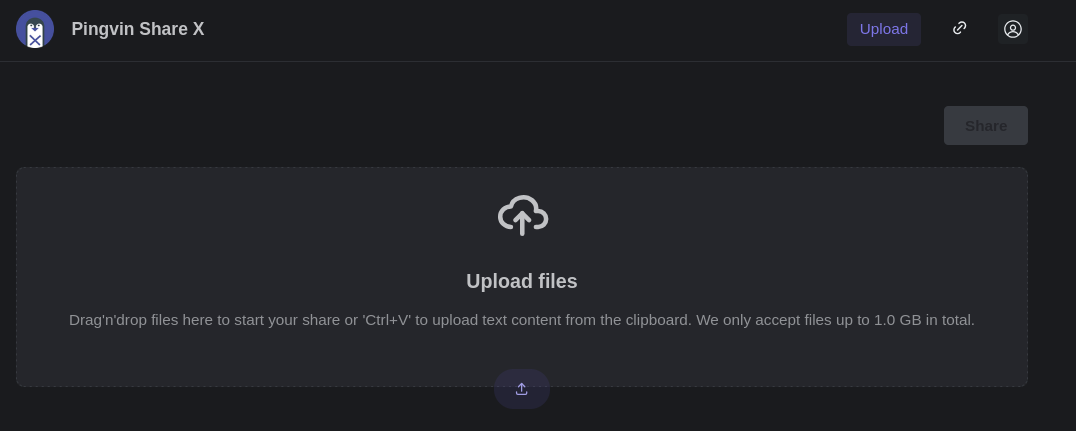
Pingvin Share X screenshot 1

Setup time

A few minutes

Deployment

Your own server

Services

1 connected service

Why Pingvin Share X

Everything you need, running where you choose.

Get the full Pingvin Share X experience with Easypanel handling the repetitive infrastructure work around it.

S3 & Local Storage
Store shared files on the local filesystem or in an S3-compatible bucket, whichever fits your infrastructure best.
Customizable Interface
Tailor the look and feel with theme colors, border radius, color scheme, and custom CSS injected directly into the frontend.
ClamAV Integration
Scan uploaded shares for malicious files using an optional ClamAV integration to keep your platform safe.
Email Notifications
Configure SMTP to send share links, reverse-share notifications, password resets, invites, and download notifications to users.
Self-Hosted & Private
Host Pingvin Share X on your own infrastructure. Your files never pass through a third-party service like WeTransfer, keeping your data fully under your control.
No Annoying Size Limits
Upload and share files as large as you want — the only limit is your own hard drive, not an arbitrary cap imposed by a provider.
How it works

From template to live app in three steps.

Easypanel turns the template into real services, storage, and domains on the server you already control.

Already have Easypanel? Open your dashboard at the URL or IP of your own installation.

Installation guide
1
Open your dashboard
Visit the URL or IP of your Easypanel installation and choose the target project.
2
Choose Pingvin Share X
Open Templates, select Pingvin Share X, then review its service names and configuration.
3
Deploy and open your app
Easypanel starts every service and provisions an HTTPS domain for you.
Installation options
The template asks for these values before creating your services.
OptionDefaultRequired

Service Name

pingvin-share-xRequired

App Service Image

smp46/pingvin-share-x:v1.21.0Required

Trust Proxy

Enable this if Pingvin Share X is placed behind a reverse proxy terminating TLS (recommended when using a domain through Easypanel).

trueOptional
Resources
Project documentation and source code.
Latest template update
Jul 6, 2026

First Release (v1.21.0)

Questions

Deploy with confidence.

The template handles the application setup while Easypanel keeps the infrastructure understandable and under your control.

Keep exploring

Related templates

Browse all
Passky Server logo
Passky Server
Passky is a simple, modern, lightweight, open source and secure password manager. It allows you to securely store and manage your passwords, ensuring your sensitive credentials remain protected. This self-hosted server component works with the Passky clients (web, desktop, and mobile apps) to provide a complete password management solution that puts you in control of your data.
View template
Cloudreve logo
Cloudreve
Cloudreve is a self-hosted cloud storage platform that allows you to build your own file hosting and sharing service with support for multiple storage backends. Designed as a powerful alternative to commercial cloud storage services, Cloudreve provides a feature-rich web interface for uploading, organizing, and sharing files with complete control over your data. The application supports various storage providers including local storage, remote servers, OneDrive, S3-compatible storage, and more, allowing you to leverage existing infrastructure or cloud services as backends. Key features include drag-and-drop uploads, file previews for images, videos, and documents, shareable download links with optional password protection and expiration dates, and WebDAV support for seamless integration with desktop and mobile applications. Cloudreve offers user management with customizable storage quotas, group permissions, and file policies to control how users interact with the system. The modern, responsive interface works across devices, providing a smooth experience whether accessing from desktop or mobile. Built with performance in mind, Cloudreve uses PostgreSQL for reliable data storage and Redis for caching, ensuring fast and responsive file operations. Perfect for individuals wanting private cloud storage, teams needing collaborative file sharing, organizations requiring self-hosted file management, or anyone seeking an alternative to commercial cloud storage with complete data ownership and privacy.
View template
Filerun logo
Filerun
FileRun is a private, fully controlled file management and sharing solution. It's like having your own personal Google Drive, but with complete control and privacy. FileRun allows you to instantly access your files on any server without the need for importing or scanning. It supports access via FTP, SMB, and WebDAV, reflecting any changes made to your files instantly. You can sync files using desktop apps and access your files on the go with compatible mobile apps. FileRun is also great for managing photos with fast thumbnail and preview generation, timeline browsing, and metadata support. It even allows you to group photos from various folders into virtual albums that you can share online. The new virtual drive feature lets you access files directly from your computer without using up all your disk space. FileRun also supports collaboration with guest users and file requests for easy file collection and submission. It also integrates with various plugins for file editing, viewing, and conversion. FileRun ensures your files are safe with automatic file versioning and a trash folder for deleted files. It also allows for full customization to match your branding. FileRun is secure, loaded with features, and offers a smooth and intuitive mobile experience.
View template
Pingvin Share X logo
Ready to deploy Pingvin Share X?
Open your own Easypanel dashboard, choose Pingvin Share X from Templates, and review the deployment options.