All templates

Deploy Filezilla Client on your own server.

Filezilla Client logo

FileZilla Client is a fast and reliable cross-platform FTP, FTPS and SFTP client. It is designed with a lot of useful features and an intuitive graphical user interface. The app is capable of delivering a true lossless image at a high framerate to your web browser. It supports multiple architectures and can be accessed via HTTP or HTTPS.…

Your infrastructureAutomatic HTTPSNo lock-in

Screenshots

A closer look at Filezilla Client.

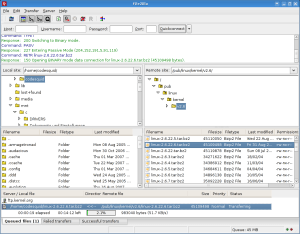
Filezilla Client screenshot 1

Setup time

A few minutes

Deployment

Your own server

Services

1 connected service

Why Filezilla Client

Everything you need, running where you choose.

Get the full Filezilla Client experience with Easypanel handling the repetitive infrastructure work around it.

Multi-Platform Awareness
The app utilizes the docker manifest for multi-platform awareness, allowing it to retrieve the correct image for your architecture.
Customizable Environment Variables
FileZilla Client offers customizable environment variables, enabling users to adjust settings such as internal port, HTTP Basic auth username and password, and more.
Lossless Mode
The app is capable of delivering a true lossless image at a high framerate to your web browser, ensuring the highest quality of image transmission.
Cross-Platform Compatibility
FileZilla Client is a cross-platform FTP, FTPS, and SFTP client, meaning it can be used on various operating systems without compatibility issues.
Intuitive User Interface
The app features an intuitive graphical user interface, making it easy for users to navigate and operate, regardless of their technical expertise.
Fast and Reliable
FileZilla Client is known for its speed and reliability, ensuring efficient and uninterrupted file transfers.
How it works

From template to live app in three steps.

Easypanel turns the template into real services, storage, and domains on the server you already control.

Already have Easypanel? Open your dashboard at the URL or IP of your own installation.

Installation guide
1
Open your dashboard
Visit the URL or IP of your Easypanel installation and choose the target project.
2
Choose Filezilla Client
Open Templates, select Filezilla Client, then review its service names and configuration.
3
Deploy and open your app
Easypanel starts every service and provisions an HTTPS domain for you.
Installation options
The template asks for these values before creating your services.
OptionDefaultRequired

App Service Name

filezillaRequired

App Service Image

lscr.io/linuxserver/filezilla:3.68.1Required
Resources
Project documentation and source code.
Latest template update
Jan 11, 2025

Version bumped to 3.68.1

Questions

Deploy with confidence.

The template handles the application setup while Easypanel keeps the infrastructure understandable and under your control.

Keep exploring

Related templates

Browse all
Chevereto logo
Chevereto
Chevereto is a powerful, self-hosted image and video hosting platform designed for individuals, communities, and businesses. It allows users to upload, organize, and share media effortlessly. With a clean interface and a wide range of customization options, Chevereto supports private albums, multi-language capabilities, and robust file management, making it the ultimate solution for image and video hosting.
View template
Cloudreve logo
Cloudreve
Cloudreve is a self-hosted cloud storage platform that allows you to build your own file hosting and sharing service with support for multiple storage backends. Designed as a powerful alternative to commercial cloud storage services, Cloudreve provides a feature-rich web interface for uploading, organizing, and sharing files with complete control over your data. The application supports various storage providers including local storage, remote servers, OneDrive, S3-compatible storage, and more, allowing you to leverage existing infrastructure or cloud services as backends. Key features include drag-and-drop uploads, file previews for images, videos, and documents, shareable download links with optional password protection and expiration dates, and WebDAV support for seamless integration with desktop and mobile applications. Cloudreve offers user management with customizable storage quotas, group permissions, and file policies to control how users interact with the system. The modern, responsive interface works across devices, providing a smooth experience whether accessing from desktop or mobile. Built with performance in mind, Cloudreve uses PostgreSQL for reliable data storage and Redis for caching, ensuring fast and responsive file operations. Perfect for individuals wanting private cloud storage, teams needing collaborative file sharing, organizations requiring self-hosted file management, or anyone seeking an alternative to commercial cloud storage with complete data ownership and privacy.
View template
Filebrowser logo
Filebrowser
File Browser is a versatile app designed to provide a file managing interface within a specified directory. It's a powerful tool that allows you to upload, delete, preview, rename, and edit your files with ease. The app supports the creation of multiple users, with each user having their own directory, making it an ideal solution for managing files in a multi-user environment. File Browser also offers a range of customization options, including the ability to change the way users authenticate with the server, execute shell commands before or after certain events, and personalize the installation with custom branding. It can be used as a standalone app, offering a comprehensive and user-friendly solution for all your file management needs.

View template
Filezilla Client logo
Ready to deploy Filezilla Client?
Open your own Easypanel dashboard, choose Filezilla Client from Templates, and review the deployment options.