All templates

Deploy Firebird on your own server.

Firebird logo

Firebird is a powerful, open-source relational database management system (RDBMS) that offers high performance, scalability, and SQL compliance. It is designed for both small and large-scale applications, providing robust multi-user support, stored procedures, triggers, and full ACID compliance. Firebird is lightweight, requiring minimal…

Your infrastructureAutomatic HTTPSNo lock-in

Screenshots

A closer look at Firebird.
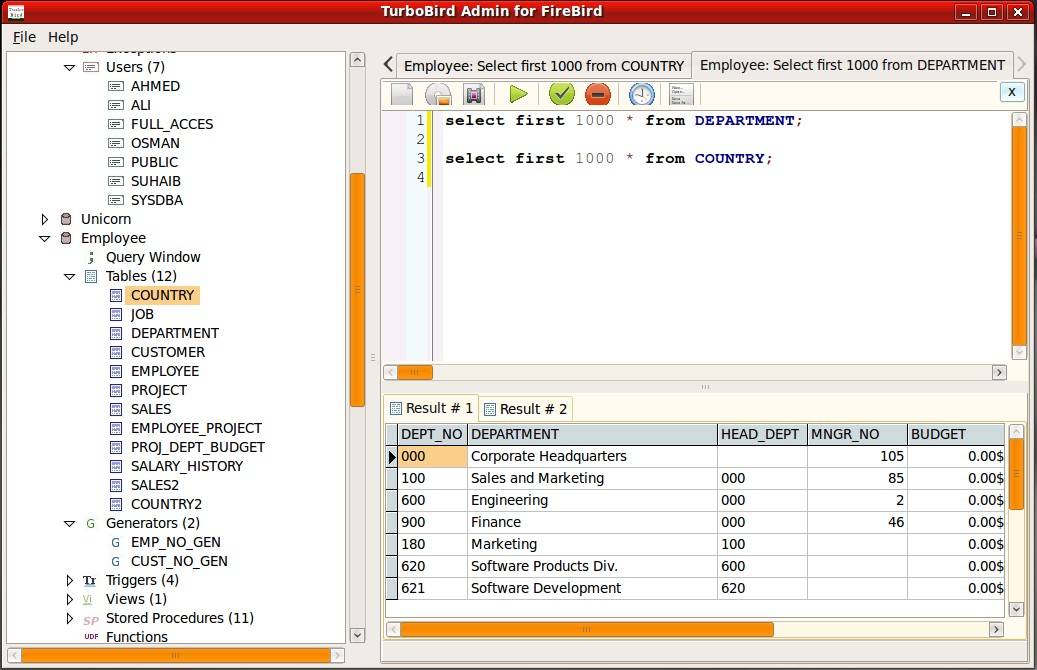
Firebird screenshot 1

Setup time

A few minutes

Deployment

Your own server

Services

1 connected service

Why Firebird

Everything you need, running where you choose.

Get the full Firebird experience with Easypanel handling the repetitive infrastructure work around it.

SQL Standard Support
Firebird supports advanced SQL features, stored procedures, triggers, views, and more for complex database applications.
Multi-Platform Compatibility
Firebird runs on multiple operating systems, including Windows, Linux, and macOS, ensuring cross-platform flexibility.
Lightweight & Low Resource Usage
Requires minimal system resources while delivering high performance.
Role-Based Access Control
Manage user roles and permissions for secure database access.
Backup & Recovery Tools
Firebird provides built-in tools for database backup, restore, and disaster recovery.
High Performance & Scalability
Firebird delivers exceptional speed and scalability, making it suitable for enterprise applications and large-scale databases.
How it works

From template to live app in three steps.

Easypanel turns the template into real services, storage, and domains on the server you already control.

Already have Easypanel? Open your dashboard at the URL or IP of your own installation.

Installation guide
1
Open your dashboard
Visit the URL or IP of your Easypanel installation and choose the target project.
2
Choose Firebird
Open Templates, select Firebird, then review its service names and configuration.
3
Deploy and open your app
Easypanel starts every service and provisions an HTTPS domain for you.
Installation options
The template asks for these values before creating your services.
OptionDefaultRequired

App Service Name

firebirdRequired

App Service Image

firebirdsql/firebird:5.0.3Required

Root Password

Set during installRequired

Database User

dbuserRequired

Database Password

Set during installRequired
Resources
Project documentation and source code.
Latest template update
Jul 21, 2025

Version bumped to 5.0.3

Questions

Deploy with confidence.

The template handles the application setup while Easypanel keeps the infrastructure understandable and under your control.

Firebird logo
Ready to deploy Firebird?
Open your own Easypanel dashboard, choose Firebird from Templates, and review the deployment options.