All templates

Deploy Firefox on your own server.

Firefox logo

Firefox Browser, also known as Mozilla Firefox or simply Firefox, is a free and open-source web browser developed by the Mozilla Foundation and its subsidiary, the Mozilla Corporation. This app allows you to deploy and run Firefox in a containerized environment, providing a secure and isolated space for your browsing activities. Firefox…

Your infrastructureAutomatic HTTPSNo lock-in

Screenshots

A closer look at Firefox.

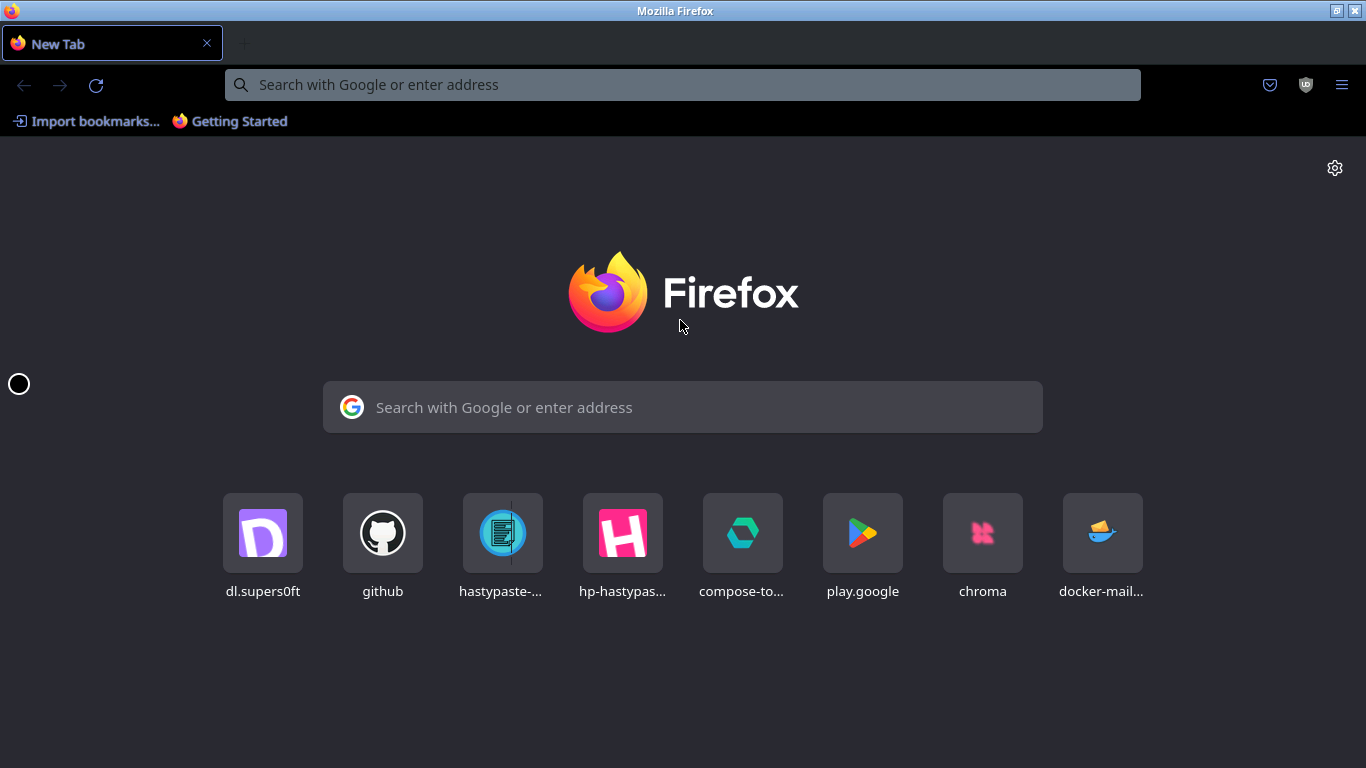
Firefox screenshot 1

Setup time

A few minutes

Deployment

Your own server

Services

1 connected service

Why Firefox

Everything you need, running where you choose.

Get the full Firefox experience with Easypanel handling the repetitive infrastructure work around it.

Lossless Mode
The app is capable of delivering a true lossless image at a high framerate to your web browser. This feature enhances the visual experience and performance of the app.
Docker in Docker (DinD) Setup
The app offers an optional run configuration that starts a Docker in Docker (DinD) setup inside the container. This allows you to use docker in an isolated environment, enhancing security and performance.
GPU Acceleration
The app supports mounting a GPU into the container. This can be used in conjunction with the DRINODE environment variable to leverage a host video card for GPU accelerated applications.
Environment Variables from Files
The app allows you to set any environment variable from a file using a special prepend FILE__. This feature enhances security and flexibility in managing environment variables.
User / Group Identifiers
The app allows you to specify the user PUID and group PGID to avoid permission issues between the host OS and the container when using volumes.
Open-Source Web Browser
Firefox Browser, developed by the Mozilla Foundation, is a free and open-source web browser. It uses the Gecko layout engine to render web pages, implementing current and anticipated web standards.
How it works

From template to live app in three steps.

Easypanel turns the template into real services, storage, and domains on the server you already control.

Already have Easypanel? Open your dashboard at the URL or IP of your own installation.

Installation guide
1
Open your dashboard
Visit the URL or IP of your Easypanel installation and choose the target project.
2
Choose Firefox
Open Templates, select Firefox, then review its service names and configuration.
3
Deploy and open your app
Easypanel starts every service and provisions an HTTPS domain for you.
Installation options
The template asks for these values before creating your services.
OptionDefaultRequired

App Service Name

firefoxRequired

App Service Image

lscr.io/linuxserver/firefox:1150.0.1Required
Resources
Project documentation and source code.
Latest template update
Apr 29, 2026

Version bumped to 1150.0.1

Questions

Deploy with confidence.

The template handles the application setup while Easypanel keeps the infrastructure understandable and under your control.

Keep exploring

Related templates

Browse all
Opera logo
Opera
Opera is a multi-platform web browser developed by Opera. This app is based on Chromium, but sets itself apart from other Chromium-based browsers through its unique user interface and additional features. The app can be accessed at http://yourhost:3000/ or https://yourhost:3001/. It provides a true lossless image at a high frame rate to your web browser by changing the Stream Quality preset to 'Lossless'. The app also allows you to specify one or multiple Chromium CLI flags, which will be passed to the application in full. This app is designed to avoid permission issues that can arise between the host OS and the container by allowing you to specify the user PUID and group PGID.
View template
Neko Rooms logo
Neko Rooms
Neko Rooms is a self-hosted, collaborative virtualized browser-sharing platform that enables users to share and interact with web applications in a fully isolated and secure environment. It allows multiple users to join a shared session, providing seamless co-browsing experiences with synchronized interactions. Neko Rooms is built for teams, support agents, and anyone needing real-time, interactive browsing collaboration. It is optimized for low-latency streaming and supports multiple configurations for enhanced flexibility and performance.
View template
Chromium logo
Chromium
Chromium is an open-source browser project that is designed to provide a safer, faster, and more stable way for all users to experience the web. This app is a Docker containerized version of Chromium, allowing you to deploy and run the Chromium browser in a Docker environment. The app supports multiple architectures, including x86-64 and arm64, and can be accessed via HTTP or HTTPS. It offers additional environment variables and run configurations to enable or disable specific functionality. The app also allows you to specify one or multiple Chromium CLI flags, which will be passed to the application in full. This containerized version of Chromium is designed to function efficiently with modern websites, and includes options for GPU acceleration and Docker in Docker (DinD) setup.
View template
Firefox logo
Ready to deploy Firefox?
Open your own Easypanel dashboard, choose Firefox from Templates, and review the deployment options.