All templates

Deploy Ghost on your own server.

Ghost logo

Ghost is a robust application designed for new-media creators looking to turn their audience into a business. It provides a suite of modern tools to build a website, publish engaging content, send newsletters, and offer paid subscriptions to members. Ghost allows you to launch your website with a selection of beautiful free themes and…

Your infrastructureAutomatic HTTPSNo lock-in

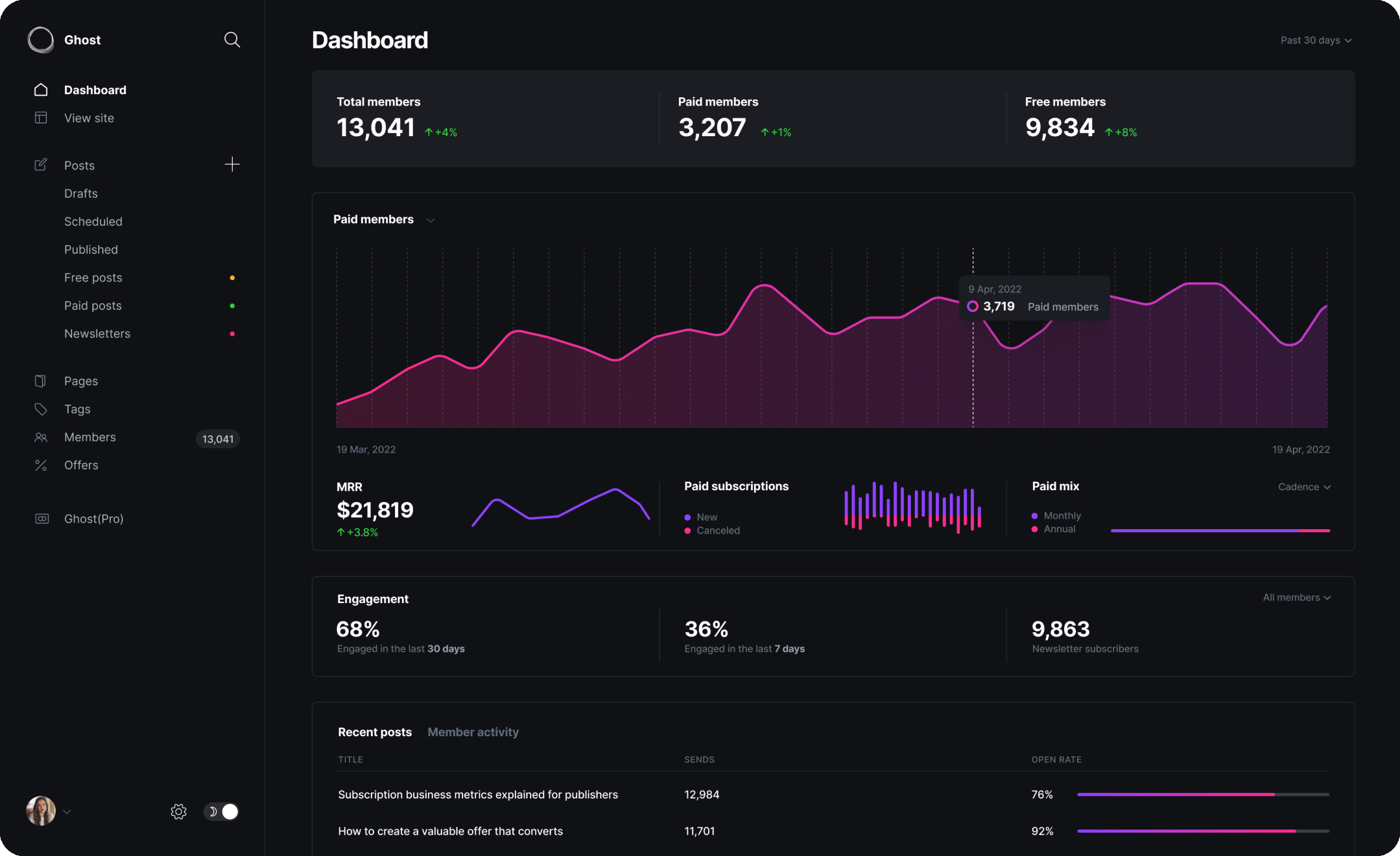
Screenshots

A closer look at Ghost.

Ghost screenshot 1

Setup time

A few minutes

Deployment

Your own server

Services

2 connected services

Why Ghost

Everything you need, running where you choose.

Get the full Ghost experience with Easypanel handling the repetitive infrastructure work around it.

Publish by Web & Email Newsletter
Ghost offers an editor built for professionals. It allows you to publish content via web and email newsletters. The interface is invisible until you need it, and powerful when you do.
Rich Media & Dynamic Cards
Ghost allows you to expand your story with image galleries, gifs, video, audio, products, info boxes, accordion toggles, downloadable files, bookmarks, and much more.
Newsletters Built-In
Ghost comes with built-in newsletter functionality. You can deliver posts by email newsletter to your audience, so they’ll be in the loop whenever something new goes live.
Offers & Promotions
Ghost allows you to entice new subscribers with offers and promotions. You can run discounts or special promotions for live events to grow your business.
Integrations
Ghost works with a variety of other tools including referral programs, push notifications, social sharing, payment gateways, A/B testing, desktop editors, mobile apps, comments, notifications, and more.
Turn Your Audience into a Business
Ghost is a powerful app that enables new-media creators to publish, share, and grow a business around their content. It offers modern tools to build a website, publish content, send newsletters, and offer paid subscriptions to members.
How it works

From template to live app in three steps.

Easypanel turns the template into real services, storage, and domains on the server you already control.

Already have Easypanel? Open your dashboard at the URL or IP of your own installation.

Installation guide
1
Open your dashboard
Visit the URL or IP of your Easypanel installation and choose the target project.
2
Choose Ghost
Open Templates, select Ghost, then review its service names and configuration.
3
Deploy and open your app
Easypanel starts every service and provisions an HTTPS domain for you.
Installation options
The template asks for these values before creating your services.
OptionDefaultRequired

App Service Name

ghostRequired

App Service Image

ghost:6.35.0Required

Database Service Name

ghost-dbRequired

SMTP Server Host

smtp.example.comRequired

SMTP Server Port

587Required

SMTP Server Username

exampleRequired

SMTP Server Password

Set during installRequired

SMTP From Email

[email protected]Required
Resources
Project documentation and source code.
Latest template update
Apr 29, 2026

Version bumped to 6.35.0

Questions

Deploy with confidence.

The template handles the application setup while Easypanel keeps the infrastructure understandable and under your control.

Keep exploring

Related templates

Browse all
Castopod logo
Castopod
Castopod is an open-source hosting platform made for podcasters who want full control over their content. It provides a comprehensive solution for creating, managing, and distributing podcasts with features like built-in analytics, automatic RSS feed generation, and support for the ActivityPub protocol for social interactions. Castopod helps podcasters save time with automatic episode publishing to podcast platforms and social media. The platform includes powerful tools for audience engagement, SEO optimization, and monetization options. With its modern, intuitive interface, Castopod makes podcast hosting accessible while giving creators complete ownership of their content and audience data.
View template
Grav logo
Grav
Grav is an award-winning, open-source, flat-file content management system (CMS) designed to help you build faster websites. It's been voted 'Best Open Source CMS' in 2016 and 'Best Flat File CMS' in 2017, 2019, 2020, and 2021. Grav is known for its fast performance, extensibility, and user-friendly interface. With Grav, you can easily modify flexible configuration settings, edit content with a powerful markdown editor, and install a wide range of modern themes with one click. It also offers a built-in package manager for easy plugin installation. Grav is packed with features and tools that make content creation enjoyable. It supports one-click installs, powerful content filtering, dynamic content types, multi-language support, simple backups and restores, image media processing, and easy theme customization. Whether you're creating landing pages, portfolios, product sites, personal resumes, e-commerce sites, blogs, business sites, or documentation, Grav provides the flexibility and power you need.
View template
Metabase logo
Metabase
Metabase is a powerful, user-friendly application designed to enable your company to explore data independently. It offers fast analytics with integrated tooling and a friendly user interface. With Metabase, you can go from zero to dashboard in just 2 minutes, allowing you to connect directly to over 20+ data sources, from your startup’s production database to massive data warehouses, and query immediately without extracts. The application is trusted by over 50,000 companies and is accessible to all, with a range of plans from free open-source to pay-as-you-go Pro and Enterprise. Metabase allows you to create and share interactive dashboards, craft metadata-rich models, and free your data from the confines of SQL with a Visual Query Builder. It is designed to make self-service analytics a reality, providing a simple yet powerful tool for data exploration and dashboarding.
View template
Ghost logo
Ready to deploy Ghost?
Open your own Easypanel dashboard, choose Ghost from Templates, and review the deployment options.