All templates

Deploy Goaway on your own server.

Goaway logo

Goaway is a DNS service that provides filtering and blocking capabilities for unwanted content. It acts as a DNS server that can block malicious domains, advertisements, and other unwanted traffic while providing a clean web interface for management.

Your infrastructureAutomatic HTTPSNo lock-in

Screenshots

A closer look at Goaway.

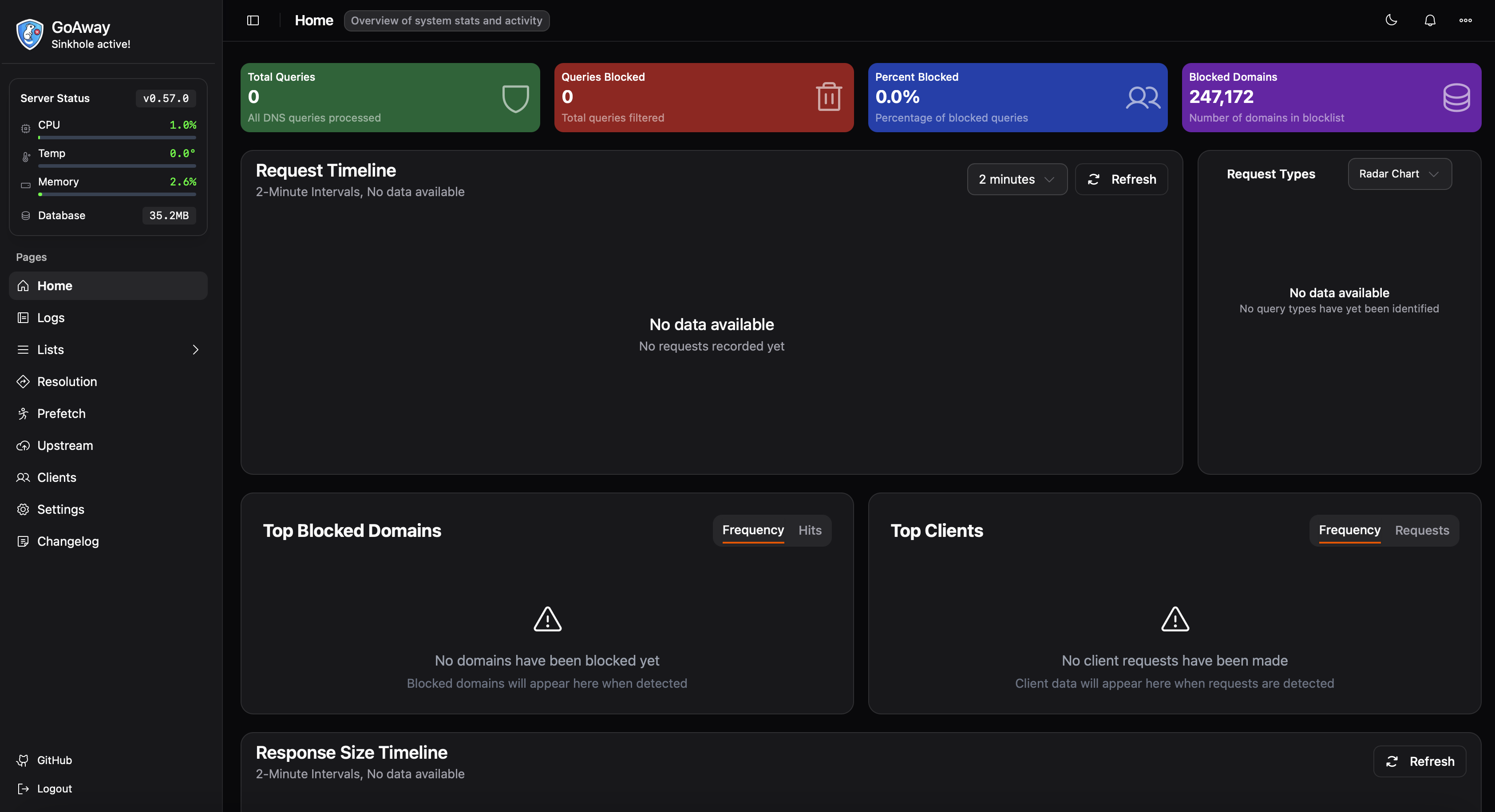
Goaway screenshot 1

Setup time

A few minutes

Deployment

Your own server

Services

1 connected service

Why Goaway

Everything you need, running where you choose.

Get the full Goaway experience with Easypanel handling the repetitive infrastructure work around it.

DNS Server
Full-featured DNS server with filtering capabilities
Domain Blocking
Block access to unwanted or malicious domains
Web Management
Comprehensive web interface for easy management
Real-time Monitoring
Monitor DNS queries and blocked requests in real-time
Custom Configuration
Customize blocking rules and DNS settings
Network-wide Protection
Protect all devices on your network with centralized DNS filtering
How it works

From template to live app in three steps.

Easypanel turns the template into real services, storage, and domains on the server you already control.

Already have Easypanel? Open your dashboard at the URL or IP of your own installation.

Installation guide
1
Open your dashboard
Visit the URL or IP of your Easypanel installation and choose the target project.
2
Choose Goaway
Open Templates, select Goaway, then review its service names and configuration.
3
Deploy and open your app
Easypanel starts every service and provisions an HTTPS domain for you.
Installation options
The template asks for these values before creating your services.
OptionDefaultRequired

App Service Name

goawayRequired

App Service Image

pommee/goaway:0.57.0Required

DNS Port

The port to use for DNS queries.

53Optional
Resources
Project documentation and source code.
Latest template update
Apr 19, 2026

Square logo; website and documentation links

Questions

Deploy with confidence.

The template handles the application setup while Easypanel keeps the infrastructure understandable and under your control.

Keep exploring

Related templates

Browse all
Pi-hole logo
Pi-hole
Pi-hole is a network-wide ad blocker that acts as a DNS sinkhole to protect your devices from unwanted content without installing any client-side software. It blocks ads at the DNS level, meaning ads are blocked before they even reach your devices, resulting in faster browsing, reduced bandwidth usage, and enhanced privacy. Pi-hole provides a powerful web interface for easy management and detailed statistics about your network's DNS queries. It can block millions of ad-serving domains and supports custom block lists. The application also includes features like DHCP server capabilities, DNS-over-HTTPS (DoH) support, and comprehensive query logging. With Pi-hole, you can monitor all DNS requests on your network, see which domains are being blocked, and maintain complete control over your network's DNS filtering.
View template
RSS-Bridge logo
RSS-Bridge
RSS-Bridge is a self-hosted, open-source tool that generates RSS and Atom feeds for websites that do not provide them natively. It enables users to extract and aggregate content from various web pages, social media platforms, and other online sources into a single, unified RSS feed. This allows users to stay updated with the latest content from multiple sources without manually visiting each site. RSS-Bridge supports various website connectors, filtering options, and output formats to provide a customized feed experience.
View template
AdGuard Home logo
AdGuard Home
AdGuard Ad Blocker is a comprehensive solution designed to enhance your online browsing experience by eliminating all kinds of ads, from annoying banners and pop-ups to intrusive video ads. It not only removes these distractions but also maintains the functionality and appearance of the websites you visit. The app also offers privacy protection, shielding your data from web analytics and online trackers. In addition, AdGuard ensures browsing security by protecting against phishing and malicious sites. It also includes a parental control feature, providing a safe online environment for children by blocking inappropriate and adult content. The app is designed to work across all browsers and apps, offering a seamless ad-free experience. Moreover, it saves traffic and speeds up page loading by filtering ads before they reach your device. AdGuard is more than just an ad blocker; it's a tool that enhances your online safety and browsing speed.
View template
Goaway logo
Ready to deploy Goaway?
Open your own Easypanel dashboard, choose Goaway from Templates, and review the deployment options.