All templates

Deploy Invidious on your own server.

Invidious logo

Invidious is a privacy-respecting alternative frontend for YouTube, designed to offer a lightweight, ad-free, and tracking-free viewing experience. It allows users to watch YouTube videos without being tracked, bypasses regional restrictions, and provides advanced features like video downloads, subscription management, and audio-only…

Your infrastructureAutomatic HTTPSNo lock-in

Screenshots

A closer look at Invidious.
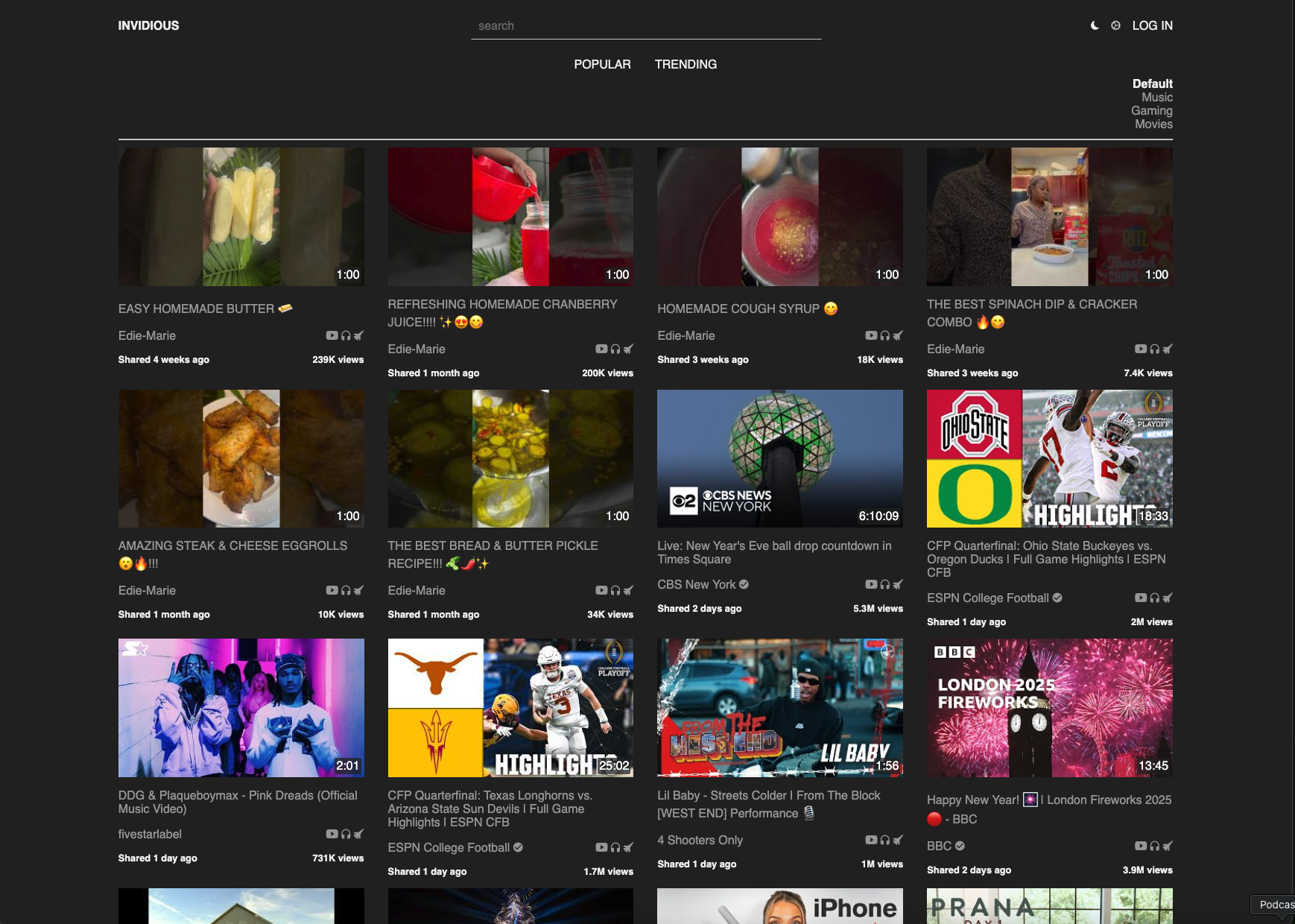
Invidious screenshot 1

Setup time

A few minutes

Deployment

Your own server

Services

2 connected services

Why Invidious

Everything you need, running where you choose.

Get the full Invidious experience with Easypanel handling the repetitive infrastructure work around it.

Ad-Free Video Playback
Watch YouTube videos without interruptions from ads or intrusive tracking scripts.
Audio-Only Mode
Save bandwidth by streaming only the audio of videos, perfect for music or podcasts.
Subscription Management
Keep track of your favorite channels with subscription management, available via RSS feeds for external readers.
Customizable Themes
Personalize your experience with various themes and a clean, minimal interface.
Open Source and Community-Driven
Invidious is free and open source, with active contributions from a vibrant community.
Ad-Free and Privacy-Respecting
Invidious allows users to watch YouTube videos without ads or tracking, ensuring a private and seamless experience.
How it works

From template to live app in three steps.

Easypanel turns the template into real services, storage, and domains on the server you already control.

Already have Easypanel? Open your dashboard at the URL or IP of your own installation.

Installation guide
1
Open your dashboard
Visit the URL or IP of your Easypanel installation and choose the target project.
2
Choose Invidious
Open Templates, select Invidious, then review its service names and configuration.
3
Deploy and open your app
Easypanel starts every service and provisions an HTTPS domain for you.
Installation options
The template asks for these values before creating your services.
OptionDefaultRequired

App Service Name

invidiousRequired

App Service Image

quay.io/invidious/invidious:2026.02.16-e7f8b15Required
Resources
Project documentation and source code.
Latest template update
Feb 21, 2026

Version bumped to 2026.02.16-e7f8b15

Questions

Deploy with confidence.

The template handles the application setup while Easypanel keeps the infrastructure understandable and under your control.

Invidious logo
Ready to deploy Invidious?
Open your own Easypanel dashboard, choose Invidious from Templates, and review the deployment options.