All templates

Deploy Label Studio on your own server.

Label Studio logo

Label Studio is an open source data labeling tool. It lets you label data types like audio, text, images, videos, and time series with a simple and straightforward UI and export to various model formats. It can be used to prepare raw data or improve existing training data to get more accurate ML models.

Your infrastructureAutomatic HTTPSNo lock-in

Screenshots

A closer look at Label Studio.
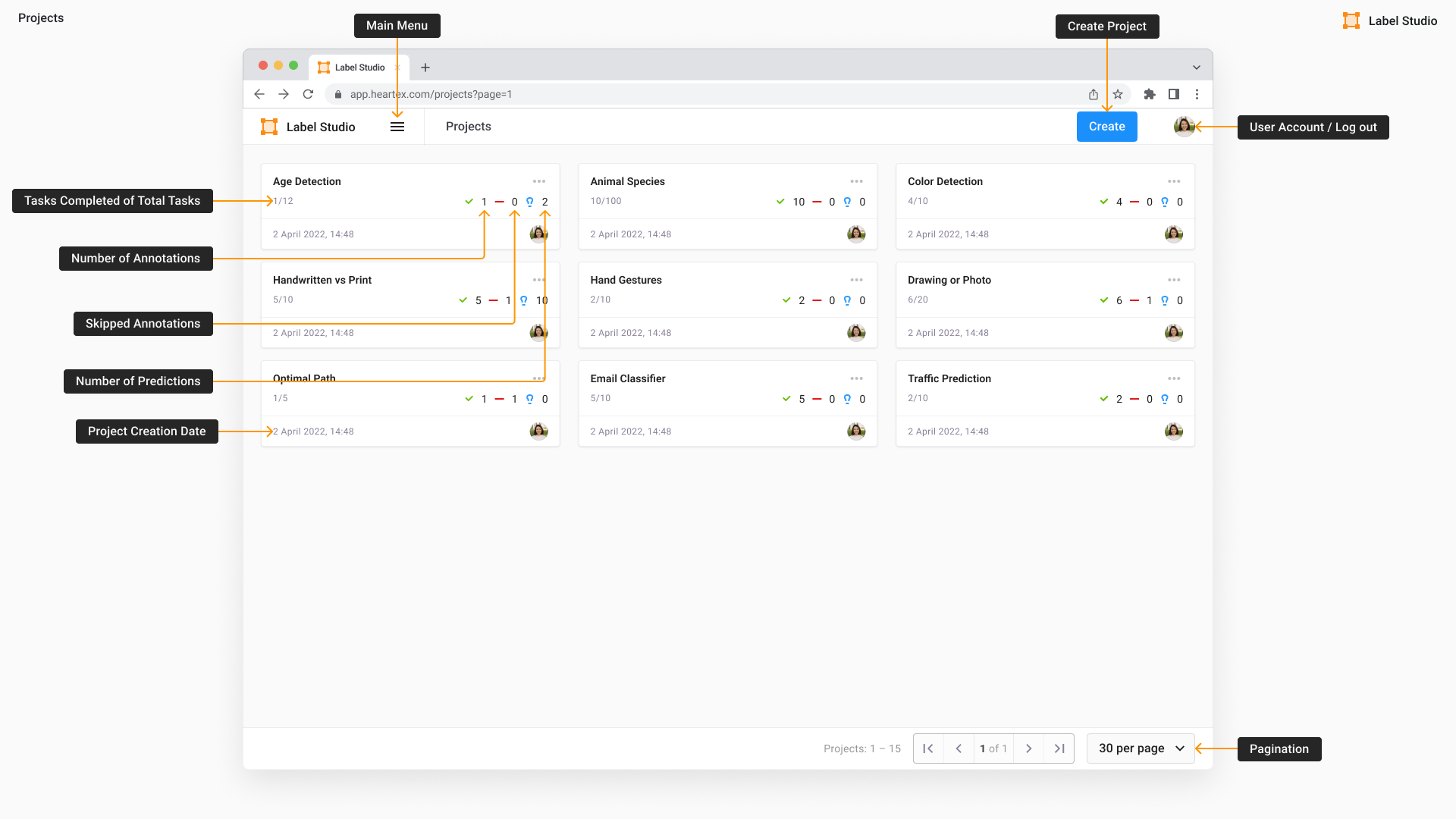
Label Studio screenshot 1

Setup time

A few minutes

Deployment

Your own server

Services

2 connected services

Why Label Studio

Everything you need, running where you choose.

Get the full Label Studio experience with Easypanel handling the repetitive infrastructure work around it.

Command Line Interface
Label Studio provides a command-line interface for easy management and configuration. It offers a variety of options for project setup, data import, and server configuration, including the host, port, and storage settings.
Multi-Format Support
Label Studio supports multiple data types, including text, images, audio, video, and time series data. This makes it a versatile tool for labeling diverse datasets across different machine learning tasks.
Exporting Annotations
Once the annotations are complete, they can be exported in multiple formats such as JSON, CSV, and COCO. This makes it easy to integrate labeled data into machine learning workflows.
Effortless Data Labeling
Label Studio provides an effortless way to label and annotate data for machine learning models. It allows users to easily create, manage, and configure labeling projects, making it an ideal tool for those who want to experiment with different data types and labeling workflows.
Easy Project Setup
With Label Studio, setting up annotation projects is a breeze. Users can define custom labeling interfaces and quickly start annotating their data. This makes it easy to visualize, organize, and manage labeled datasets.
Flexible Deployment
Label Studio offers flexible deployment options. It can be deployed locally, on-premises, or in the cloud, giving users the freedom to choose the deployment strategy that best suits their data security and infrastructure requirements.
How it works

From template to live app in three steps.

Easypanel turns the template into real services, storage, and domains on the server you already control.

Already have Easypanel? Open your dashboard at the URL or IP of your own installation.

Installation guide
1
Open your dashboard
Visit the URL or IP of your Easypanel installation and choose the target project.
2
Choose Label Studio
Open Templates, select Label Studio, then review its service names and configuration.
3
Deploy and open your app
Easypanel starts every service and provisions an HTTPS domain for you.
Installation options
The template asks for these values before creating your services.
OptionDefaultRequired

Email

[email protected]Required

Password

Set during installRequired

App Service Name

labelstudioRequired

App Service Image

heartexlabs/label-studio:1.23.0Required
Resources
Project documentation and source code.
Latest template update
May 8, 2026

Version bumped to 21.23.0

Questions

Deploy with confidence.

The template handles the application setup while Easypanel keeps the infrastructure understandable and under your control.

Keep exploring

Related templates

Browse all
Argilla logo
Argilla
Argilla is a robust platform designed to help engineers and data scientists streamline the management of machine learning data workflows. It simplifies tasks like data labeling, annotation, and quality control, making it easier for businesses to build and maintain high-quality datasets for AI and machine learning projects. Argilla supports efficient collaboration, integrates seamlessly with popular ML frameworks, and provides a user-friendly interface for creating structured datasets. Its open-source nature ensures transparency, flexibility, and the ability to self-host for maximum control over your data and workflows.
View template
Mage-AI logo
Mage-AI
Mage-AI is a powerful open-source data pipeline tool designed to simplify and accelerate building, deploying, and managing machine learning workflows. It empowers data engineers and scientists with a unified platform to seamlessly create pipelines for data ingestion, transformation, and model deployment. With Mage-AI's user-friendly interface and robust features, it becomes an essential tool for teams aiming to deliver AI solutions efficiently and effectively.
View template
Joplin logo
Joplin
Joplin is an open-source note-taking application that allows you to capture your thoughts and access them securely from any device. It supports multimedia notes, including images, videos, PDFs, and audio files, and even allows the creation of math expressions and diagrams. With Joplin Cloud, you can share your notes and collaborate with others. The app also features a web clipper extension for saving web pages or screenshots as notes. Joplin can be customized with plugins, themes, and multiple text editors, and it synchronizes with various services, including Joplin Cloud, Dropbox, and OneDrive. All notes are saved in an open format and secured with end-to-end encryption.
View template
Label Studio logo
Ready to deploy Label Studio?
Open your own Easypanel dashboard, choose Label Studio from Templates, and review the deployment options.