All templates

Deploy linkding on your own server.

linkding logo

Linkding is a self-hosted bookmark manager that allows you to efficiently manage and organize your bookmarks. With a clean and optimized user interface, you can easily add, share, and edit bookmarks. The app also allows you to add notes to your bookmarks using Markdown and provides a 'read it later' functionality. It automatically…

Your infrastructureAutomatic HTTPSNo lock-in

Screenshots

A closer look at linkding.
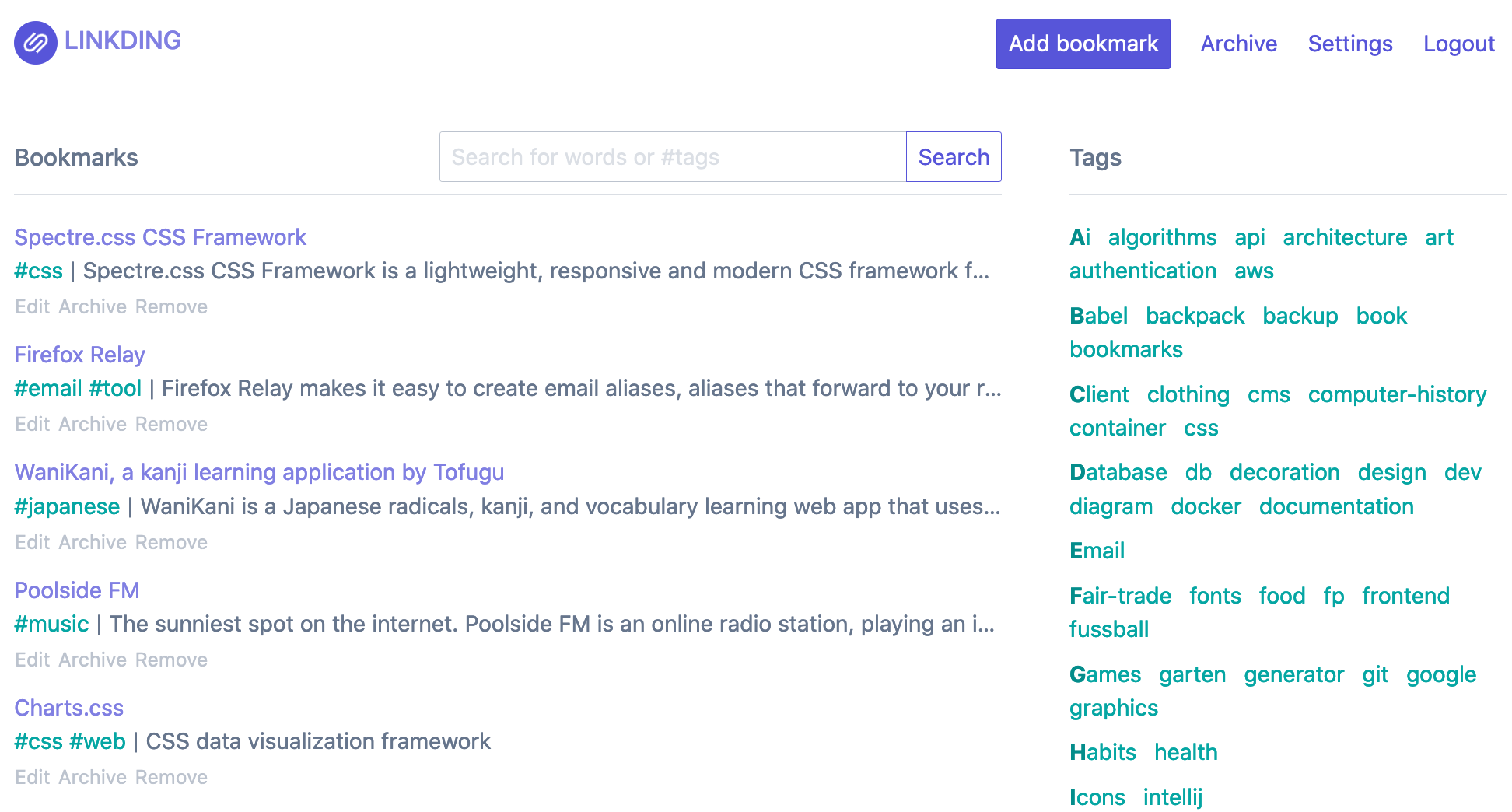
linkding screenshot 1

Setup time

A few minutes

Deployment

Your own server

Services

2 connected services

Why linkding

Everything you need, running where you choose.

Get the full linkding experience with Easypanel handling the repetitive infrastructure work around it.

Organize Bookmarks with Tags
Linkding allows you to organize your bookmarks using tags. This feature makes it easy to categorize and find your bookmarks.
Add Notes using Markdown
Linkding supports Markdown, a lightweight markup language, for adding notes to your bookmarks. This feature allows you to add context or additional information to your bookmarks.
Bulk Editing
Linkding provides a bulk editing feature, allowing you to make changes to multiple bookmarks at once. This feature can save you time when you need to update or organize your bookmarks.
Automatically Provides Titles, Descriptions and Icons
Linkding automatically provides titles, descriptions, and icons for bookmarked websites. This feature saves you the hassle of manually entering this information.
Import and Export Bookmarks
Linkding supports importing and exporting bookmarks in Netscape HTML format. This feature makes it easy to migrate your bookmarks to and from other bookmark managers.
Browser Extensions
Linkding offers extensions for Firefox and Chrome, as well as a bookmarklet. These tools make it easy to add and manage bookmarks directly from your browser.
How it works

From template to live app in three steps.

Easypanel turns the template into real services, storage, and domains on the server you already control.

Already have Easypanel? Open your dashboard at the URL or IP of your own installation.

Installation guide
1
Open your dashboard
Visit the URL or IP of your Easypanel installation and choose the target project.
2
Choose linkding
Open Templates, select linkding, then review its service names and configuration.
3
Deploy and open your app
Easypanel starts every service and provisions an HTTPS domain for you.
Installation options
The template asks for these values before creating your services.
OptionDefaultRequired

App Service Name

linkdingRequired

App Service Image

sissbruecker/linkding:1.45.0Required

Superuser Name

Required

Superuser Password

Set during installRequired

Disable background tasks

falseOptional

Disable URL validation

falseOptional

Database Type

SQLite / PostgreSQLRequired

Database Service Name (Can be ignored if SQLite)

linkding-dbRequired
Resources
Project documentation and source code.
Latest template update
Feb 21, 2026

Version bumped to 1.45.0

Questions

Deploy with confidence.

The template handles the application setup while Easypanel keeps the infrastructure understandable and under your control.

Keep exploring

Related templates

Browse all
Faved logo
Faved
Faved is a privately-hosted, open-source bookmark manager with customizable nested tags, designed for handling large collections efficiently. It offers automatic title and description fetching, duplicate detection, powerful search and filtering, bulk actions, and a responsive design across all devices.
View template
Servas logo
Servas
Servas is a self-hosted bookmark management tool that allows you to organize and access your bookmarks in a more efficient and streamlined manner. With Servas, you can categorize your bookmarks using tags and groups, which can also be nested for better organization. The app also features a 'Later List' where you can add bookmarks that you wish to access at a later time. Servas also comes with a Chrome browser extension, allowing you to add sites to your bookmark list directly from your browser. The app supports multiple user accounts and boasts a responsive design that ensures it looks good on all your devices. For added security, Servas also offers Two Factor Authentication.
View template
Shiori logo
Shiori
Shiori is a straightforward bookmarks manager, designed as a simple alternative to Pocket. It is written in the Go language and can be used as either a command line application or a web application. Shiori allows for basic bookmark management, including adding, editing, deleting, and searching bookmarks. It also supports importing and exporting bookmarks from and to Netscape Bookmark file and importing bookmarks from Pocket. The application features a clean command line interface and a user-friendly web interface. It is portable and supports sqlite3, PostgreSQL, and MySQL as its database. Shiori also creates an offline archive of the webpage where possible. The Shiori Web Extension is a simple extension for managing bookmarks using Shiori, intended to integrate Shiori with your favorite web browser, allowing you to save and remove bookmarks in Shiori without leaving your current page.
View template
linkding logo
Ready to deploy linkding?
Open your own Easypanel dashboard, choose linkding from Templates, and review the deployment options.