All templates

Deploy Logto on your own server.

Logto logo

Logto is an Auth0 alternative designed for modern apps and SaaS products. It offers a seamless developer experience and is well-suited for individuals and growing companies.

Your infrastructureAutomatic HTTPSNo lock-in

Screenshots

A closer look at Logto.

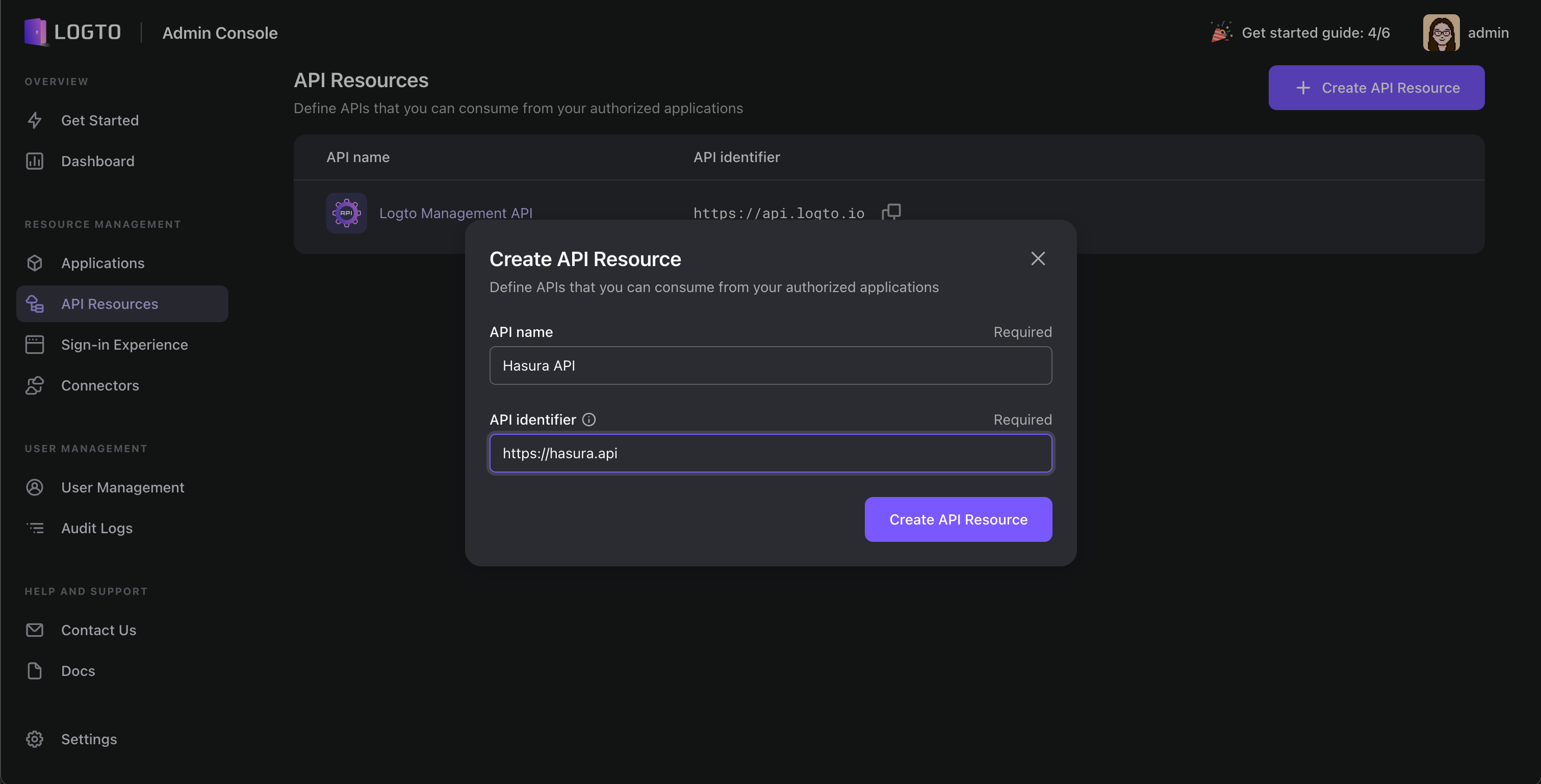
Logto screenshot 1

Setup time

A few minutes

Deployment

Your own server

Services

2 connected services

Why Logto

Everything you need, running where you choose.

Get the full Logto experience with Easypanel handling the repetitive infrastructure work around it.

Out-of-the-box infrastructure
Logto Includes a ready-to-use Management API, serving as your authentication provider, thus eliminating the need for extra implementation.
Enterprise-ready solutions
Logto Implements role-based access control (RBAC) for scalable role authorization, catering to a wide range of use cases. Enables single sign-on (SSO) and multi-factor authentication (MFA) without extra coding.
Webhook Integration
Logto Webhook enables you to effortlessly receive real-time updates regarding specific events, such as user registration, sign-in, or password reset. You no longer need to continuously poll for updates.
MFA, or Multi-Factor Authentication
Logto offers a minimal-effort configuration process, allowing you to enable MFA with a single click. Our comprehensive MFA flows prioritize security and balance user experience.
Comprehensive frontend-to-backend identity solution
Logto offers a comprehensive identity solution covering both the front and backend, complete with pre-built infrastructure and enterprise-grade solutions
Full customization
The ready-to-use Management API offers a wide range of features for Logto's identity-related back-end services, ideal for customization.
How it works

From template to live app in three steps.

Easypanel turns the template into real services, storage, and domains on the server you already control.

Already have Easypanel? Open your dashboard at the URL or IP of your own installation.

Installation guide
1
Open your dashboard
Visit the URL or IP of your Easypanel installation and choose the target project.
2
Choose Logto
Open Templates, select Logto, then review its service names and configuration.
3
Deploy and open your app
Easypanel starts every service and provisions an HTTPS domain for you.
Installation options
The template asks for these values before creating your services.
OptionDefaultRequired

App Service Name

logtoRequired

App Service Image

svhd/logto:1.39.0Required

Database Service Name

logto-dbRequired
Resources
Project documentation and source code.
Latest template update
May 8, 2026

Version bumped to 1.39.0

Questions

Deploy with confidence.

The template handles the application setup while Easypanel keeps the infrastructure understandable and under your control.

Keep exploring

Related templates

Browse all
LLDAP logo
LLDAP
LLDAP (Lightweight LDAP) is a simple, lightweight, high-performance LDAP server designed for authentication in small to medium-sized deployments. It provides an intuitive web UI for user management and a complete implementation of LDAP search and bind operations. LLDAP is perfect for self-hosted applications that require LDAP authentication without the complexity of full-featured LDAP servers like OpenLDAP. It stores user data in an embedded SQLite database by default but also supports PostgreSQL, making it easy to set up and maintain. With features like password hashing, account creation/deletion, group management, and MFA support, LLDAP offers a modern solution for identity management in your self-hosted infrastructure.
View template
FusionAuth logo
FusionAuth
FusionAuth is a powerful, self-hosted identity and access management platform designed for developers. It provides a robust set of features, including user authentication, authorization, and user management, all accessible through a modern API or web interface. FusionAuth supports advanced features like social login, SSO, passwordless login, and multi-factor authentication.
View template
Usertour logo
Usertour
Usertour.io is an open-source user onboarding platform that helps developers create interactive product tours, feature introductions, and user guides without writing a single line of code. It allows you to design and deploy interactive walkthroughs, checklists, and tooltips to improve user activation and adoption. The platform provides a visual editor for creating tours, targeting specific user segments, and collecting analytics on user engagement. Usertour.io integrates seamlessly with your application, offering customization options to match your branding and design. With its developer-friendly approach, it enables teams to create, test, and deploy product tours quickly while maintaining a native look and feel.
View template
Logto logo
Ready to deploy Logto?
Open your own Easypanel dashboard, choose Logto from Templates, and review the deployment options.