Deploy Moodist on your own server.

Moodist logo

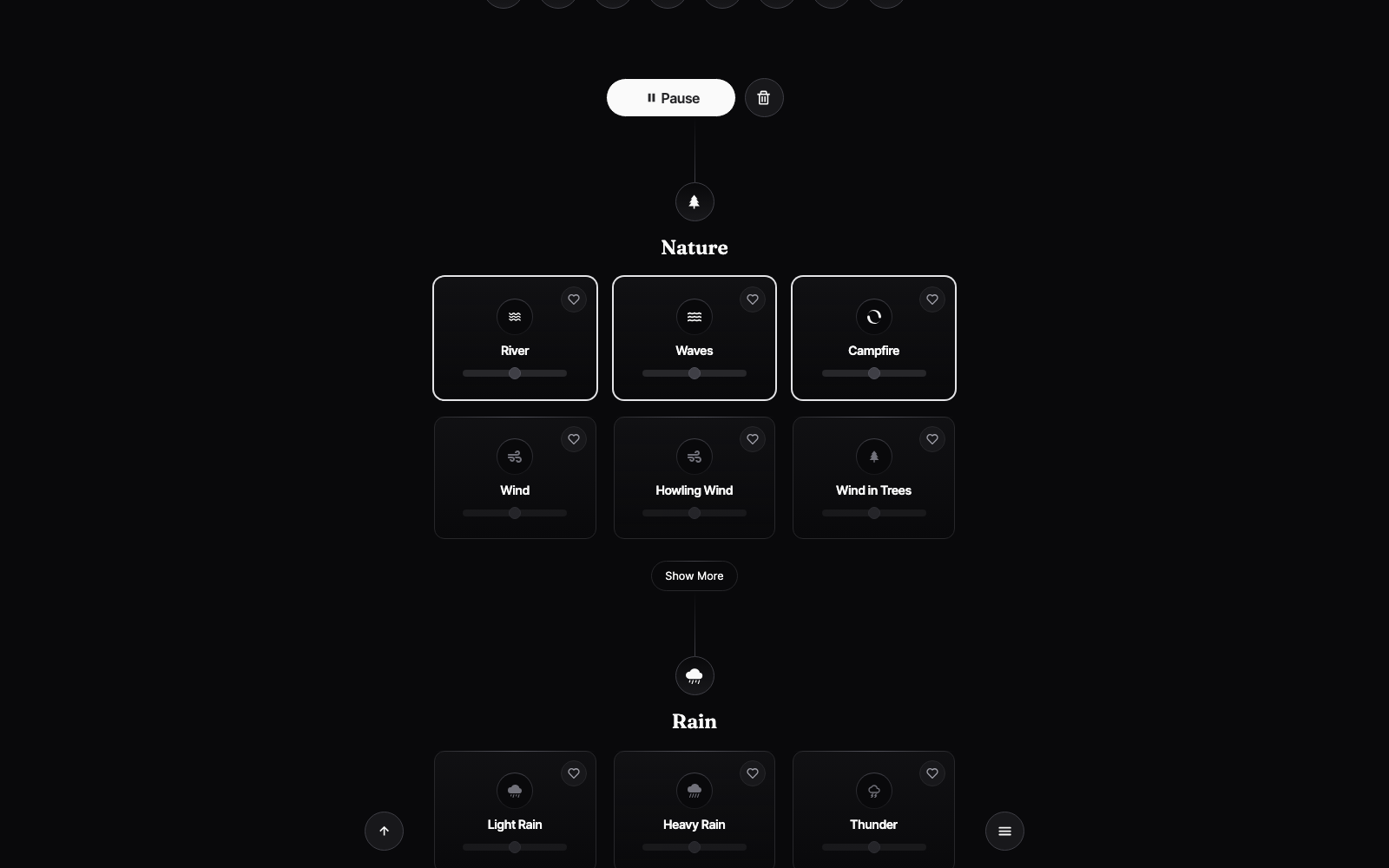
Moodist is a free, open-source ambient sound mixer for focus and calm. Choose from 84 carefully curated sounds — rain, forests, coffee shops, cities, and more — and layer them into a personalised soundscape. It runs entirely in the browser with no account required, making it an ideal productivity companion for deep work, meditation, or…

Your infrastructureAutomatic HTTPSNo lock-in

Screenshots

A closer look at Moodist.

Moodist screenshot 1

Setup time

A few minutes

Deployment

Your own server

Services

1 connected service

Why Moodist

Everything you need, running where you choose.

Get the full Moodist experience with Easypanel handling the repetitive infrastructure work around it.

Sound Mixer
Layer multiple ambient sounds simultaneously and fine-tune the volume of each track to craft your ideal soundscape.
Sound Categories
Browse sounds organised by category — Nature, Weather, Animals, City, Travel, Cafe, and more — for quick discovery.
Presets
Save and reload your favourite sound combinations as named presets so you can switch moods in one click.
Timer
Set a countdown timer to automatically stop playback after a chosen duration — useful for Pomodoro sessions or sleep.
Keyboard Shortcuts
Control playback, volume, and navigation without leaving the keyboard for a distraction-free experience.
No Account Required
Open the app and start mixing sounds immediately. No sign-up, no login, no tracking — just focus.
How it works

From template to live app in three steps.

Easypanel turns the template into real services, storage, and domains on the server you already control.

Already have Easypanel? Open your dashboard at the URL or IP of your own installation.

Installation guide
1
Open your dashboard
Visit the URL or IP of your Easypanel installation and choose the target project.
2
Choose Moodist
Open Templates, select Moodist, then review its service names and configuration.
3
Deploy and open your app
Easypanel starts every service and provisions an HTTPS domain for you.
Installation options
The template asks for these values before creating your services.
OptionDefaultRequired

App Service Name

moodistRequired

App Service Image

ghcr.io/remvze/moodist:v2.6.0Required
Resources
Project documentation and source code.
Latest template update
Jun 23, 2026

Initial release (v2.6.0)

Questions

Deploy with confidence.

The template handles the application setup while Easypanel keeps the infrastructure understandable and under your control.

Moodist logo
Ready to deploy Moodist?
Open your own Easypanel dashboard, choose Moodist from Templates, and review the deployment options.