Deploy Haptic on your own server.

Haptic logo

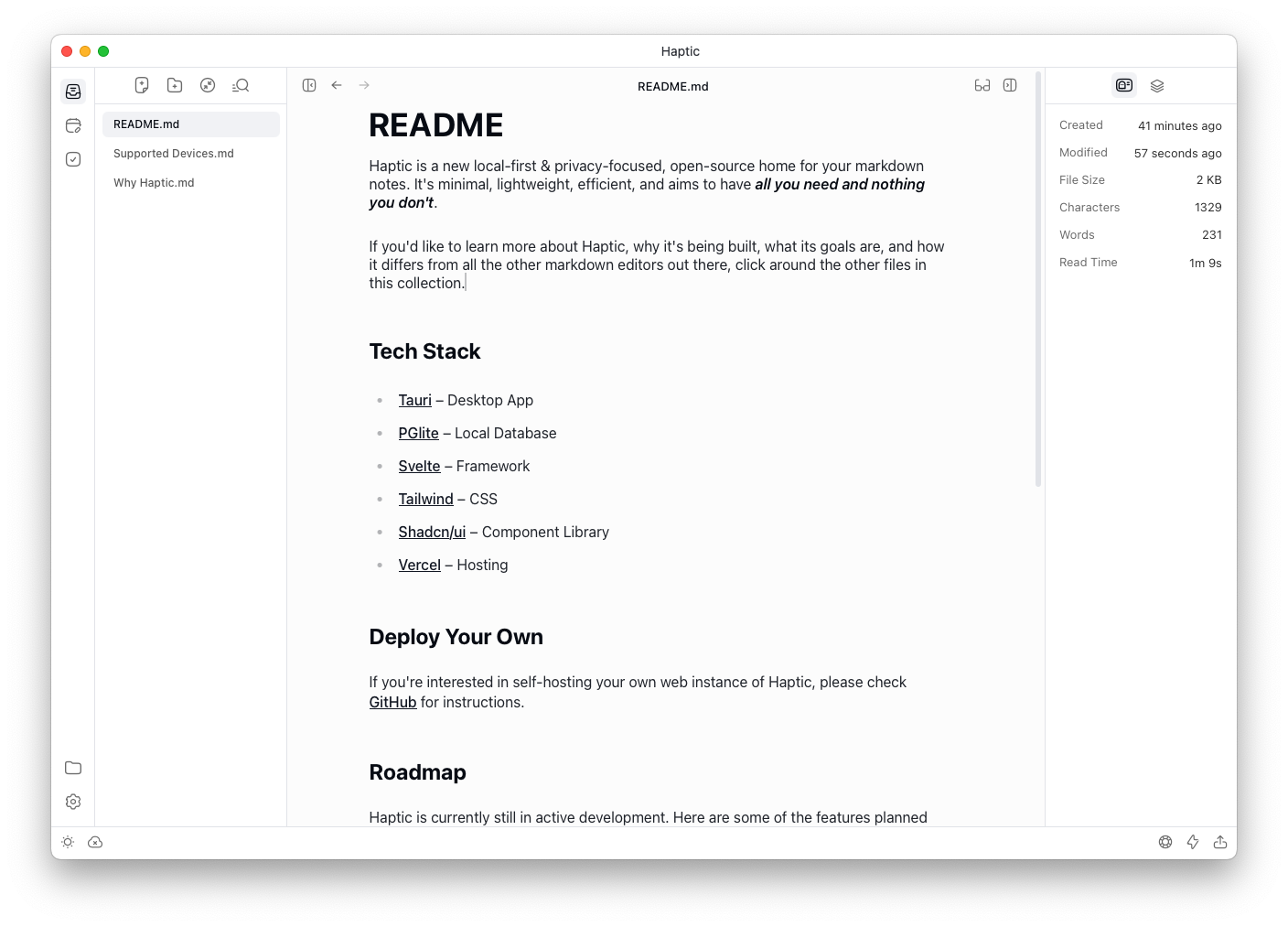
Haptic is a local-first, privacy-focused, open-source markdown note-taking app built with Svelte and PGlite. All notes are stored directly in your browser's IndexedDB — no account, no cloud sync, and no server-side database required. It features an inline Markdown editor with live preview, a file-tree sidebar, daily notes, a task…

Your infrastructureAutomatic HTTPSNo lock-in

Screenshots

A closer look at Haptic.

Haptic screenshot 1

Setup time

A few minutes

Deployment

Your own server

Services

1 connected service

Why Haptic

Everything you need, running where you choose.

Get the full Haptic experience with Easypanel handling the repetitive infrastructure work around it.

Inline Markdown Editor
Write and preview Markdown without switching modes. The editor renders headings, bold, italic, code blocks, and lists inline as you type.
Daily Notes
A dedicated daily-notes section creates a dated entry for each day, making it easy to keep a running journal or capture quick thoughts.
Task Tracker
A built-in tasks view lets you create and check off to-do items across all your notes without leaving the app.
Full-Text Search
Search across all notes instantly with optional regular-expression support via the command menu (Ctrl/Cmd+K).
Appearance Customisation
Switch between light and dark themes and adjust editor font settings from the Settings panel.
Truly Local-First
Notes are stored in your browser's IndexedDB using PGlite (a WebAssembly port of SQLite). No data ever leaves your device or hits a server — Haptic is as private as a local desktop app, accessible from any browser.
How it works

From template to live app in three steps.

Easypanel turns the template into real services, storage, and domains on the server you already control.

Already have Easypanel? Open your dashboard at the URL or IP of your own installation.

Installation guide
1
Open your dashboard
Visit the URL or IP of your Easypanel installation and choose the target project.
2
Choose Haptic
Open Templates, select Haptic, then review its service names and configuration.
3
Deploy and open your app
Easypanel starts every service and provisions an HTTPS domain for you.
Installation options
The template asks for these values before creating your services.
OptionDefaultRequired

App Service Name

hapticRequired

App Service Image

chroxify/haptic-web:v0.1.4Required
Resources
Project documentation and source code.
Latest template update
Jun 26, 2026

First Release

Questions

Deploy with confidence.

The template handles the application setup while Easypanel keeps the infrastructure understandable and under your control.

Haptic logo
Ready to deploy Haptic?
Open your own Easypanel dashboard, choose Haptic from Templates, and review the deployment options.