All templates

Deploy MotorAdmin on your own server.

MotorAdmin logo

MotorAdmin is a modern, open-source database administration tool that provides a user-friendly interface for managing and interacting with your databases. It offers features for data visualization, query building, and database management.

Your infrastructureAutomatic HTTPSNo lock-in

Screenshots

A closer look at MotorAdmin.
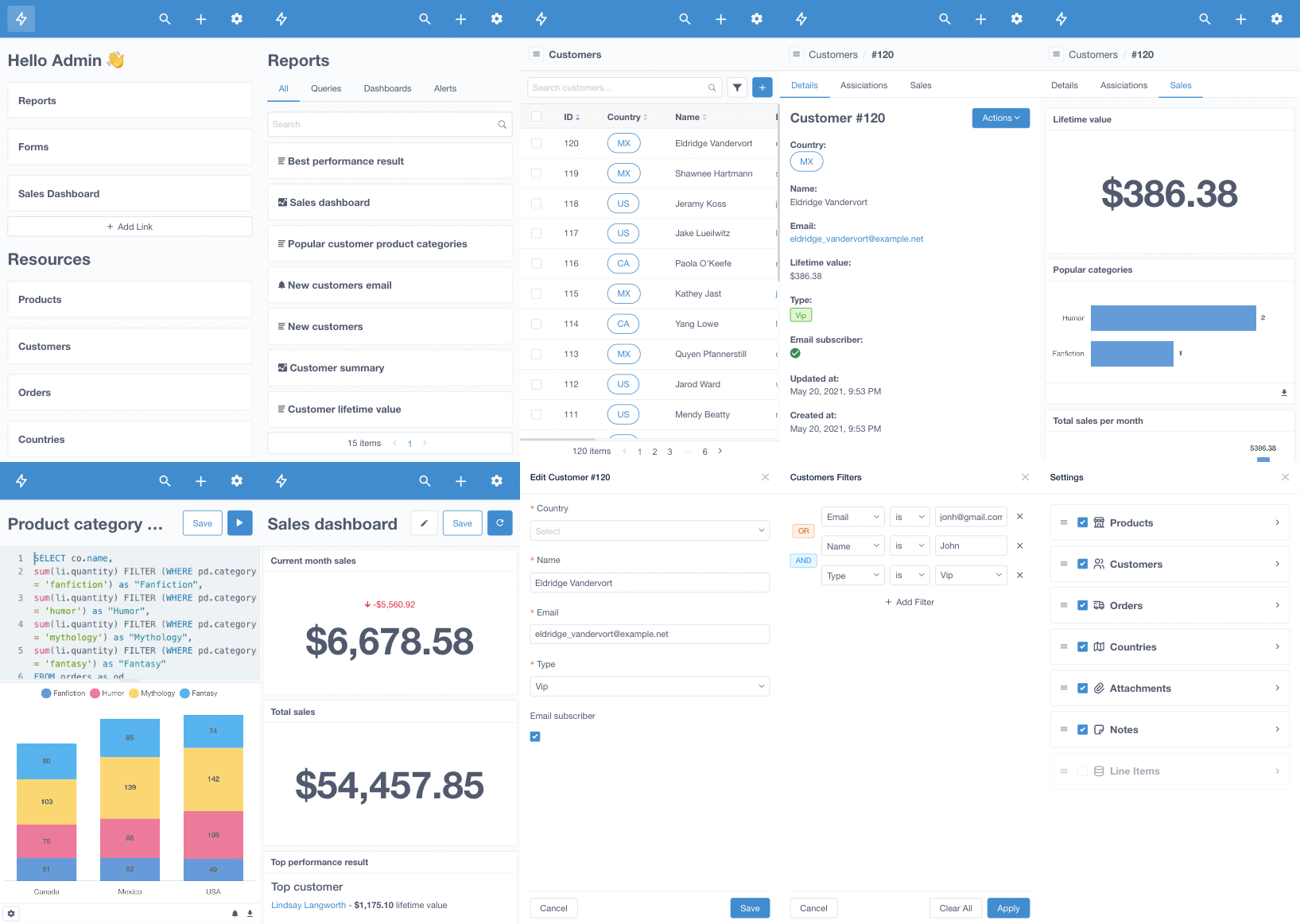
MotorAdmin screenshot 1

Setup time

A few minutes

Deployment

Your own server

Services

2 connected services

Why MotorAdmin

Everything you need, running where you choose.

Get the full MotorAdmin experience with Easypanel handling the repetitive infrastructure work around it.

Database Interface
Intuitive web interface for database management.
Query Builder
Visual tools for building and executing database queries.
Data Visualization
Tools for visualizing and analyzing database content.
User Management
Manage user access and permissions.
Modern Interface
Clean and intuitive web interface for database administration.
Database Management
User-friendly interface for managing and interacting with databases.
How it works

From template to live app in three steps.

Easypanel turns the template into real services, storage, and domains on the server you already control.

Already have Easypanel? Open your dashboard at the URL or IP of your own installation.

Installation guide
1
Open your dashboard
Visit the URL or IP of your Easypanel installation and choose the target project.
2
Choose MotorAdmin
Open Templates, select MotorAdmin, then review its service names and configuration.
3
Deploy and open your app
Easypanel starts every service and provisions an HTTPS domain for you.
Installation options
The template asks for these values before creating your services.
OptionDefaultRequired

App Service Name

motoradminRequired

App Service Image

motoradmin/motoradmin:0.4.21Required
Resources
Project documentation and source code.
Latest template update
Apr 16, 2025

First Release

Questions

Deploy with confidence.

The template handles the application setup while Easypanel keeps the infrastructure understandable and under your control.

Keep exploring

Related templates

Browse all
ChartDB logo
ChartDB
ChartDB is an open-source, web-based database diagramming editor that enables you to visualize and manage database schemas through interactive diagrams. Create entity-relationship diagrams (ERDs) instantly by connecting to your databases and automatically generating visual representations of your schema. The application supports instant schema visualization using a single query and offers AI-powered features through OpenAI integration for intelligent SQL export and schema management. ChartDB provides an intuitive interface for understanding complex database structures, making it perfect for developers, database administrators, and teams who need to document and communicate database designs. With its modern web-based approach, you can access your database diagrams from anywhere and collaborate effectively on database architecture without installing desktop software.
View template
MySQL-Workbench logo
MySQL-Workbench
MySQL Workbench is a unified visual tool for database architects, developers, and DBAs. It provides data modeling, SQL development, and comprehensive database management capabilities for MySQL and MariaDB. With MySQL Workbench, you can design and create new databases, reverse-engineer existing databases, and perform complex migrations. It offers a visual query builder, a powerful SQL editor, and support for data modeling and schema creation. MySQL Workbench is a trusted, easy-to-use tool to streamline database operations and improve productivity.
View template
Grist logo
Grist
Grist is an open-source, customizable data management platform that combines the power of a spreadsheet with the structure of a database. Designed for teams and individuals who need to organize, analyze, and share information, Grist offers a flexible and collaborative environment for data management. It supports relational data linking, allowing users to create complex, connected data tables, and provides tools for custom views, formulas, and dashboards. Grist’s user-friendly interface empowers users to build powerful applications without requiring extensive coding knowledge.
View template
MotorAdmin logo
Ready to deploy MotorAdmin?
Open your own Easypanel dashboard, choose MotorAdmin from Templates, and review the deployment options.