All templates

Deploy n8n on your own server.

n8n logo

n8n is a powerful workflow automation tool designed for technical people. It allows you to build complex automations 10x faster, without the need to fight with APIs. The app enables you to create flexible workflows focused on deep data integration. You can use JavaScript for complex tasks that require flexibility and the user-friendly UI…

Your infrastructureAutomatic HTTPSNo lock-in

Screenshots

A closer look at n8n.

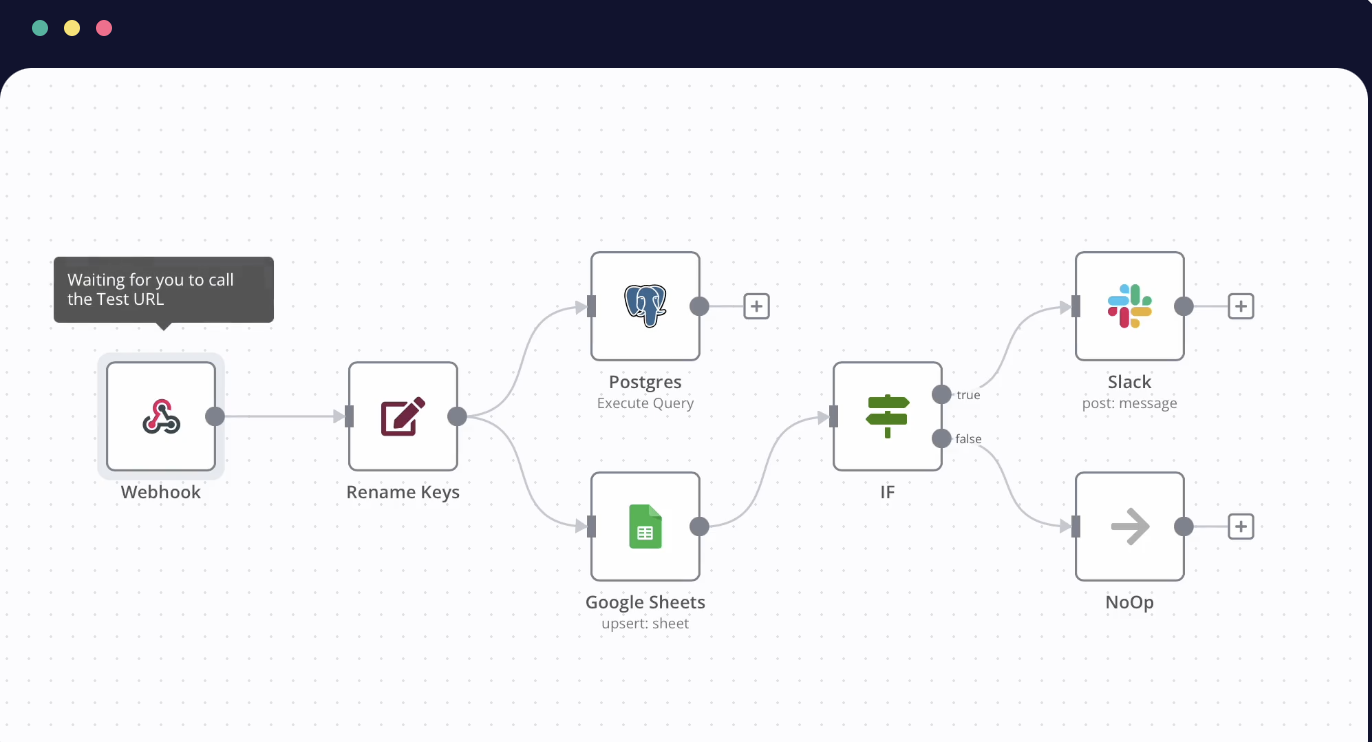
n8n screenshot 1

Setup time

A few minutes

Deployment

Your own server

Services

3 connected services

Why n8n

Everything you need, running where you choose.

Get the full n8n experience with Easypanel handling the repetitive infrastructure work around it.

No Code and Low Code Options
n8n allows you to connect APIs with no code to automate basic tasks. Or, if you need to manipulate complex data, you can write in vanilla Javascript.
Custom Scenarios
With n8n, you can build custom scenarios at speed. It allows you to integrate with any app and perform bulk operations.
Painless Debugging
n8n provides a painless debugging experience. It also allows you to host on your own infrastructure.
Wide Range of Integrations
n8n supports over 350 native integrations, allowing you to pump data around your entire tech stack. You can also use custom code to create your own integrations.
Customizable Error Handling
n8n offers customizable error handling. You can also share workflows with a click and use over 600 templates to move faster.
Workflow Automation
n8n is a powerful tool that allows you to build complex automations 10x faster, without the need to fight with APIs. It is designed to save you from the tedious task of slogging through a spaghetti of scripts.
How it works

From template to live app in three steps.

Easypanel turns the template into real services, storage, and domains on the server you already control.

Already have Easypanel? Open your dashboard at the URL or IP of your own installation.

Installation guide
1
Open your dashboard
Visit the URL or IP of your Easypanel installation and choose the target project.
2
Choose n8n
Open Templates, select n8n, then review its service names and configuration.
3
Deploy and open your app
Easypanel starts every service and provisions an HTTPS domain for you.
Installation options
The template asks for these values before creating your services.
OptionDefaultRequired

App Service Name

n8nRequired

App Service Image

docker.n8n.io/n8nio/n8n:2.21.0Required

N8n Runner Service Image

n8nio/runners:2.21.0Required
Resources
Project documentation and source code.
Latest template update
May 12, 2026

Major update to 2.21.0

Questions

Deploy with confidence.

The template handles the application setup while Easypanel keeps the infrastructure understandable and under your control.

Keep exploring

Related templates

Browse all
Tooljet logo
Tooljet
Tooljet is an open-source low-code platform for building internal tools and business applications. It provides a visual interface builder, database connectors, API integrations, and workflow automation capabilities. With Tooljet, teams can quickly build custom dashboards, admin panels, CRUD applications, and complex business tools without extensive coding. The platform supports multiple data sources, real-time collaboration, and enterprise-grade security features.
View template
Loonflow logo
Loonflow
Loonflow is a comprehensive workflow management system that provides end-to-end workflow automation and process management capabilities. Built with Django and React, Loonflow offers a complete solution for designing, executing, and monitoring business workflows. The system consists of a PostgreSQL database for data persistence, Redis for task queue management, a Django backend API, a React frontend UI, and Celery workers for asynchronous task processing. Perfect for organizations looking to automate business processes and manage complex workflows with a self-hosted solution.
View template
LinkedOut logo
LinkedOut
A comprehensive LinkedIn automation platform that helps streamline your LinkedIn outreach and engagement. The platform combines a modern Next.js frontend for managing campaigns and contacts, a robust PocketBase backend for secure data storage and user management, and powerful n8n workflow automation for handling LinkedIn interactions and follow-ups. With optional ngrok tunneling support for local development and testing, and easy deployment via Docker and Easypanel, LinkedOut provides everything needed to automate and scale your LinkedIn presence effectively.
View template
n8n logo
Ready to deploy n8n?
Open your own Easypanel dashboard, choose n8n from Templates, and review the deployment options.