All templates

Deploy NetAlertX on your own server.

NetAlertX logo

NetAlertX is a network monitoring and notification framework that scans your Wi-Fi/LAN network and alerts you when new or unknown devices are detected. It provides real-time network device discovery, ARP scanning, and customizable alert notifications. Built for network administrators and security-conscious users, NetAlertX helps you…

Your infrastructureAutomatic HTTPSNo lock-in

Screenshots

A closer look at NetAlertX.
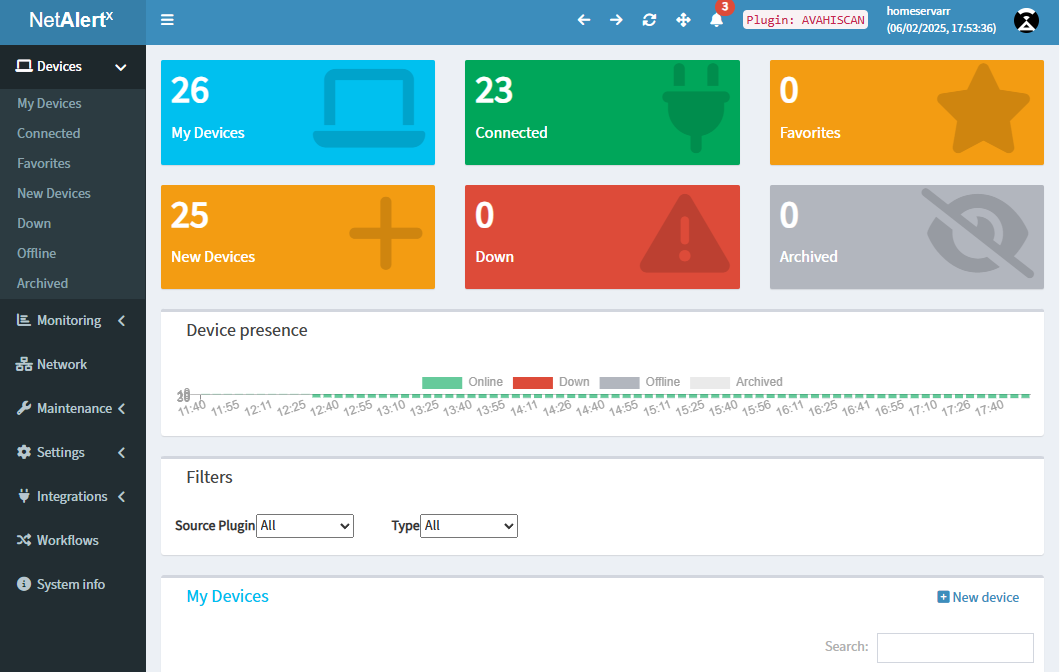
NetAlertX screenshot 1

Setup time

A few minutes

Deployment

Your own server

Services

1 connected service

Why NetAlertX

Everything you need, running where you choose.

Get the full NetAlertX experience with Easypanel handling the repetitive infrastructure work around it.

ARP Network Scanning
Advanced ARP scanning capabilities for comprehensive network device discovery and monitoring.
Web Dashboard
Modern web-based interface for viewing network devices, managing alerts, and configuring monitoring settings.
GraphQL API
Powerful GraphQL API for programmatic access to network data and integration with other tools.
Device Tracking
Track known and unknown devices, maintain device history, and identify new connections in real-time.
Customizable Alerts
Configure alert rules and notification methods to be notified when specific network events occur.
Network Visualization
Visual representation of your network topology and connected devices for better understanding of network structure.
How it works

From template to live app in three steps.

Easypanel turns the template into real services, storage, and domains on the server you already control.

Already have Easypanel? Open your dashboard at the URL or IP of your own installation.

Installation guide
1
Open your dashboard
Visit the URL or IP of your Easypanel installation and choose the target project.
2
Choose NetAlertX
Open Templates, select NetAlertX, then review its service names and configuration.
3
Deploy and open your app
Easypanel starts every service and provisions an HTTPS domain for you.
Installation options
The template asks for these values before creating your services.
OptionDefaultRequired

App Service Name

netalertxRequired

App Service Image

ghcr.io/jokob-sk/netalertx:26.5.4Required
Resources
Project documentation and source code.
Latest template update
May 4, 2026

Version bumped to 26.5.4

Questions

Deploy with confidence.

The template handles the application setup while Easypanel keeps the infrastructure understandable and under your control.

NetAlertX logo
Ready to deploy NetAlertX?
Open your own Easypanel dashboard, choose NetAlertX from Templates, and review the deployment options.