All templates

Deploy Wallos on your own server.

Wallos logo

Wallos is an open-source, self-hosted network monitoring and management platform that provides comprehensive network visibility, device discovery, and network analytics. It helps network administrators monitor network health, track bandwidth usage, and manage network devices efficiently.

Your infrastructureAutomatic HTTPSNo lock-in

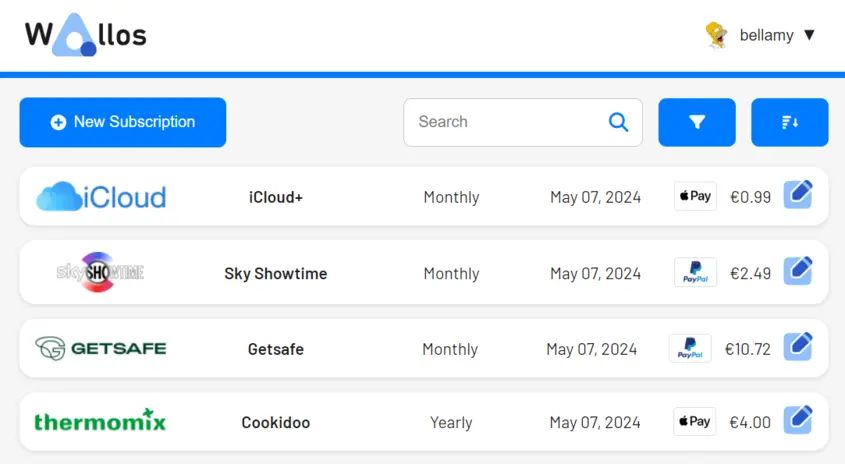
Screenshots

A closer look at Wallos.

Wallos screenshot 1

Setup time

A few minutes

Deployment

Your own server

Services

1 connected service

Why Wallos

Everything you need, running where you choose.

Get the full Wallos experience with Easypanel handling the repetitive infrastructure work around it.

Network Monitoring
Real-time monitoring of network devices, services, and infrastructure with customizable alerts and notifications.
Device Management
Comprehensive device inventory with detailed information about hardware, software, and network configuration.
Performance Analytics
Advanced analytics and reporting tools to track network performance trends and identify optimization opportunities.
Custom Dashboards
Create personalized dashboards to monitor specific aspects of your network infrastructure.
API Integration
RESTful API support for integrating with existing network management tools and automation workflows.
Multi-User Support
Role-based access control and multi-user support for team collaboration and secure network management.
How it works

From template to live app in three steps.

Easypanel turns the template into real services, storage, and domains on the server you already control.

Already have Easypanel? Open your dashboard at the URL or IP of your own installation.

Installation guide
1
Open your dashboard
Visit the URL or IP of your Easypanel installation and choose the target project.
2
Choose Wallos
Open Templates, select Wallos, then review its service names and configuration.
3
Deploy and open your app
Easypanel starts every service and provisions an HTTPS domain for you.
Installation options
The template asks for these values before creating your services.
OptionDefaultRequired

App Service Name

wallosRequired

App Service Image

bellamy/wallos:4.8.4Required
Resources
Project documentation and source code.
Latest template update
May 7, 2026

Version bumped to 4.8.4

Questions

Deploy with confidence.

The template handles the application setup while Easypanel keeps the infrastructure understandable and under your control.

Wallos logo
Ready to deploy Wallos?
Open your own Easypanel dashboard, choose Wallos from Templates, and review the deployment options.