All templates

Deploy Omni Tools on your own server.

Omni Tools logo

Omni Tools is a comprehensive collection of web-based utilities and tools designed to simplify everyday tasks for developers, designers, and general users. It provides a unified interface for accessing dozens of useful tools including text converters, encoders/decoders, formatters, generators, calculators, image processors, and more.…

Your infrastructureAutomatic HTTPSNo lock-in

Screenshots

A closer look at Omni Tools.
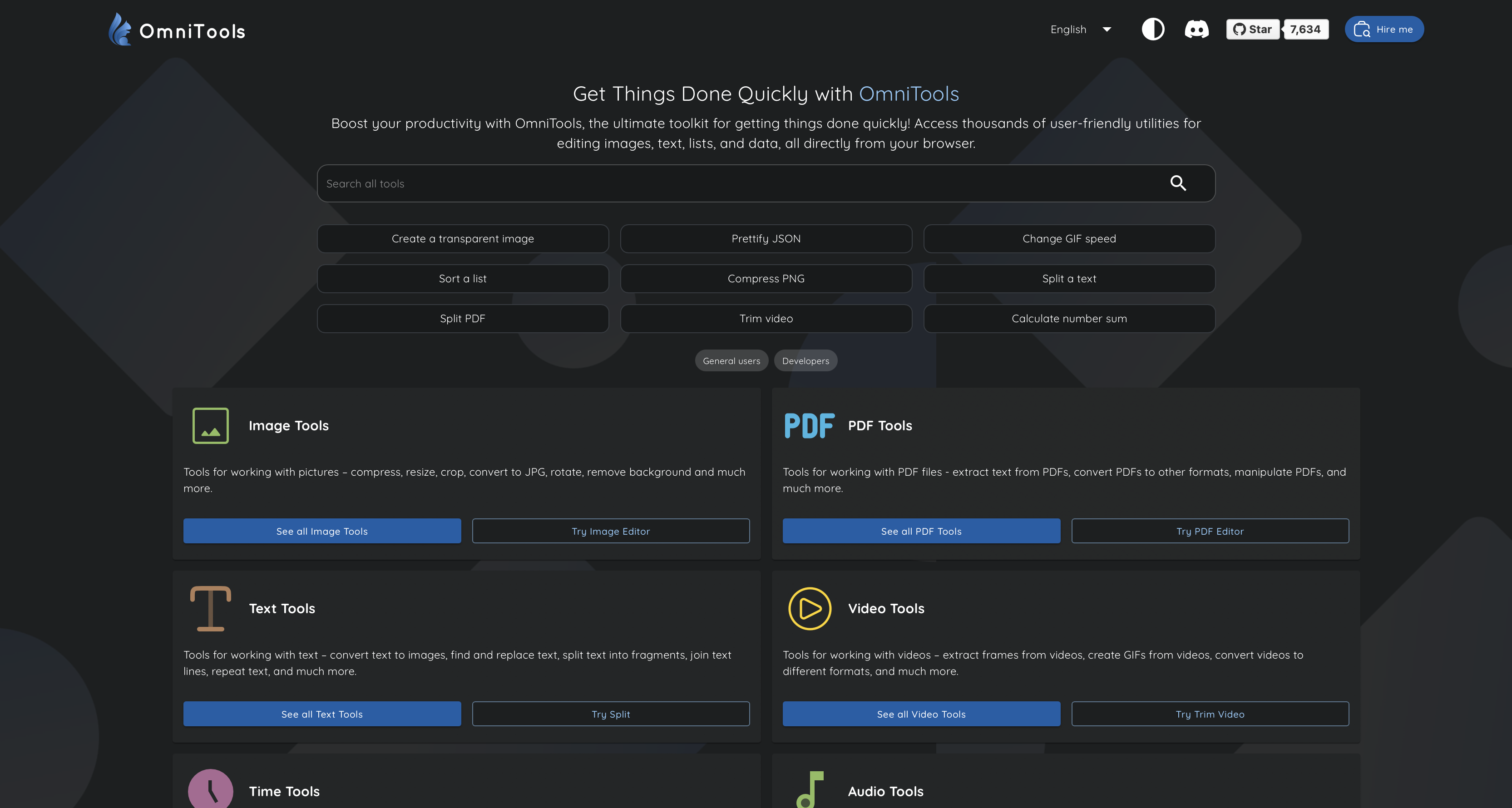
Omni Tools screenshot 1

Setup time

A few minutes

Deployment

Your own server

Services

1 connected service

Why Omni Tools

Everything you need, running where you choose.

Get the full Omni Tools experience with Easypanel handling the repetitive infrastructure work around it.

Text Processing
Convert, format, and manipulate text with tools for case conversion, encoding/decoding, formatting, and text generation.
Data Converters
Convert between different data formats, number systems, units of measurement, and character encodings with ease.
Encoders and Decoders
Encode and decode various formats including Base64, URL encoding, HTML entities, JWT tokens, and cryptographic hashes.
Code Formatters
Format and beautify code in multiple languages including JSON, XML, HTML, CSS, JavaScript, and SQL for better readability.
Generators
Generate random data, passwords, UUIDs, lorem ipsum text, QR codes, and other commonly needed values for development and testing.
Calculators
Perform various calculations including mathematical operations, date/time conversions, and specialized calculations for different use cases.
How it works

From template to live app in three steps.

Easypanel turns the template into real services, storage, and domains on the server you already control.

Already have Easypanel? Open your dashboard at the URL or IP of your own installation.

Installation guide
1
Open your dashboard
Visit the URL or IP of your Easypanel installation and choose the target project.
2
Choose Omni Tools
Open Templates, select Omni Tools, then review its service names and configuration.
3
Deploy and open your app
Easypanel starts every service and provisions an HTTPS domain for you.
Installation options
The template asks for these values before creating your services.
OptionDefaultRequired

App Service Name

omnitoolsRequired

App Service Image

iib0011/omni-tools:0.6.0Required
Resources
Project documentation and source code.
Latest template update
Mar 25, 2026

Added missing links and pinned image from 0.6 to 0.6.0

Questions

Deploy with confidence.

The template handles the application setup while Easypanel keeps the infrastructure understandable and under your control.

Keep exploring

Related templates

Browse all
Usermemos logo
Usermemos
Usermemos is a lightweight, self-hosted note-taking application designed for simplicity, accessibility, and efficiency. It provides an intuitive interface for capturing and organizing memos with support for markdown formatting, tagging, and searching. This app is a Docker containerized version of Usermemos, making it easy to deploy and manage in various environments. The app supports multiple architectures, including x86-64 and arm64, and can be accessed via HTTP or HTTPS. It offers additional environment variables and configurations to enable customization. Usermemos is designed for both personal and collaborative usage, ensuring that users can manage their notes effectively.
View template
Atheos logo
Atheos
Atheos is a self-hosted browser-based cloud IDE, updated from Codiad IDE with a modern approach to web development. This lightweight development environment provides fast, interactive coding without the massive overhead of desktop editors. Atheos features built-in Git integration, a comprehensive plugin system, multi-user support with permissions, and supports multiple programming languages. Perfect for developers who want a complete IDE that runs entirely in the browser with minimal server requirements and maximum functionality.
View template
FOSSFlow logo
FOSSFlow
FOSSFlow is an open-source diagramming and flowchart application that enables users to create, edit, and manage technical diagrams, flowcharts, and process visualizations. Built for developers, system architects, and technical teams, FOSSFlow provides an intuitive interface for designing workflows, system architectures, database schemas, and network diagrams. The application supports server-side storage for persistent diagram saving and optional Git backup integration for version control and collaboration. With a lightweight Node.js backend and modern frontend, FOSSFlow offers a self-hosted alternative to cloud-based diagramming tools, giving you complete control over your technical documentation and diagrams. Perfect for teams that need to document systems, design workflows, create technical specifications, and maintain architectural diagrams without relying on external services or sharing sensitive information with third parties.
View template
Omni Tools logo
Ready to deploy Omni Tools?
Open your own Easypanel dashboard, choose Omni Tools from Templates, and review the deployment options.