Deploy OpenReader (Slim) on your own server.

OpenReader (Slim) logo

OpenReader is an open-source, self-host-friendly text-to-speech document reader built with Next.js. It supports EPUB, PDF, TXT, MD, and DOCX with multilingual, synchronized read-along playback. Features include layout-aware PDF parsing with PP-DocLayoutV3 (ONNX), word-by-word highlighting via ONNX Whisper alignment, segment-based…

Your infrastructureAutomatic HTTPSNo lock-in

Screenshots

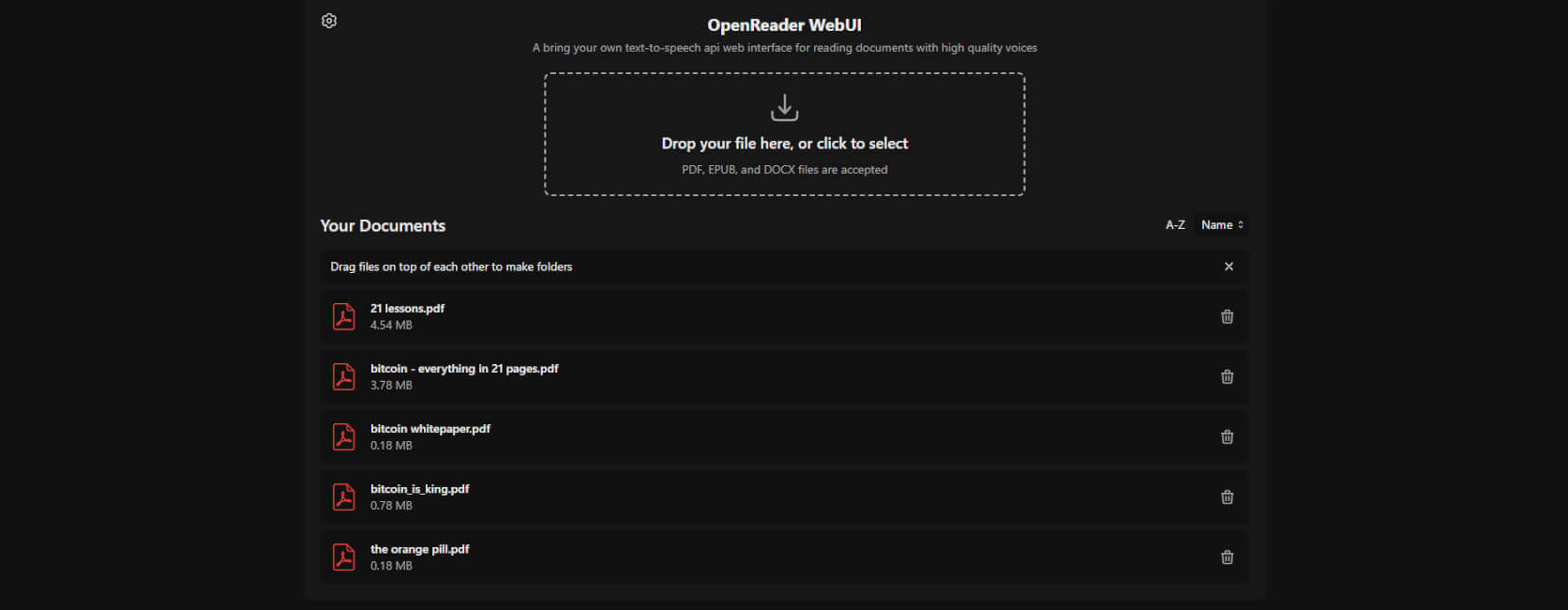
A closer look at OpenReader (Slim).

OpenReader (Slim) screenshot 1

Setup time

A few minutes

Deployment

Your own server

Services

3 connected services

Why OpenReader (Slim)

Everything you need, running where you choose.

Get the full OpenReader (Slim) experience with Easypanel handling the repetitive infrastructure work around it.

Kokoro TTS Engine
Powered by the Kokoro-82M model running via ONNX on CPU, delivering natural-sounding narration without a GPU or cloud subscription.
Audiobook Export
Export any document as an m4b or mp3 audiobook with resumable chapter processing, ready for playback in any podcast or audiobook app.
Multi-Provider TTS
Add cloud TTS providers (OpenAI, ElevenLabs, Deepgram, and more) alongside the local Kokoro engine via the provider settings screen.
Device Sync and Library
Built-in document library with server-side storage and device sync so your reading progress follows you across browsers and devices.
Fully Local Text-to-Speech
The slim variant ships with Kokoro-FastAPI on CPU so you get high-quality TTS narration without sending your documents to any external API. Your content stays entirely on your own server.
Read-Along Synchronization
Word-by-word and sentence-level highlighting keeps pace with the audio playback, making it easy to follow along with complex documents at any reading speed.
How it works

From template to live app in three steps.

Easypanel turns the template into real services, storage, and domains on the server you already control.

Already have Easypanel? Open your dashboard at the URL or IP of your own installation.

Installation guide
1
Open your dashboard
Visit the URL or IP of your Easypanel installation and choose the target project.
2
Choose OpenReader (Slim)
Open Templates, select OpenReader (Slim), then review its service names and configuration.
3
Deploy and open your app
Easypanel starts every service and provisions an HTTPS domain for you.
Installation options
The template asks for these values before creating your services.
OptionDefaultRequired

App Service Name

openreader-slimRequired

OpenReader Image

ghcr.io/richardr1126/openreader:v4.3.0Required

Kokoro TTS Image

ghcr.io/remsky/kokoro-fastapi-cpu:v0.2.4Required

S3 Storage Image

minio/minio:RELEASE.2025-09-07T16-13-09ZRequired
Resources
Project documentation and source code.
Latest template update
Jun 30, 2026

first release

Questions

Deploy with confidence.

The template handles the application setup while Easypanel keeps the infrastructure understandable and under your control.

Keep exploring

Related templates

Browse all
LibreChat logo
LibreChat
LibreChat is a free, open source clone of ChatGPT that supports multiple AI providers and models. It offers a familiar chat interface with support for OpenAI, Anthropic, Google, Azure OpenAI, and many other AI providers. LibreChat features conversation management, preset configurations, plugin support, multi-user authentication, and extensive customization options. It includes advanced features like RAG (Retrieval Augmented Generation), web search capabilities, file uploads, image generation, and comprehensive user management. Perfect for organizations and individuals who want ChatGPT-like functionality while maintaining full control over their data and conversations.
View template
Atheos logo
Atheos
Atheos is a self-hosted browser-based cloud IDE, updated from Codiad IDE with a modern approach to web development. This lightweight development environment provides fast, interactive coding without the massive overhead of desktop editors. Atheos features built-in Git integration, a comprehensive plugin system, multi-user support with permissions, and supports multiple programming languages. Perfect for developers who want a complete IDE that runs entirely in the browser with minimal server requirements and maximum functionality.
View template
Cloudreve logo
Cloudreve
Cloudreve is a self-hosted cloud storage platform that allows you to build your own file hosting and sharing service with support for multiple storage backends. Designed as a powerful alternative to commercial cloud storage services, Cloudreve provides a feature-rich web interface for uploading, organizing, and sharing files with complete control over your data. The application supports various storage providers including local storage, remote servers, OneDrive, S3-compatible storage, and more, allowing you to leverage existing infrastructure or cloud services as backends. Key features include drag-and-drop uploads, file previews for images, videos, and documents, shareable download links with optional password protection and expiration dates, and WebDAV support for seamless integration with desktop and mobile applications. Cloudreve offers user management with customizable storage quotas, group permissions, and file policies to control how users interact with the system. The modern, responsive interface works across devices, providing a smooth experience whether accessing from desktop or mobile. Built with performance in mind, Cloudreve uses PostgreSQL for reliable data storage and Redis for caching, ensuring fast and responsive file operations. Perfect for individuals wanting private cloud storage, teams needing collaborative file sharing, organizations requiring self-hosted file management, or anyone seeking an alternative to commercial cloud storage with complete data ownership and privacy.

View template
OpenReader (Slim) logo
Ready to deploy OpenReader (Slim)?
Open your own Easypanel dashboard, choose OpenReader (Slim) from Templates, and review the deployment options.