All templates

Deploy Owncast on your own server.

Owncast logo

Owncast is a free and open-source live video and web chat server that works seamlessly with your existing broadcasting software. It gives you complete control and ownership over your stream, allowing you to create the content you want. The app comes with a frictionless built-in chat feature that enables your viewers to engage and be a…

Your infrastructureAutomatic HTTPSNo lock-in

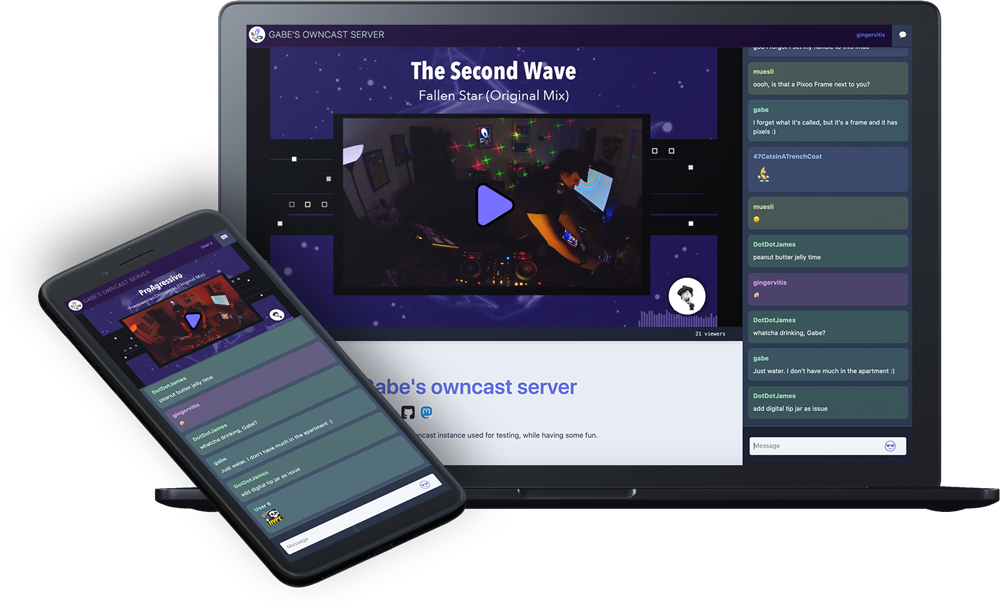
Screenshots

A closer look at Owncast.

Owncast screenshot 1

Setup time

A few minutes

Deployment

Your own server

Services

1 connected service

Why Owncast

Everything you need, running where you choose.

Get the full Owncast experience with Easypanel handling the repetitive infrastructure work around it.

Live Video and Web Chat Server
Owncast is a free and open source live video and web chat server. It works with your existing broadcasting software, allowing you to start streaming on your own server in minutes.
Built-in Chat
Owncast includes a frictionless built-in chat that allows your viewers to be a part of the action. You can include custom emotes and build chat bots to encourage engagement from your viewers.
Customizable
Owncast allows you to tweak the content of your page, the video quality, server performance and more. You can also extend Owncast’s functionality by building your own bots, overlays, tools and integrations.
Self-Hosted and Independent
Owncast gives you complete control and ownership over your stream, allowing you to create the content you want. It's a self-hosted solution, meaning you have the freedom to manage your own server and data.
Reach a Wider Audience
With Owncast, your live stream can reach a wider audience on The Fediverse. This allows people to follow and share your stream on Mastodon and other Fediverse services, expanding your viewer base.
One-click deployment
Skip manual Docker setup. Easypanel creates and connects the services this app needs.
How it works

From template to live app in three steps.

Easypanel turns the template into real services, storage, and domains on the server you already control.

Already have Easypanel? Open your dashboard at the URL or IP of your own installation.

Installation guide
1
Open your dashboard
Visit the URL or IP of your Easypanel installation and choose the target project.
2
Choose Owncast
Open Templates, select Owncast, then review its service names and configuration.
3
Deploy and open your app
Easypanel starts every service and provisions an HTTPS domain for you.
Installation options
The template asks for these values before creating your services.
OptionDefaultRequired

App Service Name

owncastRequired

App Service Image

gabekangas/owncast:0.2.5Required
Resources
Project documentation and source code.
Latest template update
May 5, 2026

Version bumped to 0.2.5

Questions

Deploy with confidence.

The template handles the application setup while Easypanel keeps the infrastructure understandable and under your control.

Keep exploring

Related templates

Browse all
Handbrake Web logo
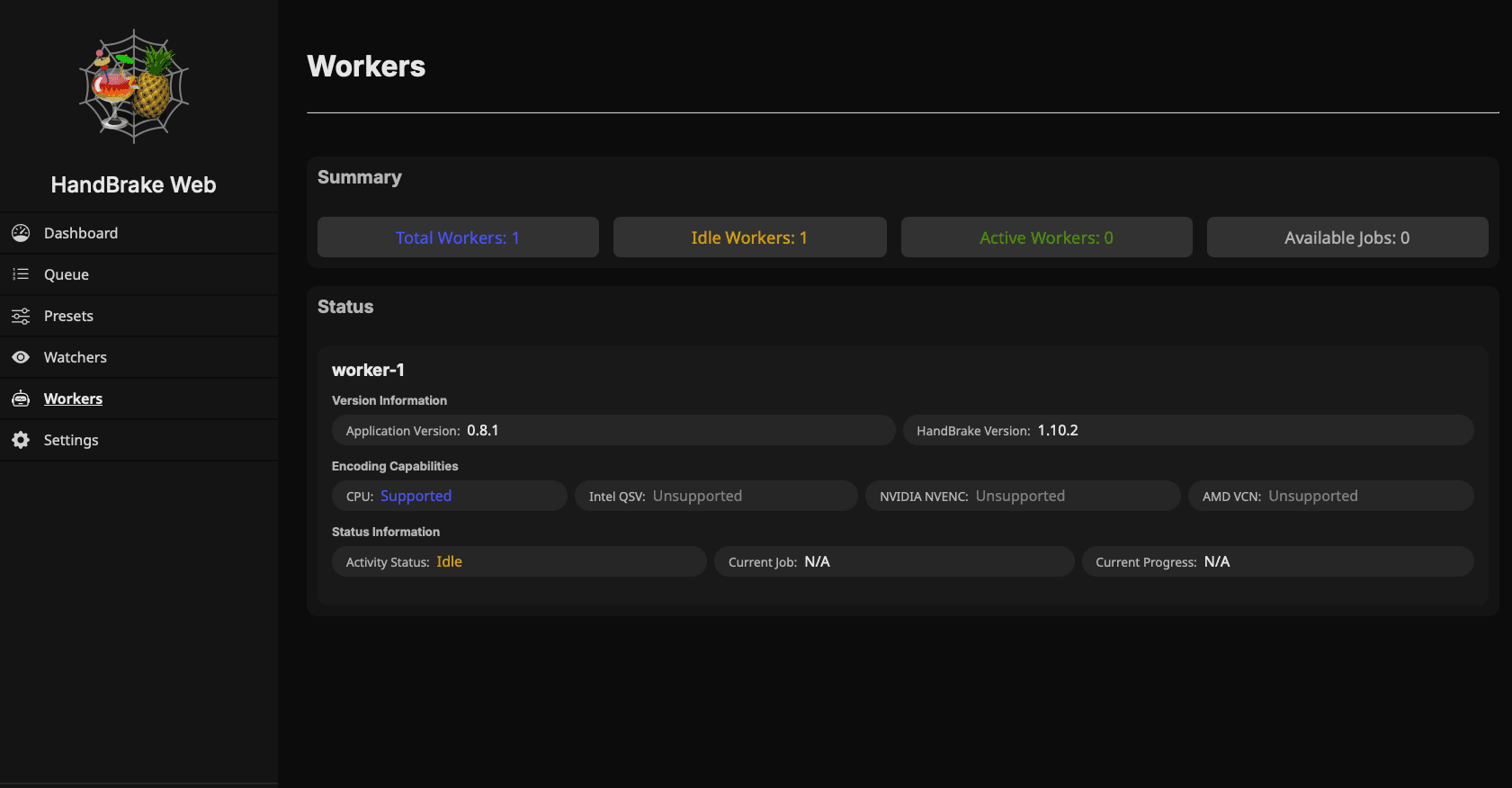
Handbrake Web
Handbrake Web is a self-hosted video transcoding solution that provides a web-based interface for managing and processing video encoding jobs using the powerful HandBrake video transcoder. The application features a distributed architecture with a central server for job management and dedicated workers for processing, allowing you to scale encoding capacity by adding more workers. The web interface enables you to upload videos, configure encoding presets, monitor job progress, and manage your transcoding queue from any browser. Handbrake Web supports all the encoding formats and options available in HandBrake, including H.264, H.265/HEVC, VP9, and AV1 codecs, as well as various container formats like MP4, MKV, and WebM. The worker-based architecture allows for parallel processing of multiple videos and can leverage hardware acceleration when available. Perfect for media enthusiasts who need to convert video collections to different formats, content creators preparing videos for multiple platforms, home server administrators managing media libraries, or anyone who needs a reliable self-hosted solution for batch video transcoding without installing desktop applications.
View template
Cinephage logo
Cinephage
Cinephage is a self-hosted media management and streaming application designed for organizing and accessing your movie and TV show collection. It provides a modern web interface for browsing your media library, with features like metadata management, watch tracking, and streaming capabilities. Built with privacy and self-hosting in mind, Cinephage gives you complete control over your media collection without relying on external services.
View template
NodeCast TV
NodeCast TV is a self-hosted media casting and streaming application that allows you to cast and stream media content to various devices. Built with Node.js, NodeCast TV provides a simple and efficient way to manage and stream your media library. It features a web-based interface accessible on port 3000 and stores application data in a persistent volume for reliable operation. Perfect for home media servers and self-hosting enthusiasts looking for a lightweight media casting solution.
View template
Owncast logo
Ready to deploy Owncast?
Open your own Easypanel dashboard, choose Owncast from Templates, and review the deployment options.