All templates

Deploy Password Pusher on your own server.

Password Pusher logo

Password Pusher is an open-source, self-hosted application designed to securely share passwords and sensitive information via unique, time-sensitive URLs. It eliminates the need to send sensitive credentials through insecure channels like email or messaging apps. The app is lightweight, easy to deploy, and prioritizes user privacy and…

Your infrastructureAutomatic HTTPSNo lock-in

Screenshots

A closer look at Password Pusher.
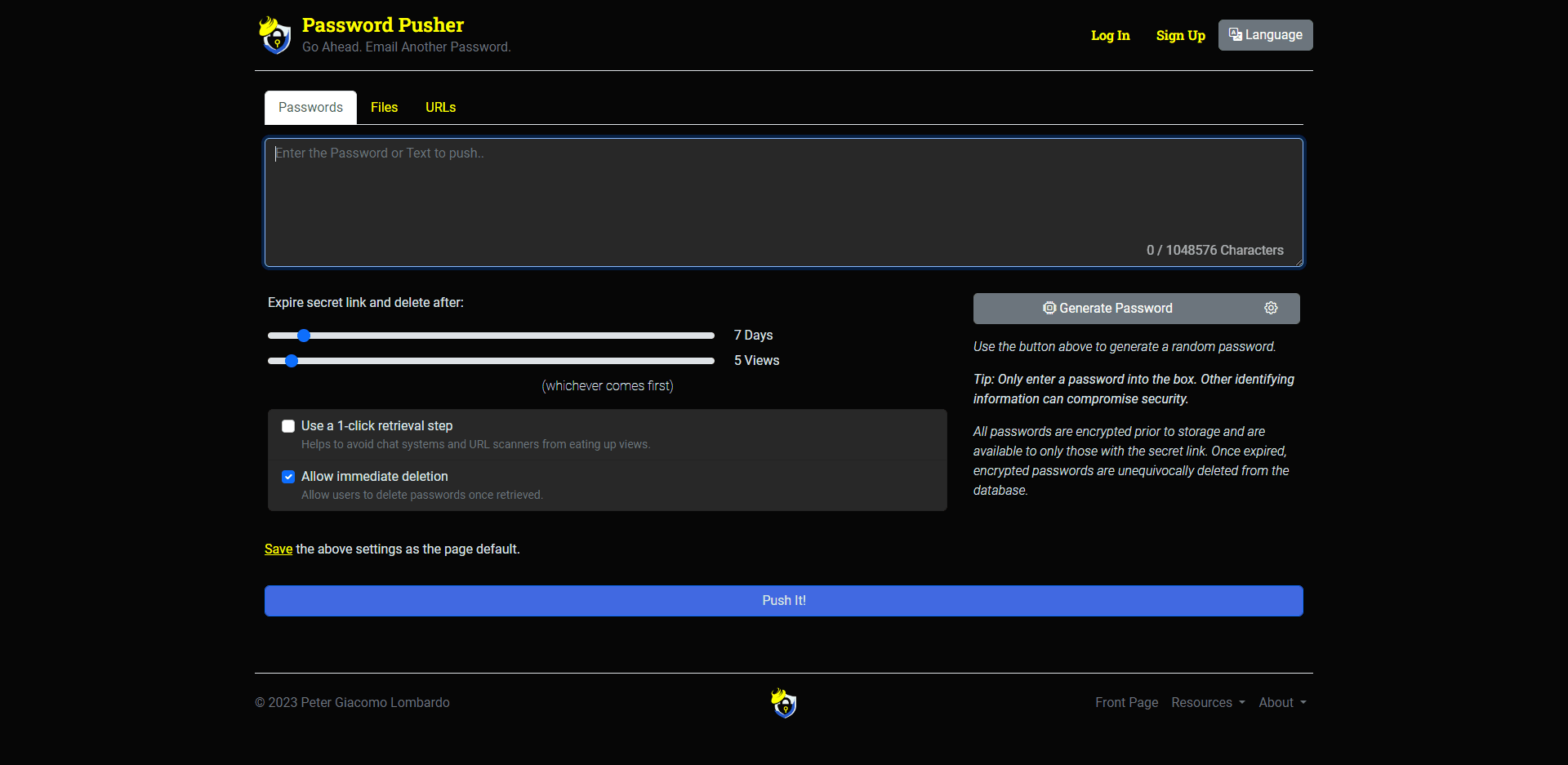
Password Pusher screenshot 1

Setup time

A few minutes

Deployment

Your own server

Services

2 connected services

Why Password Pusher

Everything you need, running where you choose.

Get the full Password Pusher experience with Easypanel handling the repetitive infrastructure work around it.

Customizable Expiration Controls
Password Pusher provides fine-grained control over link expiration. You can specify the number of views or days after which the shared link will be destroyed, ensuring sensitive data is not accessible indefinitely.
Self-Hosted Privacy
Password Pusher is self-hosted, ensuring that you have complete control over your data. This means that no third party has access to your shared credentials.
Lightweight and Fast
The app is designed to be lightweight and fast, with minimal resource usage. It is easy to deploy and maintain, making it ideal for small teams or large organizations.
Flexible Integration
Password Pusher supports integration into existing workflows through its API. This allows you to automate the process of password sharing and management.
Secure Password Sharing
Password Pusher ensures secure password sharing through self-destructing URLs. This eliminates the need to send passwords via insecure channels like email or chat, protecting sensitive credentials.
Time-Sensitive Links
Links generated by Password Pusher can be set to expire after a specific number of views or days. This ensures that shared credentials are automatically destroyed after their intended use, enhancing security.
How it works

From template to live app in three steps.

Easypanel turns the template into real services, storage, and domains on the server you already control.

Already have Easypanel? Open your dashboard at the URL or IP of your own installation.

Installation guide
1
Open your dashboard
Visit the URL or IP of your Easypanel installation and choose the target project.
2
Choose Password Pusher
Open Templates, select Password Pusher, then review its service names and configuration.
3
Deploy and open your app
Easypanel starts every service and provisions an HTTPS domain for you.
Installation options
The template asks for these values before creating your services.
OptionDefaultRequired

App Service Name

passwordpusherRequired

App Service Image

pglombardo/pwpush:1.68Required
Resources
Project documentation and source code.
Latest template update
Feb 24, 2026

Version bumped to 1.68

Questions

Deploy with confidence.

The template handles the application setup while Easypanel keeps the infrastructure understandable and under your control.

Keep exploring

Related templates

Browse all
Passky Server logo
Passky Server
Passky is a simple, modern, lightweight, open source and secure password manager. It allows you to securely store and manage your passwords, ensuring your sensitive credentials remain protected. This self-hosted server component works with the Passky clients (web, desktop, and mobile apps) to provide a complete password management solution that puts you in control of your data.
View template
Syncthing logo
Syncthing
Syncthing is a powerful, real-time file synchronization program designed to keep your data secure and under your control. It enables the synchronization of files between two or more computers, ensuring your data is always up-to-date across your devices. Syncthing prioritizes your privacy and security, with no data ever stored on a central server that could be compromised. All communication is encrypted and authenticated, with only devices you have explicitly allowed able to connect to your other devices. The app is easy to use, with a responsive and powerful interface accessible via your browser. It works across various operating systems including Mac OS X, Windows, Linux, FreeBSD, Solaris, OpenBSD, and many others. Syncthing doesn't require complex configuration or IP addresses, it simply works, over LAN and over the Internet. You can synchronize as many folders as you need with different people or just between your own devices.
View template
FlashPaper logo
FlashPaper
FlashPaper is a secure, self-destructing message service that allows you to share sensitive information safely. Messages are encrypted and automatically destroyed after being viewed once, ensuring that sensitive data remains secure and temporary.
View template
Password Pusher logo
Ready to deploy Password Pusher?
Open your own Easypanel dashboard, choose Password Pusher from Templates, and review the deployment options.