All templates

Deploy Syncthing on your own server.

Syncthing logo

Syncthing is a powerful, real-time file synchronization program designed to keep your data secure and under your control. It enables the synchronization of files between two or more computers, ensuring your data is always up-to-date across your devices. Syncthing prioritizes your privacy and security, with no data ever stored on a…

Your infrastructureAutomatic HTTPSNo lock-in

Screenshots

A closer look at Syncthing.
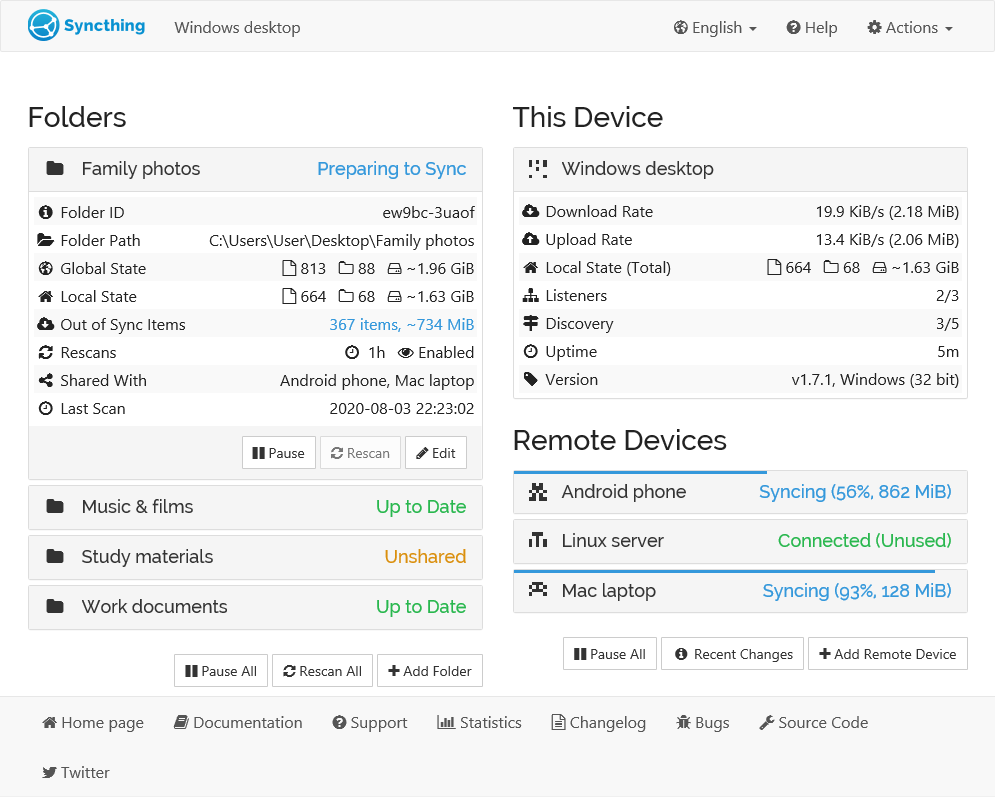
Syncthing screenshot 1

Setup time

A few minutes

Deployment

Your own server

Services

1 connected service

Why Syncthing

Everything you need, running where you choose.

Get the full Syncthing experience with Easypanel handling the repetitive infrastructure work around it.

Real-Time Synchronization
Syncthing synchronizes files between two or more computers in real time, ensuring your data is always up-to-date.
Private and Secure
Syncthing uses TLS for secure communication, includes perfect forward secrecy to prevent any eavesdropper from ever gaining access to your data, and only allows connections from devices you have explicitly allowed.
Open Protocol
The protocol used by Syncthing is a documented specification with no hidden processes. All source code is available on GitHub.
Powerful Interface
Configure and monitor Syncthing via a responsive and powerful interface accessible via your browser. It works on multiple platforms including Mac OS X, Windows, Linux, FreeBSD, Solaris, OpenBSD, and many others.
Continuous File Synchronization
Syncthing is a real-time file synchronization program that keeps your files updated across multiple computers. It ensures that your data is always current, no matter where you access it from.
Private & Secure
Your data is stored only on your computers, with no central server that could be compromised. All communication is encrypted and authenticated, ensuring your data is safe from prying eyes.
How it works

From template to live app in three steps.

Easypanel turns the template into real services, storage, and domains on the server you already control.

Already have Easypanel? Open your dashboard at the URL or IP of your own installation.

Installation guide
1
Open your dashboard
Visit the URL or IP of your Easypanel installation and choose the target project.
2
Choose Syncthing
Open Templates, select Syncthing, then review its service names and configuration.
3
Deploy and open your app
Easypanel starts every service and provisions an HTTPS domain for you.
Installation options
The template asks for these values before creating your services.
OptionDefaultRequired

App Service Name

syncthingRequired

App Service Image

syncthing/syncthing:1.30Required
Resources
Project documentation and source code.
Latest template update
Jul 25, 2025

Version bumped to 1.30

Questions

Deploy with confidence.

The template handles the application setup while Easypanel keeps the infrastructure understandable and under your control.

Keep exploring

Related templates

Browse all
MiroTalk P2P logo
MiroTalk P2P
MiroTalk P2P is a powerful WebRTC-based peer-to-peer video conferencing platform that enables secure, real-time communication directly between participants without requiring external servers for media transmission. It offers advanced features like screen sharing, file transfer, chat messaging, and room protection, making it perfect for businesses, educational institutions, and personal use that require privacy-focused video conferencing solutions.
View template
FlashPaper logo
FlashPaper
FlashPaper is a secure, self-destructing message service that allows you to share sensitive information safely. Messages are encrypted and automatically destroyed after being viewed once, ensuring that sensitive data remains secure and temporary.
View template
Password Pusher logo
Password Pusher
Password Pusher is an open-source, self-hosted application designed to securely share passwords and sensitive information via unique, time-sensitive URLs. It eliminates the need to send sensitive credentials through insecure channels like email or messaging apps. The app is lightweight, easy to deploy, and prioritizes user privacy and security. Password Pusher allows for fine-grained control over link expiration, including the number of views or days before a link expires. It ensures that shared passwords are destroyed after expiration, adding an extra layer of security. The app can be deployed on various platforms such as Docker or Kubernetes, making it highly flexible and accessible for individuals and organizations alike.
View template
Syncthing logo
Ready to deploy Syncthing?
Open your own Easypanel dashboard, choose Syncthing from Templates, and review the deployment options.