All templates

Deploy Pidgin on your own server.
Pidgin logo

Pidgin is a versatile chat application that allows you to log into multiple chat networks simultaneously. This means you can chat with friends on XMPP while also participating in an IRC channel. The application supports a wide range of chat networks, including but not limited to Bonjour, Discord, Facebook, Google Talk, Hangouts, ICQ,…

Your infrastructureAutomatic HTTPSNo lock-in

Screenshots

A closer look at Pidgin.

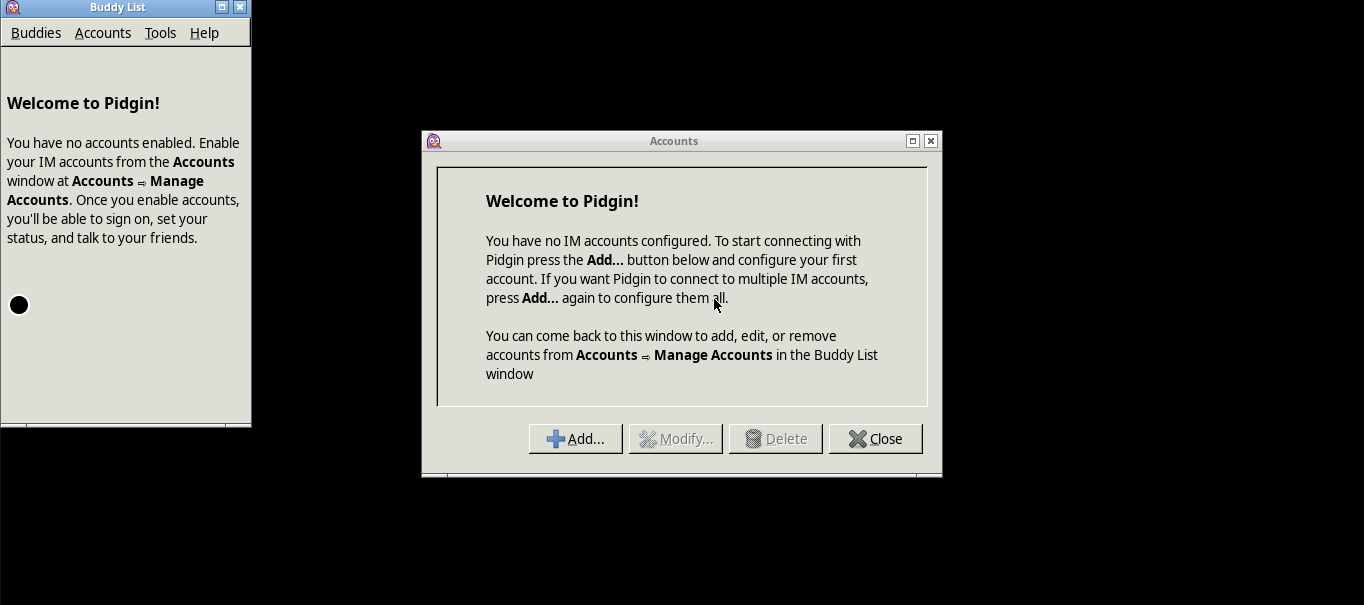
Pidgin screenshot 1

Setup time

A few minutes

Deployment

Your own server

Services

1 connected service

Why Pidgin

Everything you need, running where you choose.

Get the full Pidgin experience with Easypanel handling the repetitive infrastructure work around it.

Multi-Platform Awareness
The app utilizes the docker manifest for multi-platform awareness. Simply pulling the correct image for your architecture should retrieve the correct image for your arch.
Supported Chat Networks
Pidgin supports a wide range of chat networks including XMPP, IRC, Discord, Facebook, Google Talk, Instagram, Skype, Slack, Telegram, and many more. This allows you to connect with friends and colleagues across different platforms.
Customizable Settings
The app allows you to customize various settings such as the internal port the container listens on for http and https, HTTP Basic auth username and password, subfolder for the application if running a subfolder reverse proxy, and the page title displayed on the web browser.
Secure Access
The application can be accessed securely at https://yourhost:3001/. This ensures that your chat conversations are protected from unauthorized access.
Multi-Network Chatting
Pidgin allows you to log into accounts on multiple chat networks simultaneously. This means you can be chatting with friends on XMPP and sitting in an IRC channel at the same time, providing a seamless chatting experience.
Third-Party Plugins
This Pidgin installation comes with default chat plugins plus a series of third-party ones. These plugins enhance the functionality of the app, allowing you to customize your chatting experience to suit your needs.
How it works

From template to live app in three steps.

Easypanel turns the template into real services, storage, and domains on the server you already control.

Already have Easypanel? Open your dashboard at the URL or IP of your own installation.

Installation guide
1
Open your dashboard
Visit the URL or IP of your Easypanel installation and choose the target project.
2
Choose Pidgin
Open Templates, select Pidgin, then review its service names and configuration.
3
Deploy and open your app
Easypanel starts every service and provisions an HTTPS domain for you.
Installation options
The template asks for these values before creating your services.
OptionDefaultRequired

App Service Name

pidginRequired

App Service Image

lscr.io/linuxserver/pidgin:2.14.14Required
Resources
Project documentation and source code.
Latest template update
Dec 29, 2025

Version bumped to 2.14.14

Questions

Deploy with confidence.

The template handles the application setup while Easypanel keeps the infrastructure understandable and under your control.

Keep exploring

Related templates

Browse all
Chatwoot logo
Chatwoot
Chatwoot is a new age multi-channel customer experience platform designed for businesses of all sizes. It serves as an open-source customer engagement suite, providing an alternative to platforms like Intercom, Zendesk, and Salesforce Service Cloud. With Chatwoot, you can manage your agents' workload, track their performance through auto-updating reports, and work smarter with automations. The app allows you to perform key actions on multiple conversations at once and provides super quick responses to customer conversations, making your agents super productive. It also offers features to manage your email, Facebook, Instagram, Line, SMS, Telegram, and Twitter customer interactions directly from the platform. Additionally, Chatwoot provides detailed insights into your conversations and allows you to measure and track your CSAT score on autopilot.
View template
EvoBot logo
EvoBot
EvoBot is a music bot designed for Discord, a popular communication platform. It's built with TypeScript and discord.js, and it uses a Command Handler from discordjs.guide. The bot allows users to play music directly from YouTube either by using a URL or a search query. It also supports playing YouTube playlists. In addition to playing music, EvoBot offers a variety of commands for managing the playback. Users can control the volume, pause and resume playback, skip songs, and even move songs within the queue. The bot also provides lyrics for songs and can show its uptime. EvoBot supports multiple languages, making it accessible to users around the world.
View template
Morphic logo
Morphic
Morphic is an AI-powered search and answer engine that combines the power of multiple AI models with real-time web search capabilities. It provides intelligent answers to user queries by leveraging various AI providers including OpenAI, Anthropic, Google, and Groq, while using SearxNG for privacy-focused web search. Morphic offers a conversational interface that delivers comprehensive, well-sourced answers with citations and follow-up questions, making it an excellent alternative to traditional search engines.
View template
Pidgin logo
Ready to deploy Pidgin?
Open your own Easypanel dashboard, choose Pidgin from Templates, and review the deployment options.