All templates

Deploy Morphic on your own server.

Morphic logo

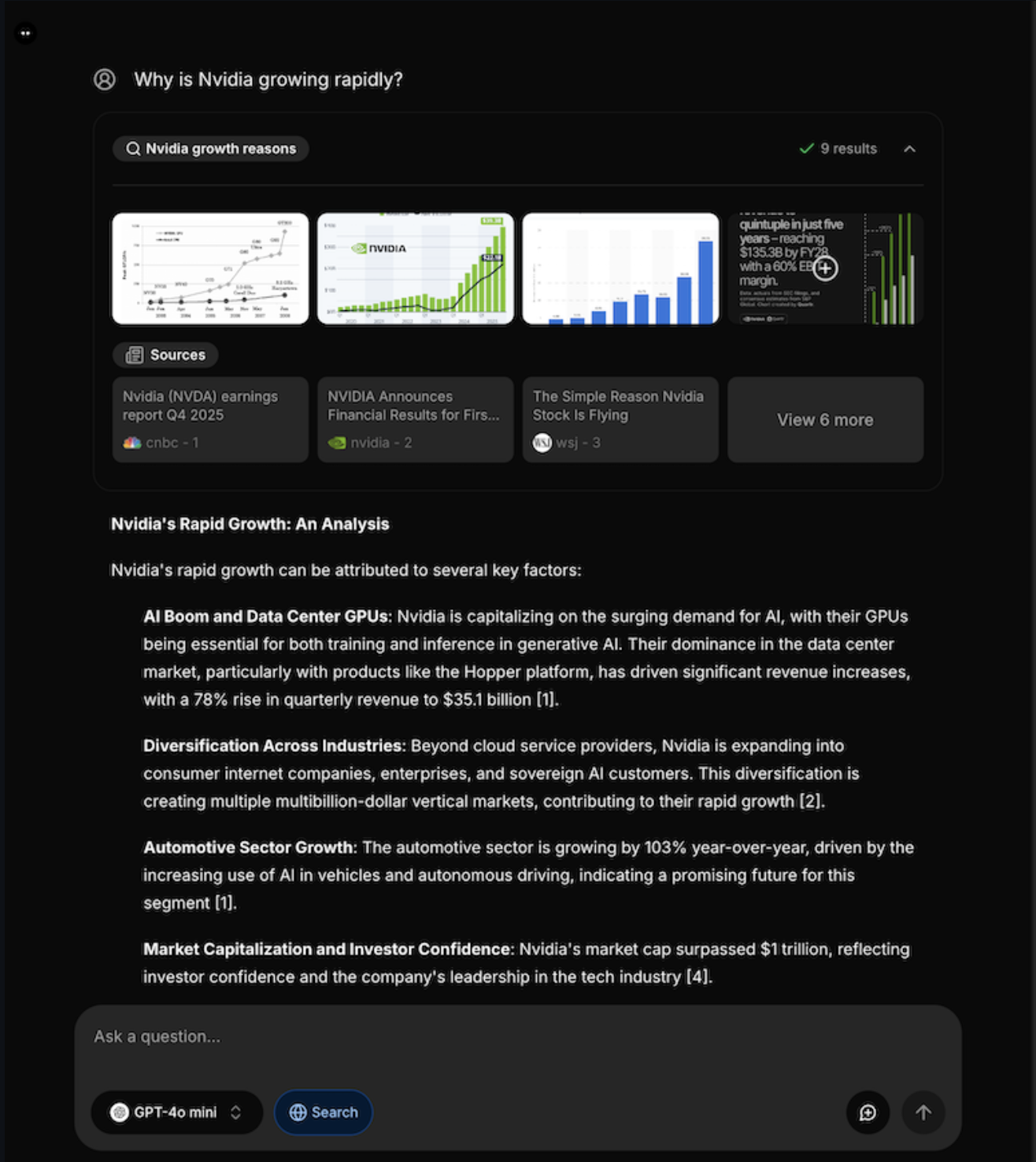
Morphic is an AI-powered search and answer engine that combines the power of multiple AI models with real-time web search capabilities. It provides intelligent answers to user queries by leveraging various AI providers including OpenAI, Anthropic, Google, and Groq, while using SearxNG for privacy-focused web search. Morphic offers a…

Your infrastructureAutomatic HTTPSNo lock-in

Screenshots

A closer look at Morphic.

Morphic screenshot 1

Setup time

A few minutes

Deployment

Your own server

Services

3 connected services

Why Morphic

Everything you need, running where you choose.

Get the full Morphic experience with Easypanel handling the repetitive infrastructure work around it.

Conversational Interface
Chat-based interface that provides natural language interactions with AI models for intuitive question-and-answer sessions.
Source Citations
All responses include proper citations and links to sources, ensuring transparency and enabling fact verification.
Follow-Up Questions
AI-generated follow-up questions help users explore topics more deeply and discover related information automatically.
Multiple AI Providers
Choose from various AI models and providers based on your needs, with support for the latest language models from major providers.
Multi-Model AI Support
Access multiple AI providers including OpenAI, Anthropic, Google, and Groq for diverse AI capabilities and model selection.
Privacy-Focused Search
Integrated SearxNG search engine ensures private web search without tracking or data collection from search providers.
How it works

From template to live app in three steps.

Easypanel turns the template into real services, storage, and domains on the server you already control.

Already have Easypanel? Open your dashboard at the URL or IP of your own installation.

Installation guide
1
Open your dashboard
Visit the URL or IP of your Easypanel installation and choose the target project.
2
Choose Morphic
Open Templates, select Morphic, then review its service names and configuration.
3
Deploy and open your app
Easypanel starts every service and provisions an HTTPS domain for you.
Installation options
The template asks for these values before creating your services.
OptionDefaultRequired

App Service Name

morphicRequired

App Service Image

Morphic Docker image

ghcr.io/miurla/morphic:e4fd78357afc685db17e6c27404b9728b3205624Required

SearxNG Service Image

SearxNG Docker image

searxng/searxng:2026.5.17-d7e8b7cd1Required

OpenAI API Key

Optional OpenAI API key for GPT models

Set during installOptional

Anthropic API Key

Optional Anthropic API key for Claude models

Set during installOptional

Google Generative AI API Key

Optional Google API key for Gemini models

Set during installOptional

Groq API Key

Optional Groq API key for fast inference

Set during installOptional
Resources
Project documentation and source code.
Latest template update
May 21, 2026

Bumped to v1.3.0 (SHA e4fd783), SearXNG updated to 2026.5.17

Questions

Deploy with confidence.

The template handles the application setup while Easypanel keeps the infrastructure understandable and under your control.

Keep exploring

Related templates

Browse all
LibreChat logo
LibreChat
LibreChat is a free, open source clone of ChatGPT that supports multiple AI providers and models. It offers a familiar chat interface with support for OpenAI, Anthropic, Google, Azure OpenAI, and many other AI providers. LibreChat features conversation management, preset configurations, plugin support, multi-user authentication, and extensive customization options. It includes advanced features like RAG (Retrieval Augmented Generation), web search capabilities, file uploads, image generation, and comprehensive user management. Perfect for organizations and individuals who want ChatGPT-like functionality while maintaining full control over their data and conversations.
View template
Vane logo
Vane
Vane is a privacy focused AI answering engine that combines web search with local and cloud LLM providers. It supports cited answers, file uploads, search history, and configurable model backends while running on your own hardware.
View template
YakGPT
YakGPT is a simple, locally running ChatGPT UI that makes your text generation faster and chatting even more engaging! This hands-free interface provides direct access to OpenAI's GPT models with advanced voice capabilities, including Speech-to-Text via Azure & OpenAI Whisper and Text-to-Speech via Azure & Eleven Labs. Run locally in your browser with no need to install applications, featuring faster performance than the official ChatGPT UI by connecting directly to the API. Perfect for users who want privacy, speed, and voice interaction with their AI assistant.
View template
Morphic logo
Ready to deploy Morphic?
Open your own Easypanel dashboard, choose Morphic from Templates, and review the deployment options.