All templates

Deploy PortNote on your own server.

PortNote logo

PortNote is a self-hosted port tracking application that helps you keep track of used ports across your servers and VMs. Stop juggling spreadsheets and guessing which service uses which port — PortNote gives you a clear, organized view of your entire port landscape. Add your servers via a sleek web interface, assign and document port…

Your infrastructureAutomatic HTTPSNo lock-in

Screenshots

A closer look at PortNote.
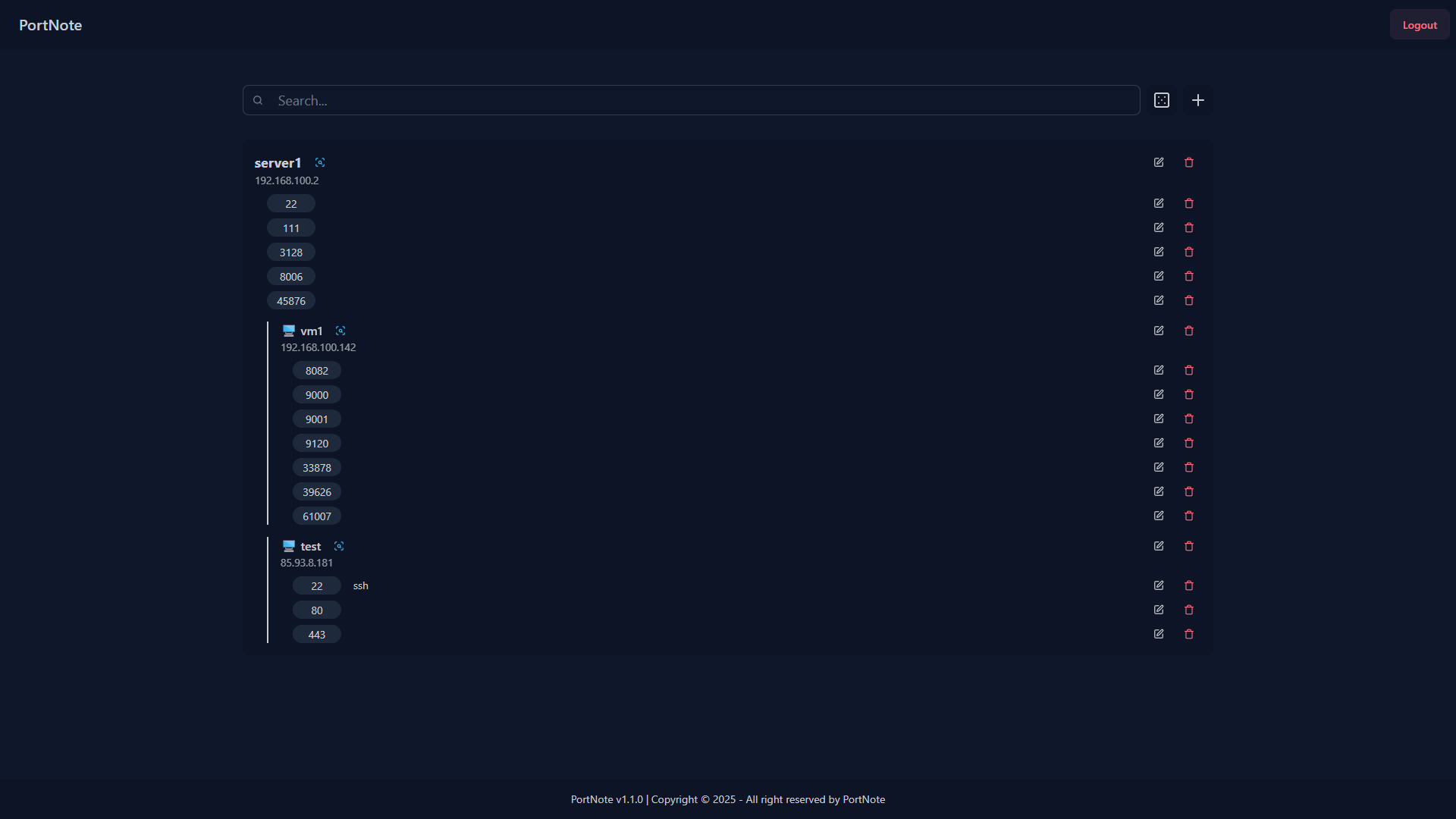
PortNote screenshot 1

Setup time

A few minutes

Deployment

Your own server

Services

3 connected services

Why PortNote

Everything you need, running where you choose.

Get the full PortNote experience with Easypanel handling the repetitive infrastructure work around it.

Server and VM Management
Add and manage your servers and VMs through a sleek web interface, organizing your entire infrastructure in one centralized location.
Port Assignment Tracking
Assign and document port usage across all systems with detailed information about which services use which ports.
Random Port Generator
Generate random available ports to help you find unused ports for new services and avoid conflicts.
Secure Authentication
JWT-based authentication system with secure login credentials to protect your infrastructure data and port assignments.
Background Processing
Dedicated agent service for handling background tasks, automation, and advanced port management features.
Database Storage
Reliable PostgreSQL database for storing server information, port assignments, and application state with data persistence.
How it works

From template to live app in three steps.

Easypanel turns the template into real services, storage, and domains on the server you already control.

Already have Easypanel? Open your dashboard at the URL or IP of your own installation.

Installation guide
1
Open your dashboard
Visit the URL or IP of your Easypanel installation and choose the target project.
2
Choose PortNote
Open Templates, select PortNote, then review its service names and configuration.
3
Deploy and open your app
Easypanel starts every service and provisions an HTTPS domain for you.
Installation options
The template asks for these values before creating your services.
OptionDefaultRequired

App Service Name

portnoteRequired

Web Service Image

haedlessdev/portnote:1.2.0Required

Agent Service Image

haedlessdev/portnote-agent:1.2.0Required

Login Username

Username for accessing the application

adminOptional

Login Password

Password for accessing the application (leave empty for auto-generation)

Set during installOptional
Resources
Project documentation and source code.
Latest template update
Sep 17, 2025

Template Release (1.2.0)

Questions

Deploy with confidence.

The template handles the application setup while Easypanel keeps the infrastructure understandable and under your control.

PortNote logo
Ready to deploy PortNote?
Open your own Easypanel dashboard, choose PortNote from Templates, and review the deployment options.