Deploy Puppetflow on your own server.

Puppetflow logo

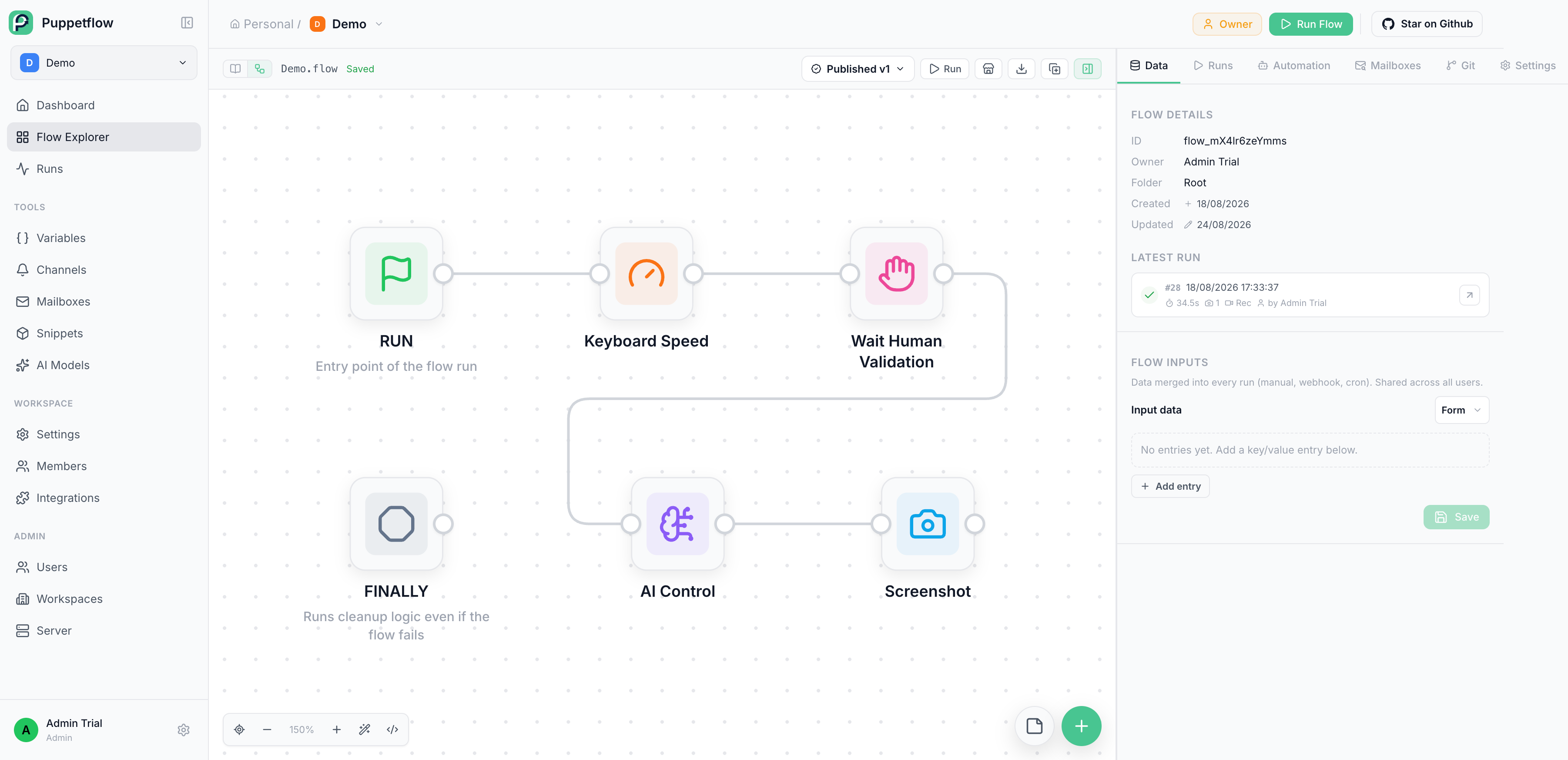
Puppetflow is a self-hosted browser automation platform for writing, running, scheduling, and monitoring JavaScript workflows. It provides a visual flow builder, live browser streaming, human validation steps, reusable snippets, run history, artifacts, a REST API, and a remote MCP server.

Your infrastructureAutomatic HTTPSNo lock-in

Screenshots

A closer look at Puppetflow.
Puppetflow screenshot 1

Setup time

A few minutes

Deployment

Your own server

Services

6 connected services

Why Puppetflow

Everything you need, running where you choose.

Get the full Puppetflow experience with Easypanel handling the repetitive infrastructure work around it.

Browser Workflows
Write JavaScript workflows or assemble node-based flows for repeatable browser automation.
Live Browser Streaming
Watch active browser sessions and take control when manual interaction is required.
Scheduling and Integrations
Run flows manually, on schedules, through the REST API, from n8n, or from AI clients through the remote MCP server.
Run History and Artifacts
Review logs, outputs, screenshots, downloads, and browser recordings for every execution.
Keep Automation Under Your Control
Run browser workflows and keep credentials, sessions, run state, and artifacts on infrastructure you manage.
Build and Debug Visually
Create code or node-based flows, watch browser sessions live, inspect logs, and replay recordings when a run needs investigation.
How it works

From template to live app in three steps.

Easypanel turns the template into real services, storage, and domains on the server you already control.

Already have Easypanel? Open your dashboard at the URL or IP of your own installation.

Installation guide
1
Open your dashboard
Visit the URL or IP of your Easypanel installation and choose the target project.
2
Choose Puppetflow
Open Templates, select Puppetflow, then review its service names and configuration.
3
Deploy and open your app
Easypanel starts every service and provisions an HTTPS domain for you.
Installation options
The template asks for these values before creating your services.
OptionDefaultRequired

App Service Name

puppetflowRequired

App Service Image

ghcr.io/puppetflow/puppetflow:v2026.9.39Required

Browser Stream Service Image

ghcr.io/puppetflow/puppetflow-stream-server:v2026.9.39Required

Browser Gateway Service Image

ghcr.io/puppetflow/pinokio:v2026.9.6Required
Resources
Project documentation and source code.
Latest template update
Sep 27, 2026

Initial template release using Puppetflow v2026.9.39.

Questions

Deploy with confidence.

The template handles the application setup while Easypanel keeps the infrastructure understandable and under your control.

Puppetflow logo
Ready to deploy Puppetflow?
Open your own Easypanel dashboard, choose Puppetflow from Templates, and review the deployment options.