All templates

Deploy qBitWebUI on your own server.

qBitWebUI logo

qBitWebUI is a modern web interface for qBittorrent, providing an enhanced user experience for managing your torrent downloads. It offers a clean, responsive design with advanced features like dark mode, mobile support, and improved usability compared to the default qBittorrent web UI. Perfect for users who want a better way to manage…

Your infrastructureAutomatic HTTPSNo lock-in

Screenshots

A closer look at qBitWebUI.
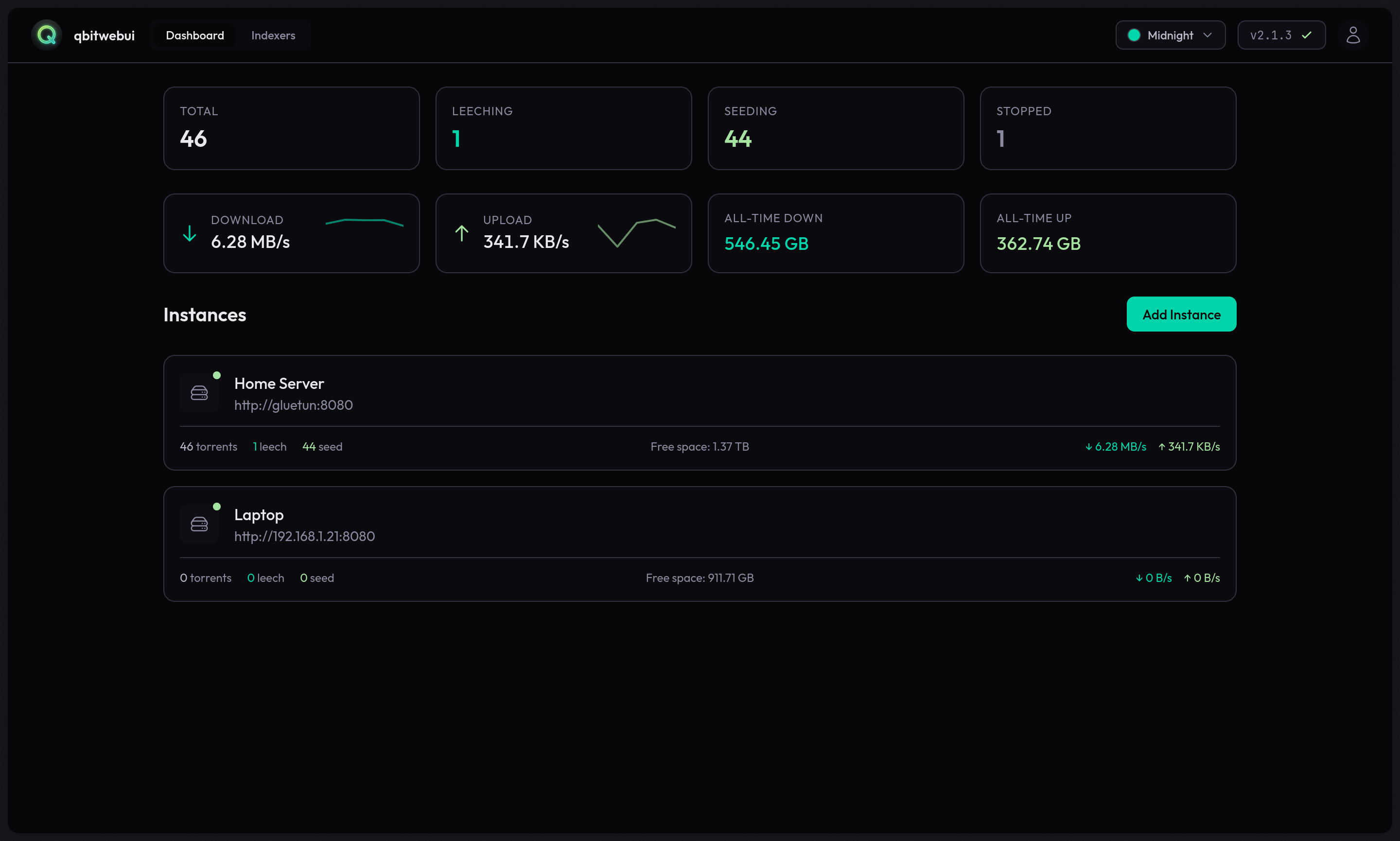
qBitWebUI screenshot 1

Setup time

A few minutes

Deployment

Your own server

Services

1 connected service

Why qBitWebUI

Everything you need, running where you choose.

Get the full qBitWebUI experience with Easypanel handling the repetitive infrastructure work around it.

Responsive Design
Works seamlessly on desktop, tablet, and mobile devices with a responsive layout.
Dark Mode Support
Built-in dark mode for comfortable viewing in low-light conditions.
Secure Encryption
Encrypted data storage with auto-generated encryption keys for enhanced security.
Easy Configuration
Simple setup process with minimal configuration required to get started.
qBittorrent Integration
Seamlessly connects to your existing qBittorrent instance for complete torrent management.
Modern Web Interface
Enjoy a clean, modern web interface for qBittorrent with improved usability and better user experience.
How it works

From template to live app in three steps.

Easypanel turns the template into real services, storage, and domains on the server you already control.

Already have Easypanel? Open your dashboard at the URL or IP of your own installation.

Installation guide
1
Open your dashboard
Visit the URL or IP of your Easypanel installation and choose the target project.
2
Choose qBitWebUI
Open Templates, select qBitWebUI, then review its service names and configuration.
3
Deploy and open your app
Easypanel starts every service and provisions an HTTPS domain for you.
Installation options
The template asks for these values before creating your services.
OptionDefaultRequired

App Service Name

qbitwebuiRequired

App Service Image

ghcr.io/maciejonos/qbitwebui:2.21Required
Resources
Project documentation and source code.
Latest template update
Jan 9, 2026

Template Release

Questions

Deploy with confidence.

The template handles the application setup while Easypanel keeps the infrastructure understandable and under your control.

Keep exploring

Related templates

Browse all
Autobrr logo
Autobrr
Autobrr is a modern download automation tool for torrent indexers and trackers. It monitors IRC announce channels and RSS feeds from various torrent trackers, automatically downloading torrents that match your custom filters and rules. Autobrr acts as a bridge between torrent indexers and your download clients, enabling advanced automation workflows. It supports numerous torrent clients including qBittorrent, Deluge, Transmission, and rTorrent, and integrates with media management tools like Sonarr, Radarr, and Lidarr. With powerful filtering capabilities based on resolution, codec, release group, and custom regex patterns, Autobrr ensures you only download exactly what you want. Perfect for automating private tracker workflows, racing releases, and maintaining ratio requirements.
View template
Pinchflat logo
Pinchflat
Pinchflat is a modern, self-hosted media management and download application designed for organizing and managing your digital media collection. It provides an intuitive web interface for downloading, organizing, and accessing your media files with support for various formats and sources. Pinchflat offers powerful features for media discovery, automated downloads, and collection management in a clean, user-friendly environment.
View template
slskd logo
slskd
slskd is a modern, web-based client for the Soulseek peer-to-peer file sharing network. It provides a clean, intuitive web interface for browsing, searching, and downloading files from the Soulseek network. Unlike traditional desktop clients, slskd runs as a daemon service that you can access from any device with a web browser. The application supports all core Soulseek features including user searches, room browsing, private messaging, and file sharing. With its containerized deployment, slskd makes it easy to run a persistent Soulseek client on a server or NAS device. It's perfect for music enthusiasts, collectors, and anyone who wants to participate in the Soulseek community without running a desktop application. The daemon continues to operate even when you're not actively using the web interface, ensuring you never miss downloads or messages.
View template
qBitWebUI logo
Ready to deploy qBitWebUI?
Open your own Easypanel dashboard, choose qBitWebUI from Templates, and review the deployment options.