Deploy Shelf on your own server.

Shelf.nu is an open-source asset management platform designed to help organizations track and manage their physical assets efficiently. It provides features for asset tracking, inventory management, check-in/check-out functionality, and reporting. The platform includes location tracking with maps, user management, and email notifications…
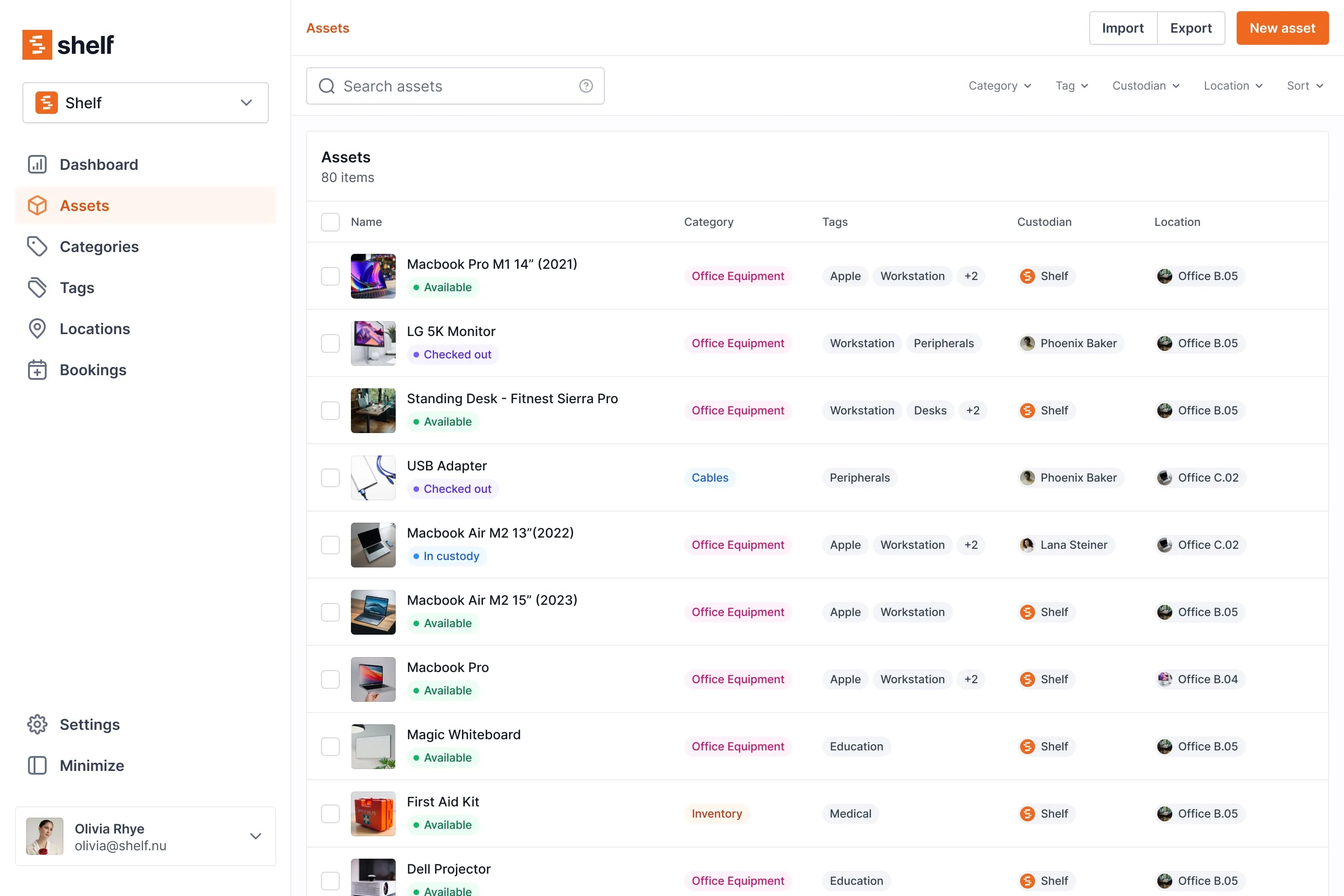
Screenshots
A closer look at Shelf.
Setup time
A few minutes
Deployment
Your own server
Services
2 connected services
Everything you need, running where you choose.
Get the full Shelf experience with Easypanel handling the repetitive infrastructure work around it.
From template to live app in three steps.
Easypanel turns the template into real services, storage, and domains on the server you already control.
Already have Easypanel? Open your dashboard at the URL or IP of your own installation.
Installation guide| Option | Default | Required |
|---|---|---|
App Service Name | shelf | Required |
App Service Image Shelf.nu Docker image | ghcr.io/shelf-nu/shelf.nu:1.20.2 | Required |
Supabase Anonymous Public Key Supabase anonymous public key for authentication | — | Required |
Supabase Service Role Key Supabase service role key for server-side operations | — | Required |
Supabase URL Your Supabase instance URL (e.g., https://yourproject.supabase.co) | — | Required |
MapTiler Token MapTiler API token for location mapping features | Set during install | Optional |
SMTP Host SMTP server hostname for email notifications | — | Optional |
SMTP Username SMTP username for email authentication | — | Optional |
SMTP From Address Email address to use as sender (e.g., "Support" <[email protected]>) | — | Optional |
SMTP Password SMTP password for email authentication | Set during install | Optional |
Fix DATABASE_URL (wrong pgbouncer port), make Supabase fields required, bump image to 1.20.2
Deploy with confidence.
The template handles the application setup while Easypanel keeps the infrastructure understandable and under your control.
Related templates