All templates

Deploy Apache Solr on your own server.

Apache Solr logo

Apache Solr is a highly reliable, scalable and fault-tolerant search platform that provides distributed indexing, replication and load-balanced querying, automated failover and recovery, centralized configuration and more. Solr powers the search and navigation features of many of the world's largest internet sites.

Your infrastructureAutomatic HTTPSNo lock-in

Screenshots

A closer look at Apache Solr.
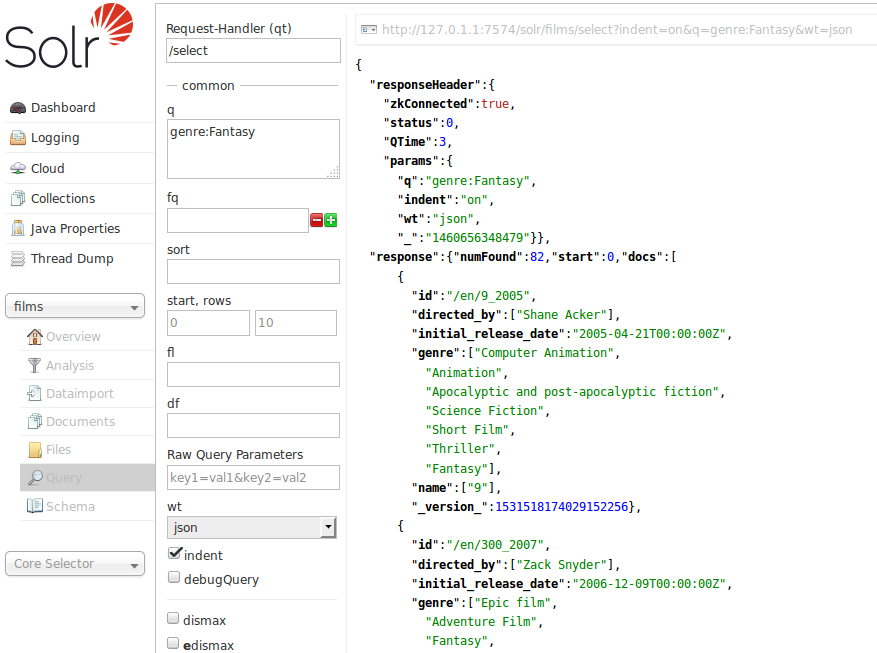
Apache Solr screenshot 1

Setup time

A few minutes

Deployment

Your own server

Services

1 connected service

Why Apache Solr

Everything you need, running where you choose.

Get the full Apache Solr experience with Easypanel handling the repetitive infrastructure work around it.

Full-Text Search
Advanced text search with stemming, synonyms, spell checking, and relevance scoring.
Faceted Search
Dynamic navigation with facets and filters to help users refine search results.
Real-time Indexing
Add, update, and delete documents in real-time with near-instantaneous search availability.
Admin Interface
Web-based administration interface for managing cores, schemas, and monitoring performance.
Enterprise Search
Powerful full-text search capabilities with advanced features like faceting, highlighting, and spell checking.
Scalable Architecture
Built for high performance and scalability with distributed search and automatic failover capabilities.
How it works

From template to live app in three steps.

Easypanel turns the template into real services, storage, and domains on the server you already control.

Already have Easypanel? Open your dashboard at the URL or IP of your own installation.

Installation guide
1
Open your dashboard
Visit the URL or IP of your Easypanel installation and choose the target project.
2
Choose Apache Solr
Open Templates, select Apache Solr, then review its service names and configuration.
3
Deploy and open your app
Easypanel starts every service and provisions an HTTPS domain for you.
Installation options
The template asks for these values before creating your services.
OptionDefaultRequired

App Service Name

solrRequired

App Service Image

Apache Solr Docker image

solr:10.0.0Required
Resources
Project documentation and source code.
Latest template update
May 7, 2026

Version bumped to 10.0.0

Questions

Deploy with confidence.

The template handles the application setup while Easypanel keeps the infrastructure understandable and under your control.

Apache Solr logo
Ready to deploy Apache Solr?
Open your own Easypanel dashboard, choose Apache Solr from Templates, and review the deployment options.